



You are twenty minutes into a customer meeting. They have just told you the pilot needs to cover twice as many learners as your proposal assumes, and asked whether companies can upload their own documentation. In most tools that is two lines in someone's notes and an hour of work tonight.
In Tana it is work you finish before the meeting ends. Capture turns what was just said into outcomes while the conversation continues, and this guide covers the five moves that get those outcomes where they belong: into your tracker, in front of the room, out to the customer, into the channel your team reads. Each one uses the same Share button and Send to menu that every item in Tana has, so learning them on a meeting outcome teaches them everywhere. And nothing here has to wait for the meeting to end.
Before you start
You need a meeting with at least one accepted outcome. Anything the AI captures waits as a proposal until someone accepts it, so work through the review list and keep what is right.
Two of the moves need a connection first, both from Settings:
- Slack, connected to your personal account, not only the organization-level app your admin installs
- The tracker you file work in, Linear, Jira, or GitHub, plus any coding tools you want the AI to launch
Sharing and pinning need nothing set up at all.
Ask for the outcome the meeting actually needs
The outcomes Tana captures on its own are the common ones. When you need something specific, ask for it in the meeting's own Private Meeting Agent, a chat only you can see, so you are not interrupting the room to get work done:
- "Update the proposal based on what the customer said about learner numbers."
- "Capture the documentation upload request as a feature request."
- "Draft the follow-up email to send them tonight."
- "Log the decision to run the pilot in two phases, and who agreed to it."
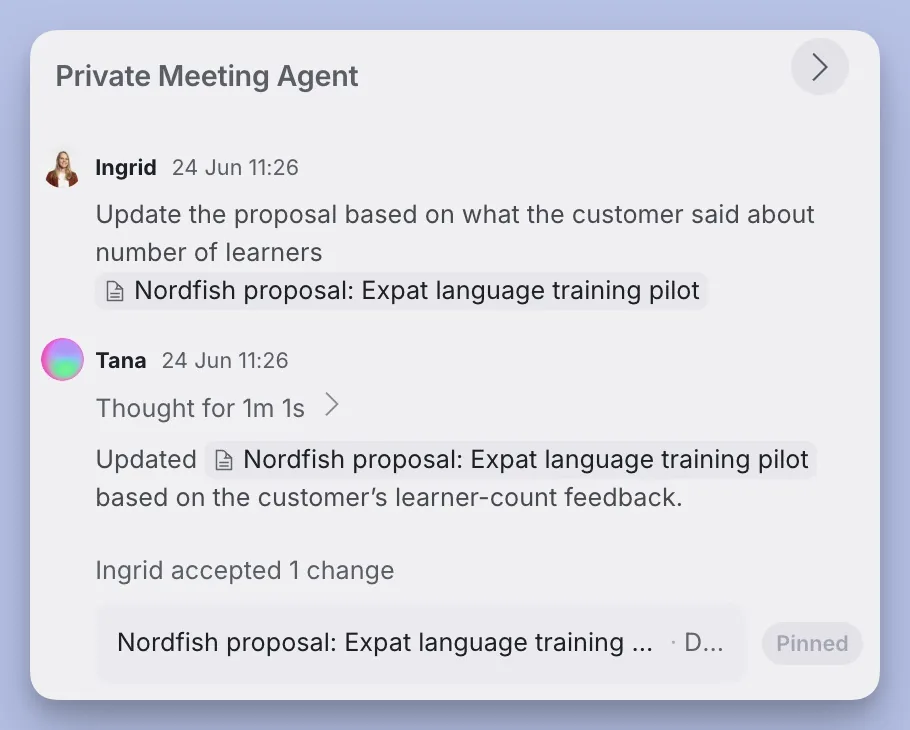
The first one is the one to notice. The AI does not only create new outcomes from the meeting, it updates work you already have, so the proposal reflects what the customer said minutes after they said it. Changes come back as proposals you accept, and asking again refines the existing outcome rather than leaving you with two. For more of what is worth asking for, browse the outcomes Tana can produce.
File the work in your tracker before the meeting ends
That feature request is worth more as an issue in the tool your team actually works from. Open Send to on the outcome and pick the skill or integration for Linear, Jira, or GitHub.
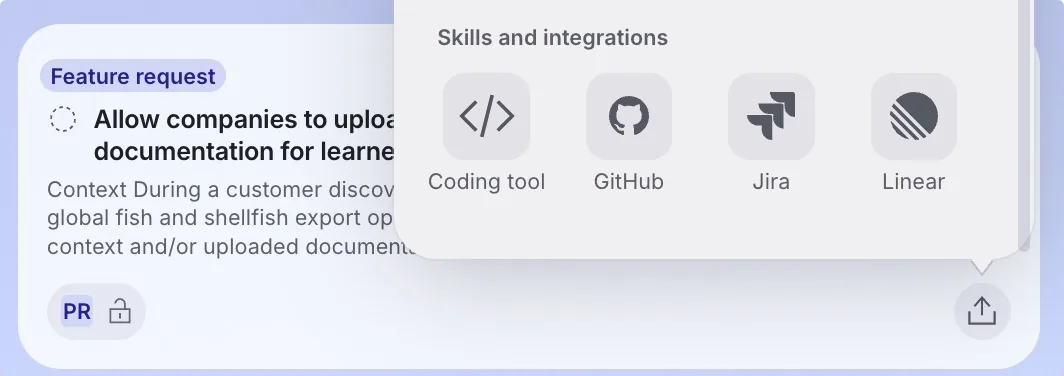
Filing from a meeting beats filing by hand, and not by a little. The AI reads the transcript for the detail that never survives a summary, pulls in the screenshots from anyone's screen share, and asks which repository or project when the source material does not make it obvious. Once the issue exists, the chat links straight to it, so you can say "it's filed, here it is" while the customer is still in the meeting.
For work that goes to code, hand the whole context to a coding tool as a self-contained prompt. Ask in the words you would use anyway, "open a pull request for this", and the AI assembles the prompt and launches the tool, leaving an Open in button in the conversation. Claude Code runs in a project folder you configure in Settings, Coding tools; Codex, Cursor, GitHub Copilot, and Lovable are there too, and the AI asks which one when several are enabled.
Put the outcome in front of the room, then beyond it
Anything captured in a meeting is visible to the participants by default, and the capture popover tells you who that is before you commit. To make an outcome part of the meeting itself, use Pin to meeting from its menu: it lands on the meeting surface where everyone, guests included, can open it and see the same thing you are looking at. Tiles carry a state control and an assignee, so you can move the feature request to In Progress or hand it to a teammate without leaving the meeting.
Beyond the room, each outcome has its own Share button, and access is managed per outcome, independently of the meeting it came from. You can send the customer their updated proposal without giving them the meeting, the transcript, or anything else that was discussed. Add a teammate by name, or type any email address for someone outside your organization.
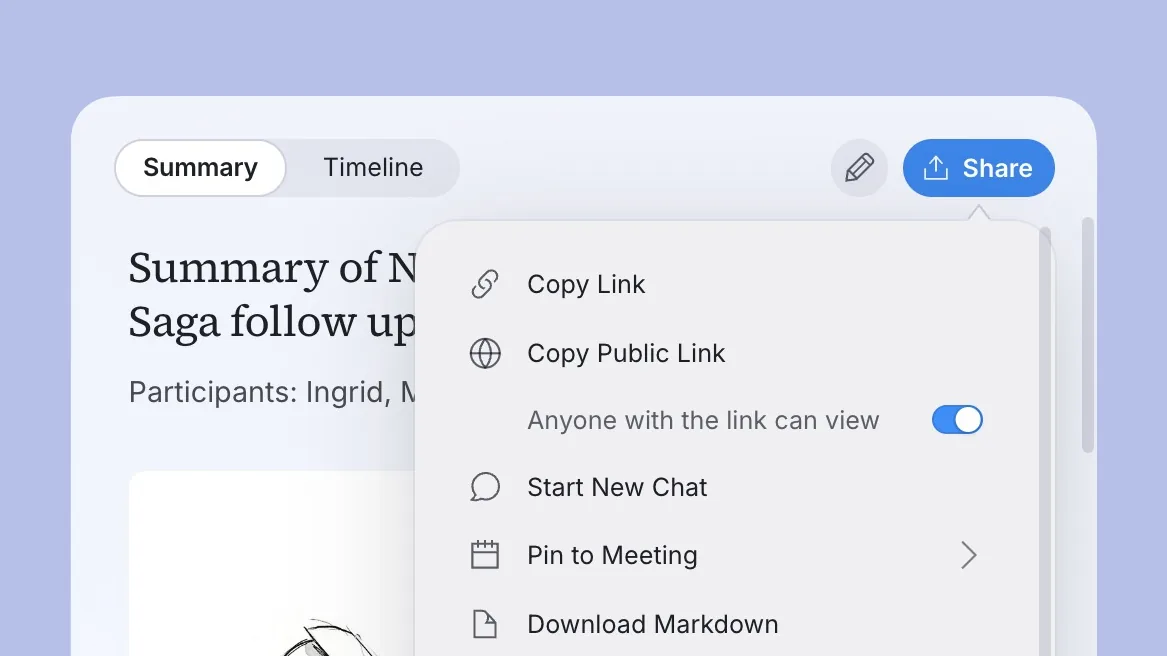
For a reader who should not have to sign in at all, turn on Anyone with the link can view and send the URL. Copy public link does both steps at once, and Download Markdown gives you the file when the outcome needs to travel somewhere else entirely. You will know it worked when a public link opens the read-only public viewer in a browser where you are not signed in.
Post the update to Slack by asking
The teammates who were not in the meeting read updates where they already are, which is a channel. Rather than copying anything across, ask in the same chat:
"Share a summary of this meeting to the #gtm channel in Slack."
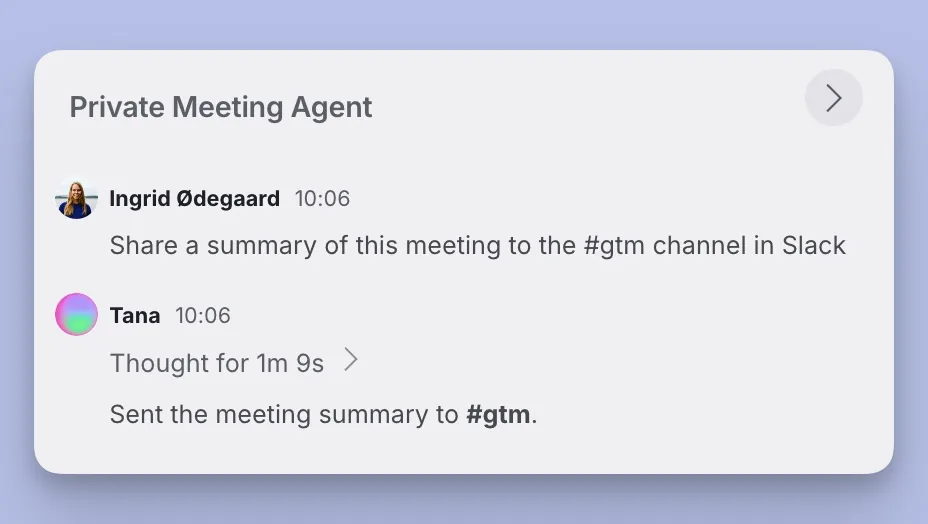
With your Slack account connected, the AI can list channels and post to a channel or a direct message on your behalf, and it confirms in the chat once the message is sent. You named the audience; it wrote for that audience. No reformatting, and no deciding by hand which parts matter.
The traffic runs the other way too. Mention @tana in any Slack thread and Tana joins the conversation with access to what you are allowed to see, so a colleague who replies with a question gets an answer without opening Tana. See Slack for the full setup.
Pin what is still open before you leave
The ticket is filed, the proposal is updated, and the channel knows. What is left is the work you are carrying, and two pins keep it in front of you without a to-do list to maintain.
Pin to sidebar, from an item's right-click or toolbar menu, puts it in your own sidebar, either at the top level or filed into a section you name. An item sits in one place in that tree, so pinning it somewhere else moves it rather than duplicating it. Pin to date puts it under Pinned on a specific day, on Home and the Calendar, which is the right choice for anything with a deadline: pin the proposal to Thursday and it is waiting for you on Thursday.
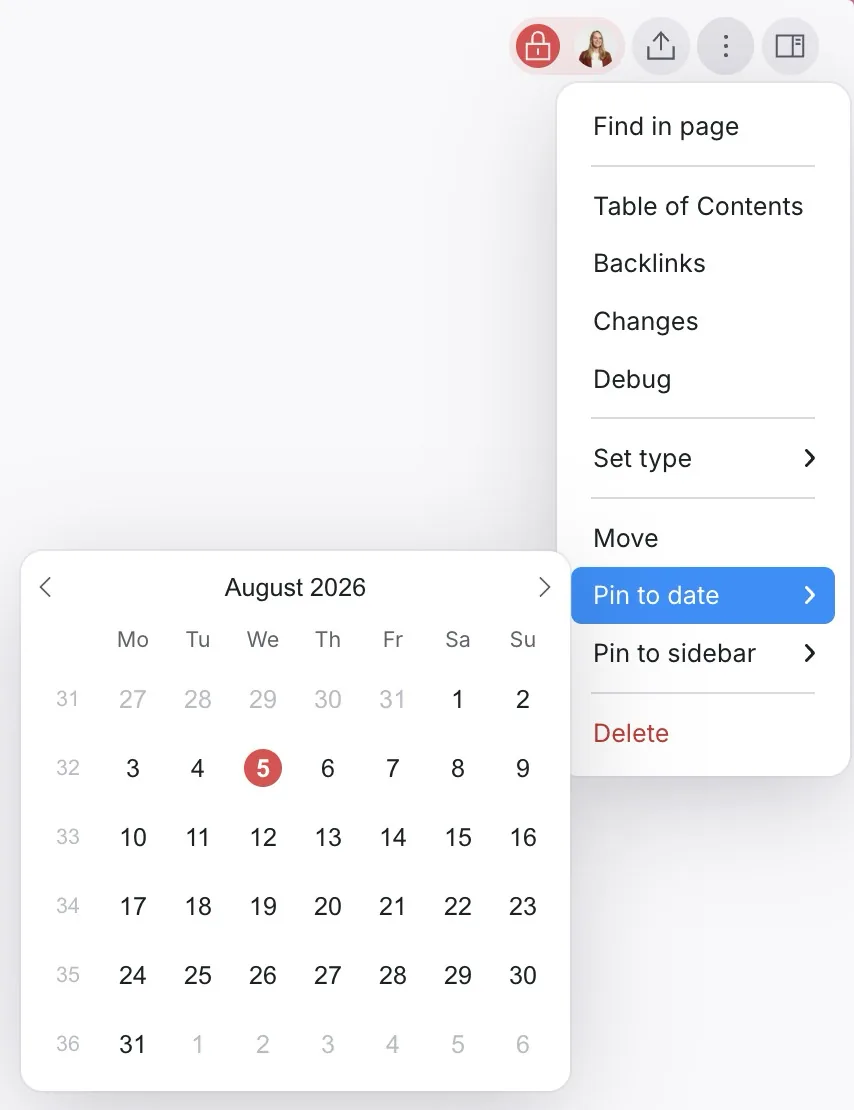
Use the sidebar for what you are carrying now, and dates for what is coming due. Everything else stays findable in its space without a pin at all.
If something does not work
- The AI is missing from the shared chat. A guest is in the meeting. AI stays off in Chat with everyone for the rest of the meeting, even after they leave. Use your Private Meeting Agent instead.
- The AI says it cannot post to Slack. The organization-level Slack app gives your team the
/tanacommand; posting from chat needs your own account connected under Settings, Integrations. - A public link you already sent stops working. Turning link sharing off applies immediately, and the old URL shows a sign-in prompt instead of the document. Turn sharing back on and the same URL resolves again.
- The coding-tool button says the prompt is too long. A note appears above it with Copy full prompt, which puts the complete prompt on your clipboard. The shortened link still works as a secondary action.
- Filing an issue asks you a question first. That is deliberate. When the source material does not name a repository or project, the AI asks rather than guessing.
Every meeting adds to what the next one knows
The work is done, and something else has quietly happened: the decision, the issue, and the proposal are all connected to the meeting they came from. In six months you can still find why the pilot covers twice as many learners, and who agreed to it.
That is what makes the next meeting with this customer different. You walk in with the history rather than reconstructing it, whether you prepare for it yourself or leave that to an agent overnight. And after a few days away, the same record is what lets you catch up and act in one pass.