Done before the meeting ends
Most of what a meeting decides turns into work for someone afterwards: the issue nobody filed, the Slack message nobody sent, the follow-up nobody booked. Tana now does that work while you are still in the room. It suggests a next step from what was just said and drafts it for you to approve. Before your next meeting, it reminds you what you promised in the last one.
Live suggestions
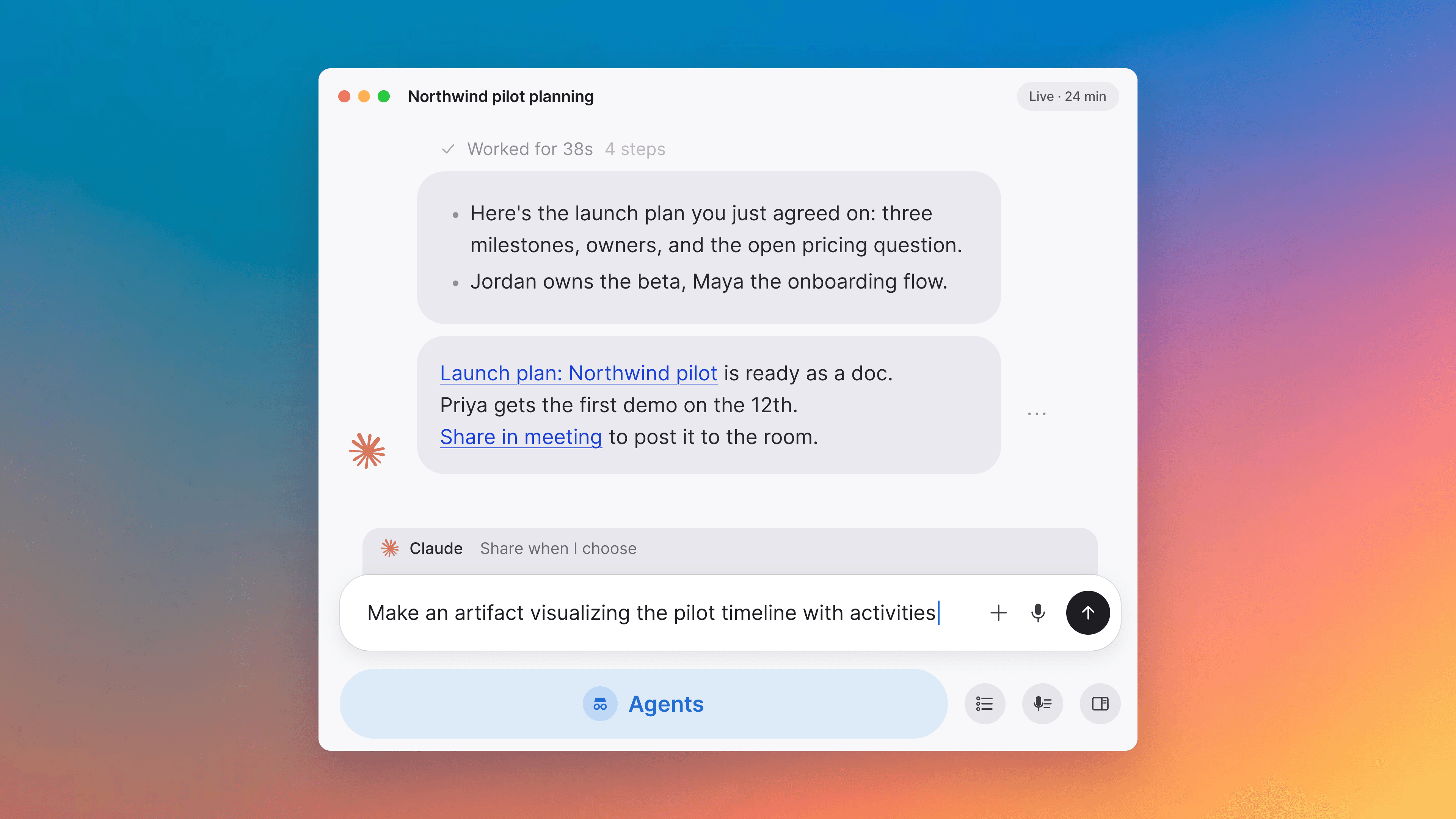
During a meeting, Tana listens for things it can do for you and turns them into suggestions: a task in Tana, an issue in Linear, a message in Slack, or wherever your organization keeps that kind of work. Press the suggestion and Tana drafts it, or pick another tool from the arrow. Nothing is sent until you approve the draft.
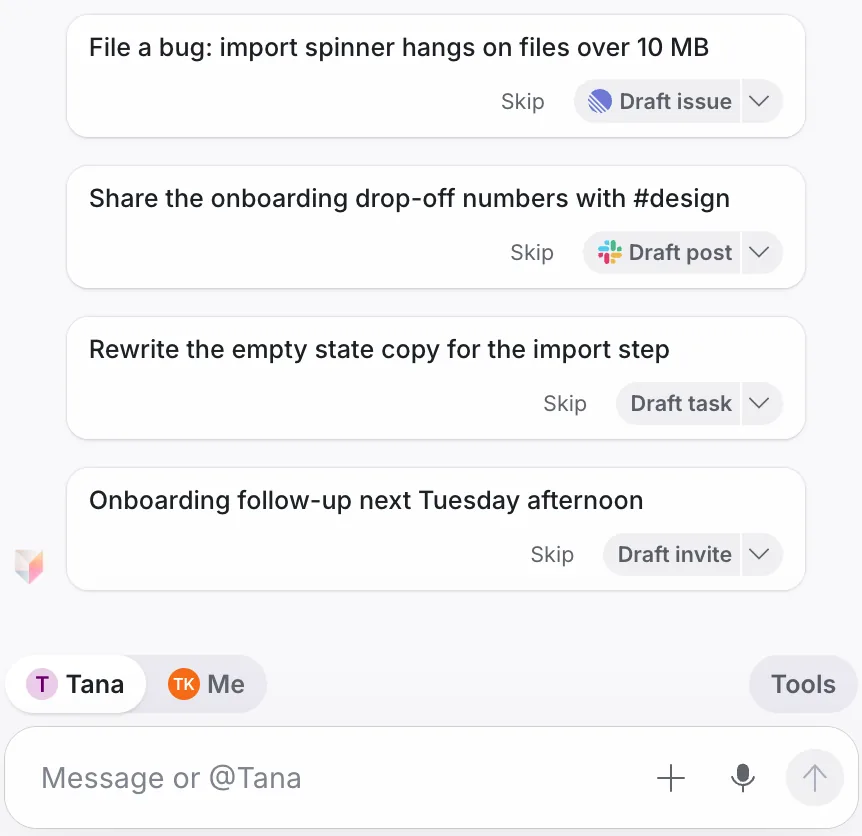
Missed the moment? One button has Tana look back at the last few minutes and start drafting what came up. When someone proposes a follow-up meeting, Tana drafts the invite with the right people, and the time if one was mentioned. Everything waiting for you collects under Actions at the top of the meeting chat, so you can clear it before the call ends. Read more about actions.
Say Hey Tana in any meeting
The more explicit you are, the better the suggestion. If you want something done now, just say it: "Hey Tana, file that as a bug" or "Hey Tana, draft a note to Kim in Slack". Tana carries it out without speaking back, so you can ask while someone else is talking without interrupting them. A button starts "Hey Tana" without saying the words.
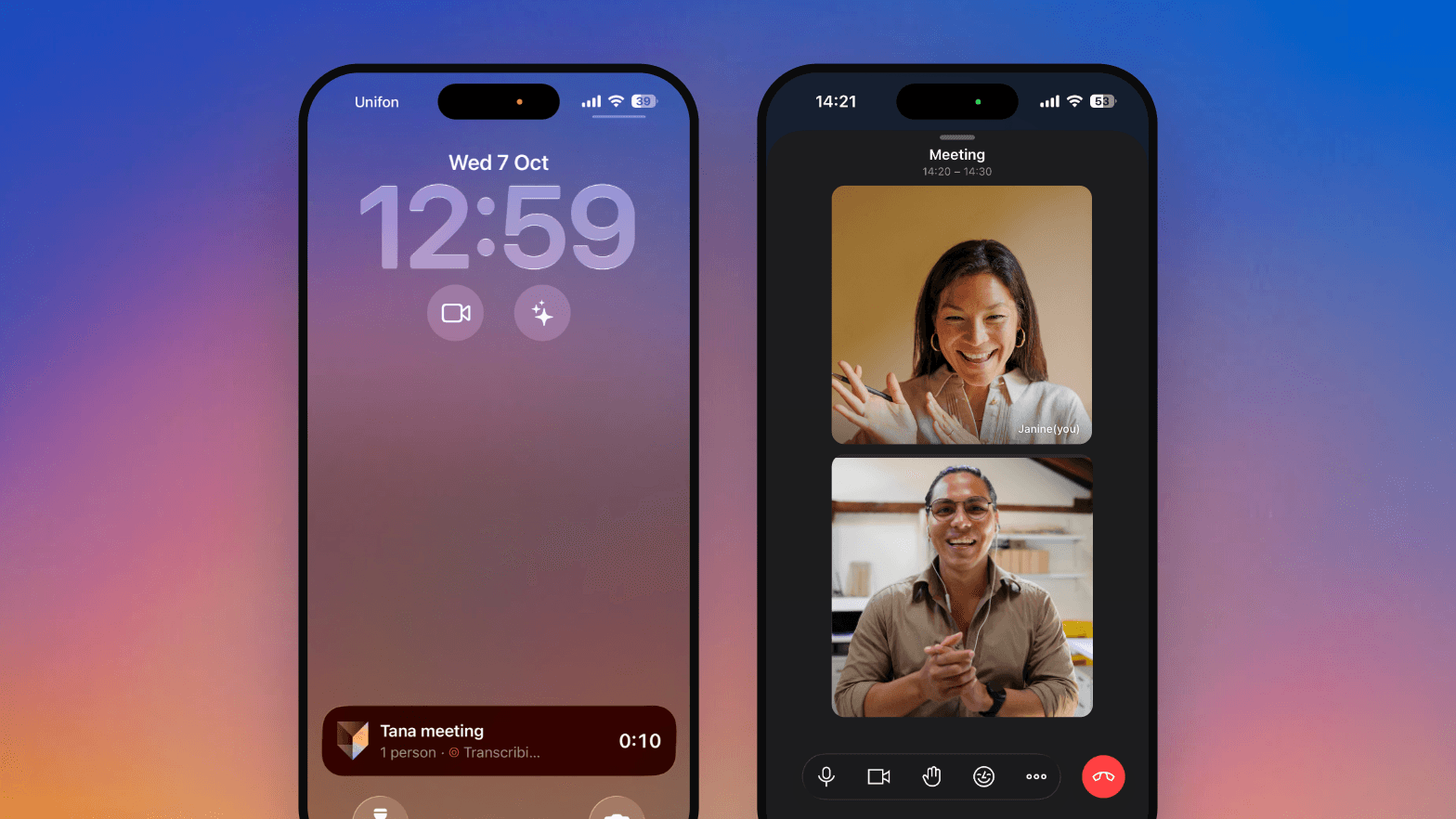
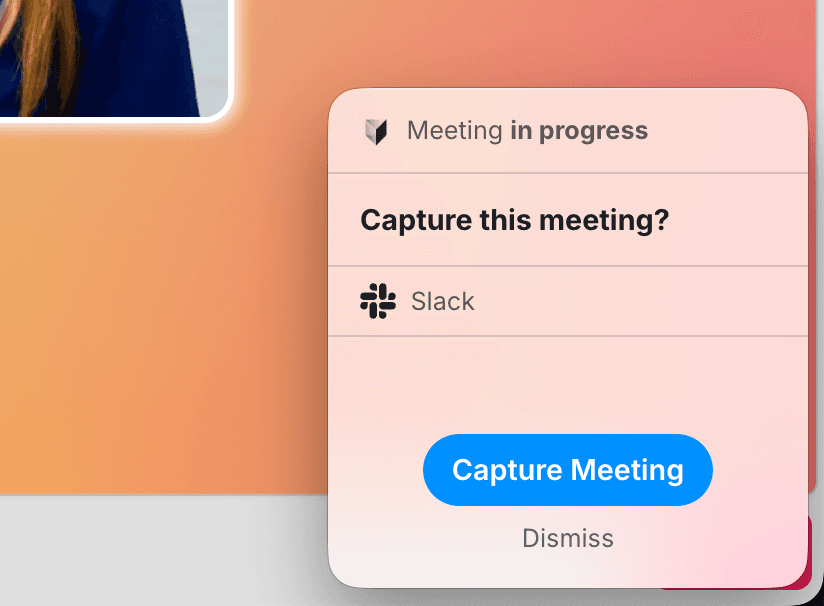
This now works in meetings you capture from Zoom, Google Meet, Teams, or any other app, not only in Tana meetings. The capture companion beside your call has the same chat, suggestions and summary as a Tana meeting, and when the call ends, Tana stops capturing after a short countdown. Press Keep capturing if you are not done.
Walk in knowing what you promised
Home is now a scrollable timeline of your meetings, a day at a time, starting from now. The next meeting sits at the top with a short brief: what came out of your last meetings with the same people, what each person said they would do, and who is new. Each past meeting lists the proposals and drafts it left for you, so you can respond right from its row.
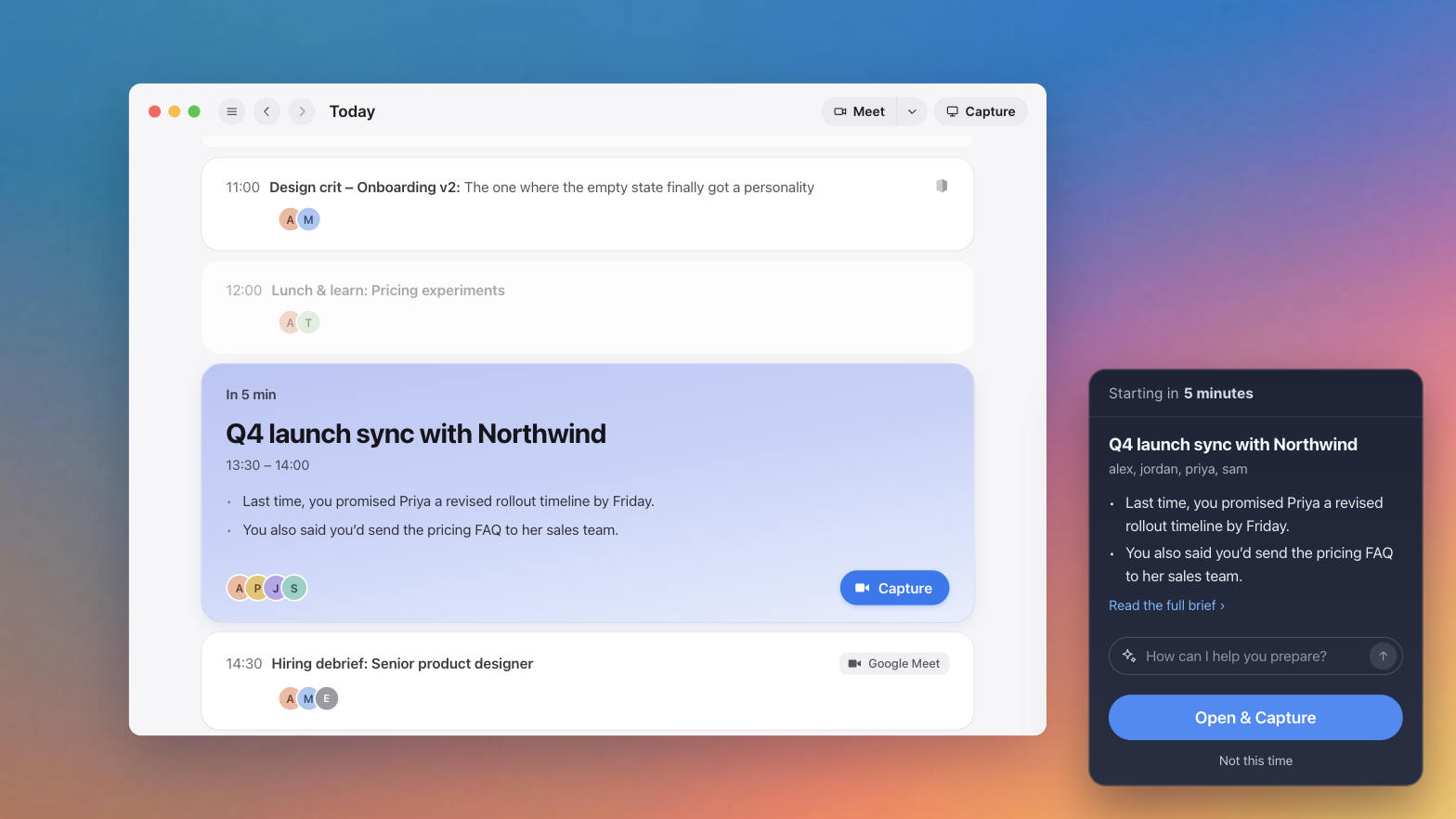
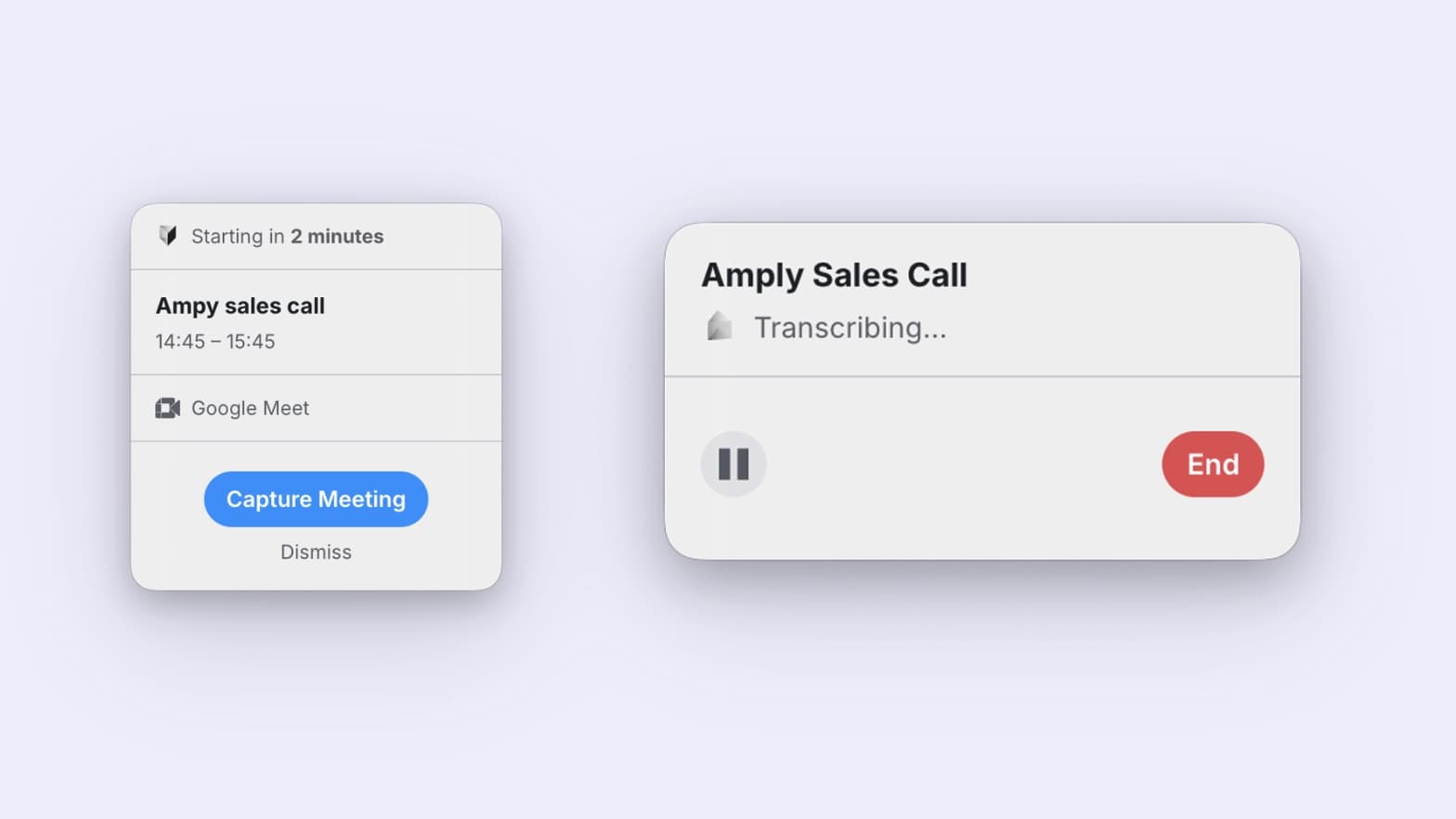
Ten minutes before each meeting on your calendar, the desktop app shows a reminder with who is coming, the brief, and a box that asks "How can I help you prepare?". Whatever you type there goes to your private chat for that meeting. Press Remind me 1 min before and it comes back just before the start with a button to join or capture, even if every Tana window is closed.
Start a new meeting or a capture from the top right of Home. Right-click a meeting to pin it, or open it in a new tab or panel.
Your tasks live in Work
Task management has moved to Work in the sidebar. It opens on Pinned today, and you can drag recently created tasks straight into it to plan your day. Below that are the documents you edited recently, incoming proposals from AI assistants connected over MCP, and your notifications.
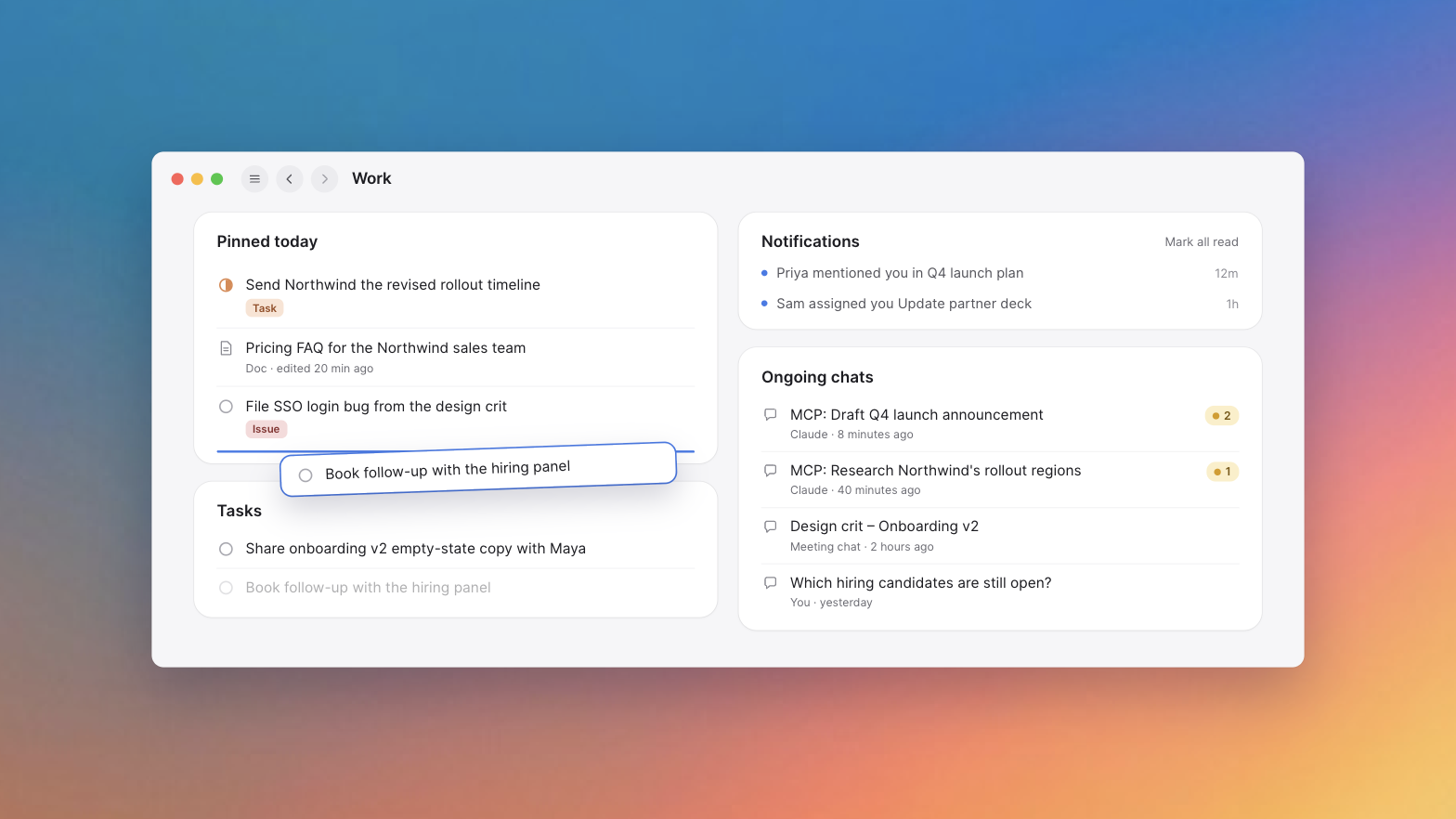
Your recent chats are here too, and each one now shows when it has proposals you haven't reviewed, so you can see what an agent drafted for you without opening every chat.
More in this update
Custom vocabulary. Admins can add product names, people and terms under Settings, Organization, "Important words and names", so transcripts and the voice agent spell them right.
Ask Tana to move or cancel a meeting and it prepares the change for you to approve. If you organize it, Google Calendar or Outlook is updated too.
AI assistants connected to Tana over MCP, like Claude, can now add images to the documents they write.
After a meeting you see the summary first, then what is left: what came out of it, what needs your review, and suggestions you have not acted on.
"Email attendees" in the summary's Share menu sends the summary to everyone from your organization who was in the meeting, already selected.
When the desktop app notices you are in a meeting, it asks which meeting on your calendar it is before it captures.
Each meeting has three chats: one for your organization, one between you and Tana, and "Guests" for everyone in the call.
Leave the meeting page mid-call and the meeting moves to a small window that stays on top of your other apps.
Admins can add the same tool more than once, like one Jira site for customer issues and another for internal work. Tana asks which one when it is unclear.
The full list of what changed, fixes included, lives in the changelog.
Try this
Meeting briefs pull in what you promised last time. You can ask for the same thing in a chat before any meeting:
The Tana Team

Turn meetings into the most productive part of your day.
Explore further
All updates