

 Try Tana free
“Hey Lovable, can the board update be a website instead of slides?”

Your Lovable
Here it is: the quarter, the roadmap and the ask, one page each. Nobody will doubt we use AI.
The board update that wasn’t a deckLovable · Preview ready
 Lovableinto the meeting
With its projects, skills and design systems. Talk through your ideas, share your screen, and it builds the app while you’re still talking.
You
Hey Lovable, can you build what they just described, so we can click through it together?
Your Lovable
Here’s a first version, with their logo, their three services and a booking form. Share your screen and walk them through it.
The site we built with the clientLovable · Preview readySay what you want and Lovable starts on it, so the app takes shape before the meeting ends.
A sketch, a competitor’s site, a bug: whatever someone shares, Lovable can build from it.
Your projects, skills and design systems come along, so it builds in your workspace, your way.
Say “Hey Lovable”, accept a suggestion as you talk, or nudge it to do the work.
“Hey Lovable, can the board update be a website instead of slides?”
Your Lovable
Here it is: the quarter, the roadmap and the ask, one page each. Nobody will doubt we use AI.
The board update that wasn’t a deckLovable · Preview ready“What if onboarding was a quiz instead of a form?”
Your Lovable
Want me to build the quiz next to the current form, so you can compare them before the meeting ends?
YesNot now“Wait, how many steps does it actually take to cancel an order?”
You
@Lovable
Your Lovable
Seven. I built the whole journey as screens, so everyone can click through it. Here’s the preview.
The customer journey that was way too painfulLovable · 7 screens“I’m telling you, customers want a points system.”
You
@Lovable
Your Lovable
Mocked up the points system, so you can put it in front of a few customers this week. Here’s the preview.
The mock-up that disproved the CEO’s ideaLovable · Preview ready“They want the prices on the front page, not three clicks away.”
Your Lovable
Sounds like the client wants prices up front. Move them to the front page?
YesNot now“Hey Lovable, make a page for the summer party. Everyone has to RSVP by Friday.”
Your Lovable
Done. The date, the place, an RSVP form and a countdown, because why not.
Summer party, RSVP by FridayLovable · Preview ready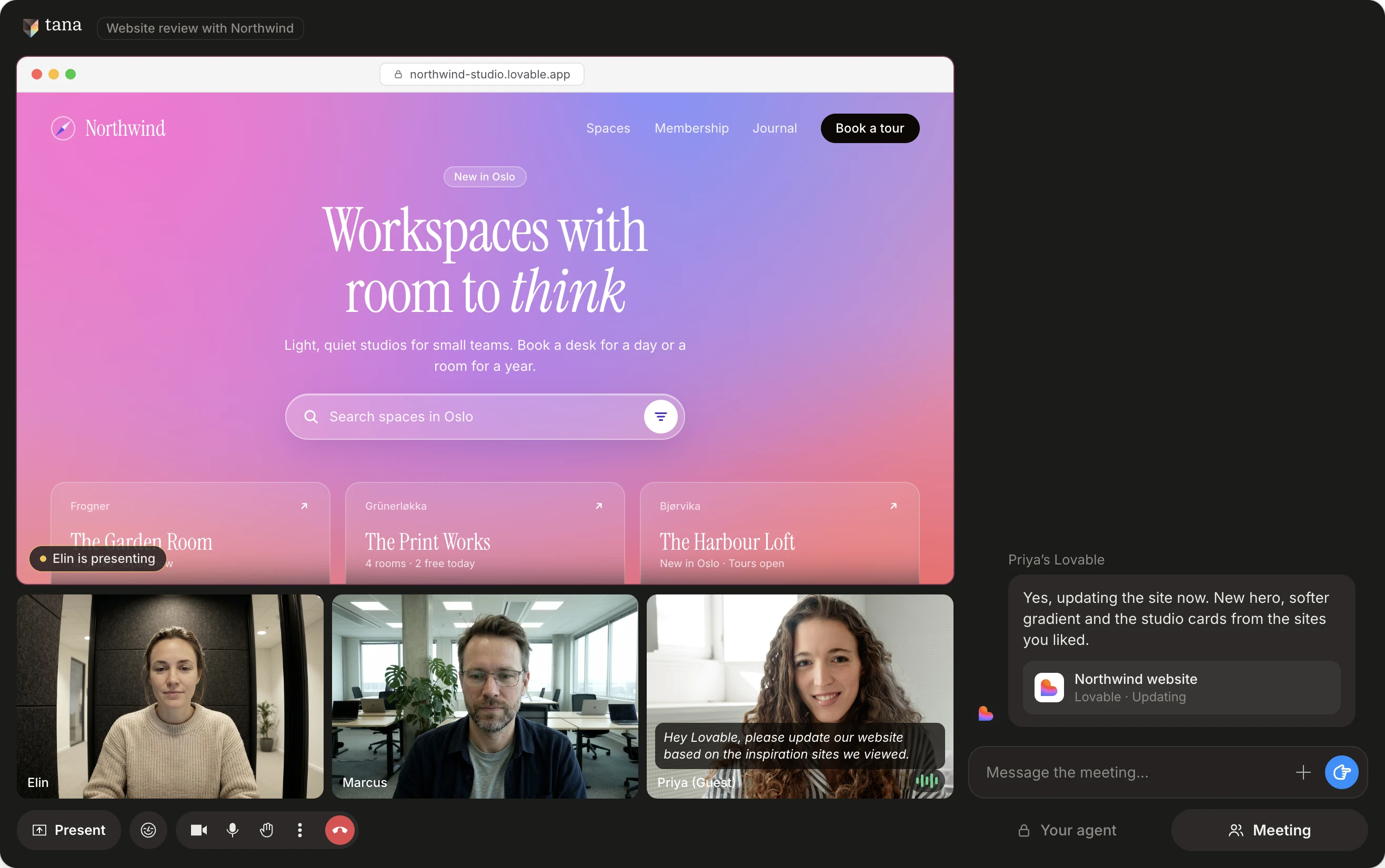
Now part of every meeting, so it builds what you’re discussing live in the call.
It all lands in your own projects.
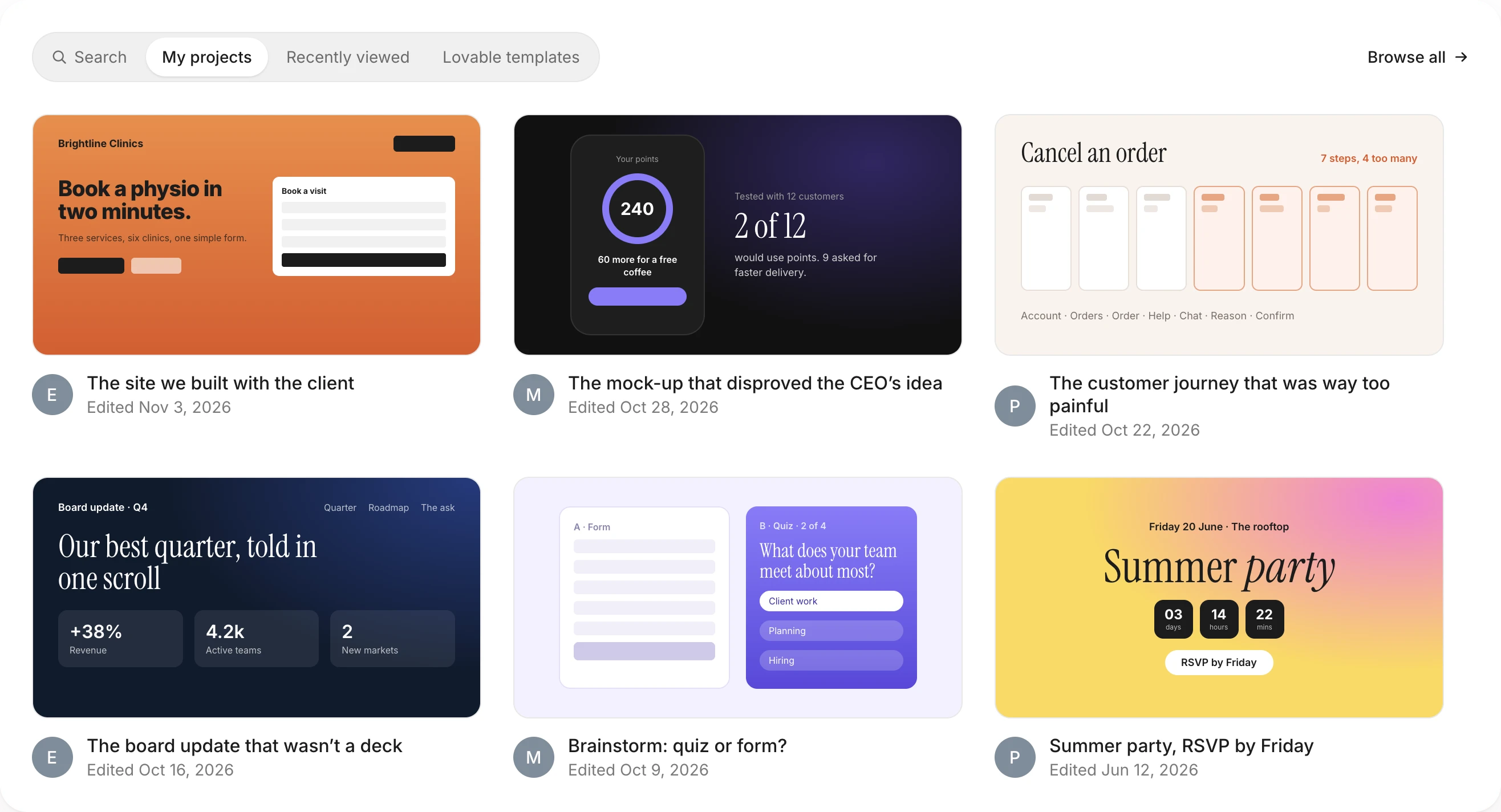
Pick up any project in your Lovable workspace, or start a new one right from the call.
Your workspace’s instructions, skills and design systems come along, so every build looks like yours.
Everything Lovable builds is code you own. Sync it to GitHub and your engineers take it from there.
Free, Pro, Business or Enterprise. Lovable builds on the plan you already pay for, signed in as you. Nothing extra to install.
Login, a database, file storage and hosting come with every build, so the app works, not just looks right.
Publish to your own lovable.app address, HTTPS included, and send the link before the meeting ends.
*Lovable runs under your own account and admin settings. If you’ve let Lovable train on your data, Lovable may do so. Tana never will, and you can disconnect Lovable in Settings at any time. How it works for IT →
On Mac or Windows, so Tana can listen in your Zoom, Meet and Teams calls.
In Settings, External agents. Sign in with your Lovable account once.
Pick a project, or start a new one, and talk it through.
Copy a link to a comprehensive description of Tana, how it compares to other tools, its features and capabilities. Paste it into Claude, ChatGPT or whichever agent you use.
All of them. On Enterprise, your workspace admin first allows outside apps to connect, in Lovable’s privacy and security settings.
Yes. Lovable builds on your own account, so each ask counts toward your Lovable credits, the same as building in Lovable itself.
No. Tana connects to your Lovable account directly. Sign in once in Settings, External agents.
The first time you ask, Tana asks which one. Pick one of your projects or start a new one, and Lovable keeps building there for the rest of the chat.
Yes, through the chat. Ask Tana about an earlier meeting in the same chat, and Lovable reads the answer with your next ask.
Yes. Lovable’s answer links to the project’s preview. Open it, or share your screen, while you’re still talking.
What you ask, a description of what’s on screen, what you’ve asked Tana to remember and the chat so far, through your own Lovable account, under your Lovable plan’s terms. See how it works for IT for the full picture.
Yes. One person’s Lovable, another’s Claude, in the same meeting.
No. Only you see what you ask and what Lovable answers. Post an answer to the room in one click when you want everyone to see it.
No. Tana runs on your computer and captures the call locally. Nothing appears in the participant list on Zoom, Teams or Google Meet, and no bot joins on your behalf.
Yes. Tana listens from the desktop app during Zoom, Google Meet and Microsoft Teams calls, and you can also host the call in Tana itself.
Tana never trains AI models on your meeting data. What you send your own Lovable follows your Lovable account’s data settings. See the privacy page for how Tana handles your data.
You can start for free. Pro is $19 per user a month, billed monthly. Business starts at $35 per user a month, billed yearly. See pricing for what each plan includes.
It starts the moment you ask. Whether the meeting ends on time is up to you.
Try Tana, an agentic meeting platform for teams. Bring your agents into every call, and keep what was decided.
Teammate on Claude or ChatGPT? Everyone brings their own. Tana for Claude orTana for ChatGPT