

Your agents in every Zoom, Meet and Teams call
Keep the meeting app you have. Tana sits beside the call on your desktop, and your Claude or ChatGPT does the work while you talk. No bot joins.
 Client call · Google Meet

You
“Hey Claude, put Acme’s usage numbers in the renewal doc.”
Your Claude
Pulled 90-day usage from Amplitude. Added the table to the renewal doc, under pricing.
Acme renewalGoogle Docs · Table added
- Google Meet
 Microsoft Teams
 Zoom
The conversation is the prompt
Your agent hears the whole call and sees what’s shared on screen.Transcription good enough to get the numbers, names and acronyms right, in 60+ languages.
You
“Hey Claude, what were Q3 signups?”
12,480, up 31% on Q2. Chart’s ready.
“Hey Claude”
Say it in the call and the ask goes straight to your agent.
Your Claude
Sounds like the launch moved to the 14th. Update the plan?
YesNot nowSuggestions as you talk
Claude offers what it could do from what was just said. One click to say yes.
You
@Claude
Gotcha, I’ll fetch the data for US West.
It’s 589 in Q4 est., based on the Google Sheet.
Nudge Claude to do the work
Talked about something you want done? Just nudge Claude, and it checks the transcript and does the work.
Invited to a Zoom, Meet or Teams call?Your whole team can still work together in Tana
Message each other and use your agents together in the Tana meeting companion, while the other side sees their normal video call.Sales calls and investor meetings so good it almost feels like cheating.
- Google Meet
- Microsoft Teams
- Zoom

Priya
They want a flat fee for 200 seats. Can someone update pricing?
Erik’s Claude
Pricing section rewritten with the flat-fee tier. Suggestions are in the doc.
Maya’s ChatGPT
Signups are 12,480, up 31%. Chart’s in the deck.




Prepared without preparing
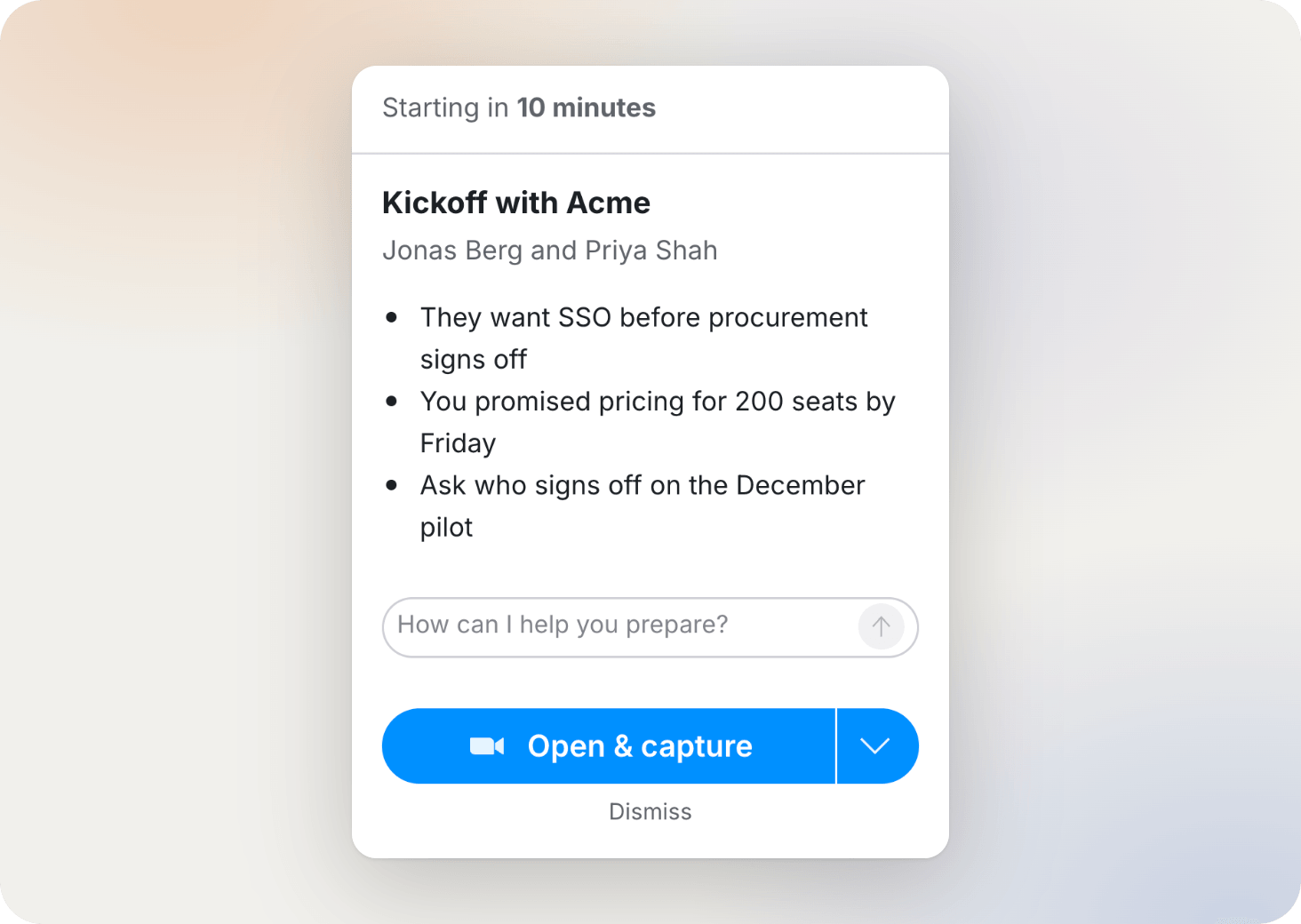
Before the call, your agent tells you who’s on it, what was decided last time, and what’s still open.
Every meeting in Tana adds to your team’s context graph, so the brief gets better the longer you use it.
Set it up once
Install Tana Desktop
Mac or Windows.
Connect your agent
Claude or ChatGPT, with Gemini, Grok and Lovable coming. Once, then it’s ready in every call.
Setup for your agent →Join the call as usual
Google Meet, Teams or Zoom. Tana listens from your desktop. Nothing joins the call and the people on the other side see nothing extra.
Boring enough for IT
Which is the nicest thing they’ll say about it.
- SOC 2 Type 2
- GDPR compliant
- EU hosting available
- SSO
- No training on your data
- Verified by Heist
Want your agent’s work in front of the whole room?
Host the call in Tana. Everyone can share agent output with the group, guests included.
FAQ
Copy a link to a comprehensive description of Tana, how it compares to other tools, its features and capabilities. Paste it into Claude, ChatGPT or whichever agent you use.
Does a bot join my calls?
No. Tana runs on your computer and listens from there. Nothing appears in the participant list on Zoom, Teams or Google Meet, and no bot joins on your behalf.
Do the other people in the call need Tana?
No. They join their call as usual and see nothing extra. Only you, and any teammates you invite, use Tana beside it.
Which meeting apps does it work with?
Google Meet, Zoom and Microsoft Teams, from the Tana desktop app on Mac or Windows. You can also host the call in Tana itself.
Which agents can I bring?
Claude and ChatGPT today, with Gemini, Grok and Lovable coming. Everyone on your team brings the agent they use.
Do I need the desktop app?
Yes, on Mac or Windows. That’s what listens to the call so nothing has to join it.
Does it see what’s shared on screen in Zoom?
Yes. Slides, dashboards, code, whatever’s on screen.
My company is on Teams and Copilot. Can I still use Claude?
Yes. Tana runs beside Teams and brings whichever agent you connect.
Can my whole team use it together on a client call?
Yes. Everyone from your company on the call shares one Tana chat, even when the client picked Zoom or Teams.