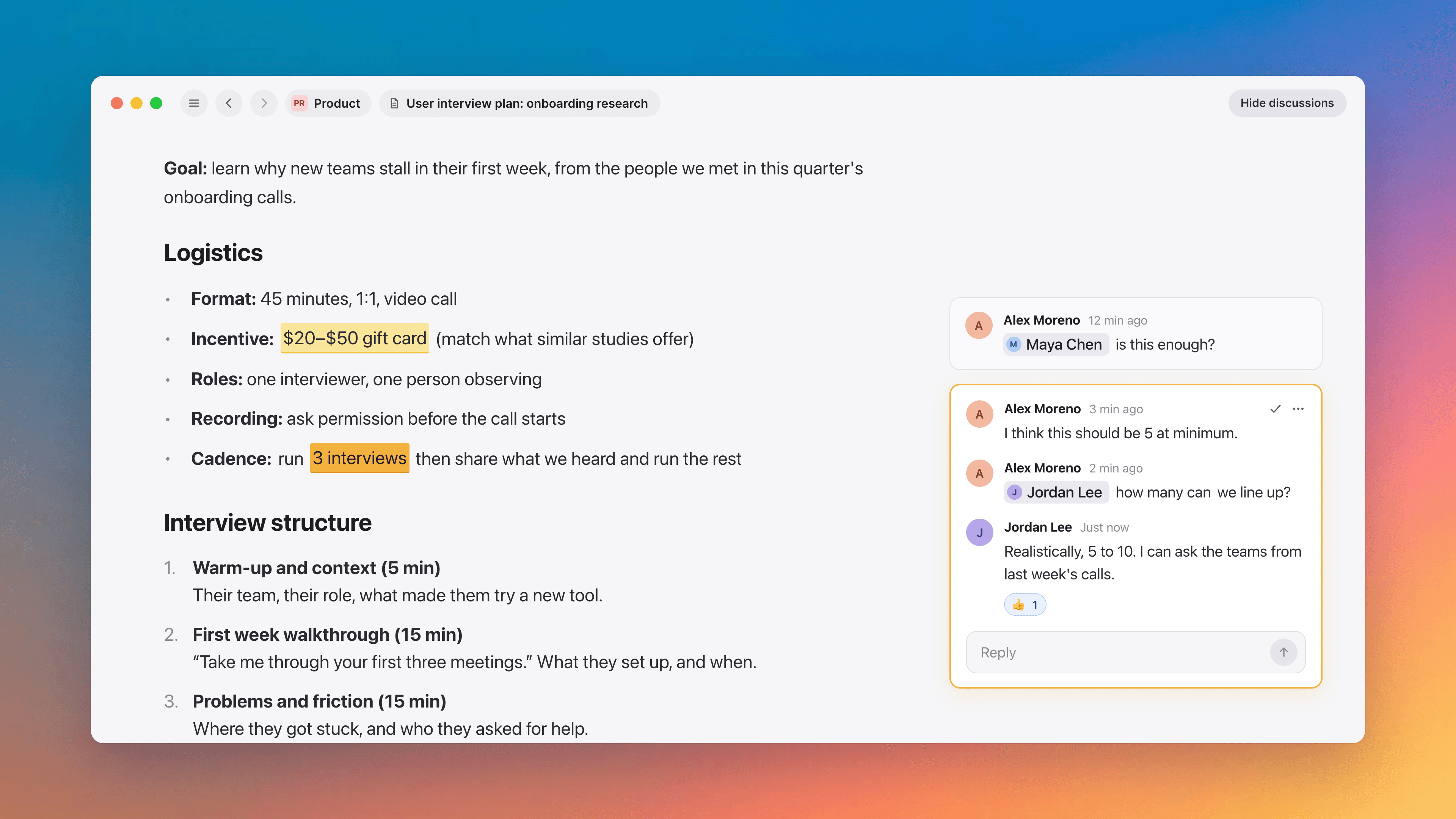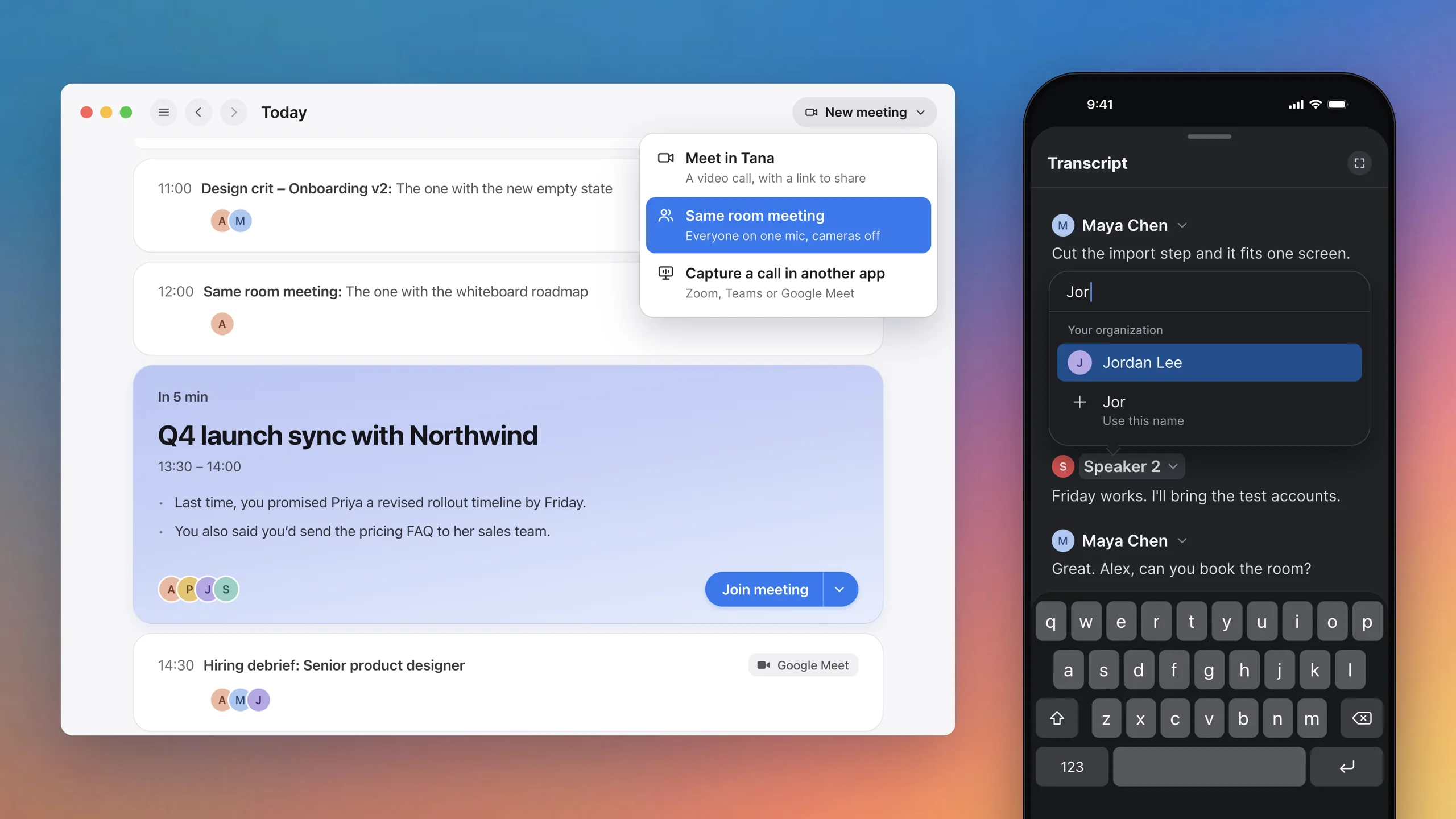
Suggestions for the right person, private answers and a live transcript
Bring your own Claude or ChatGPT into the meeting, see what's waiting on you in Work, and keep notes, docs or the transcript beside the meeting chat.
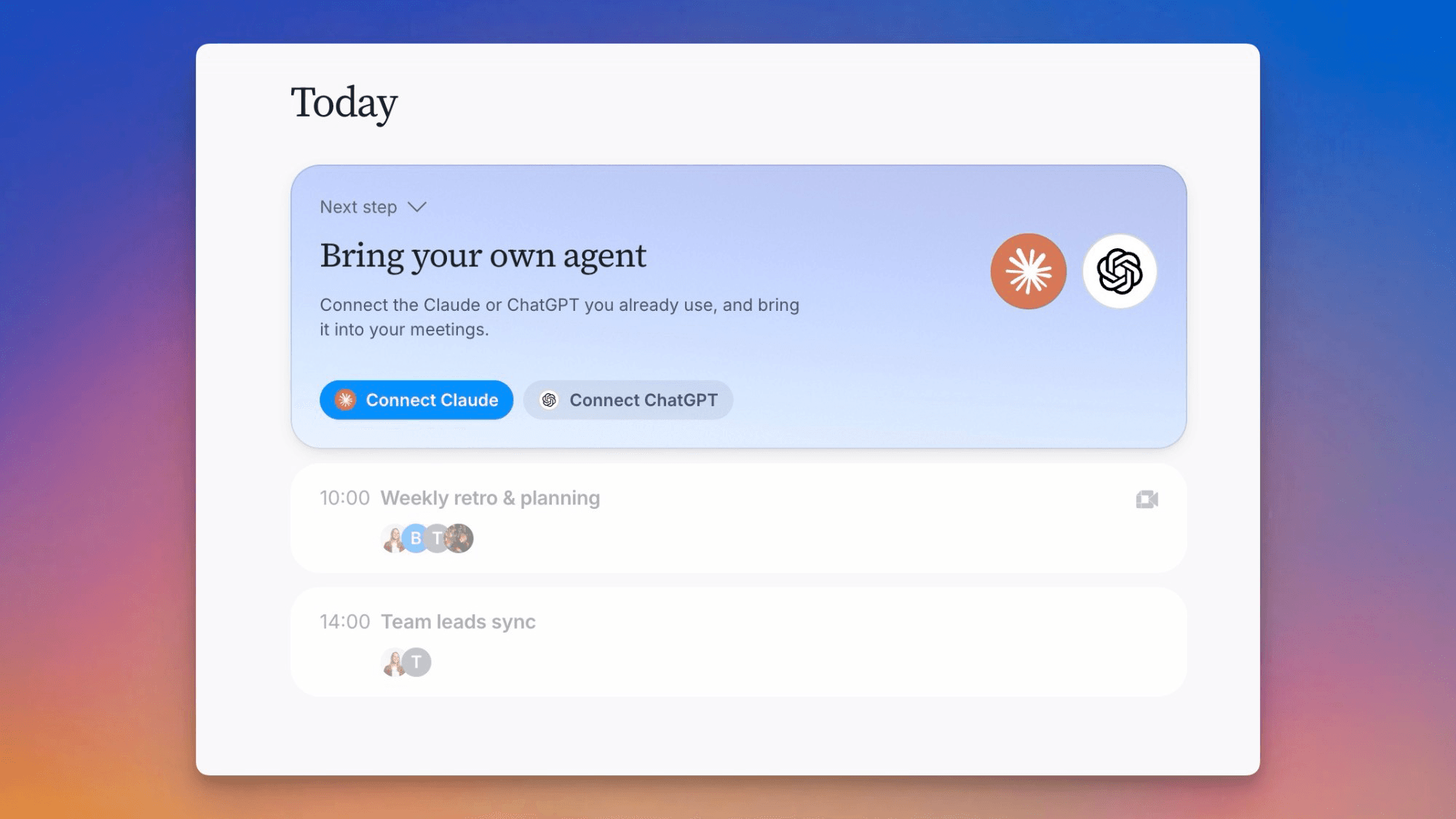
Use your own Claude or ChatGPT in a meeting
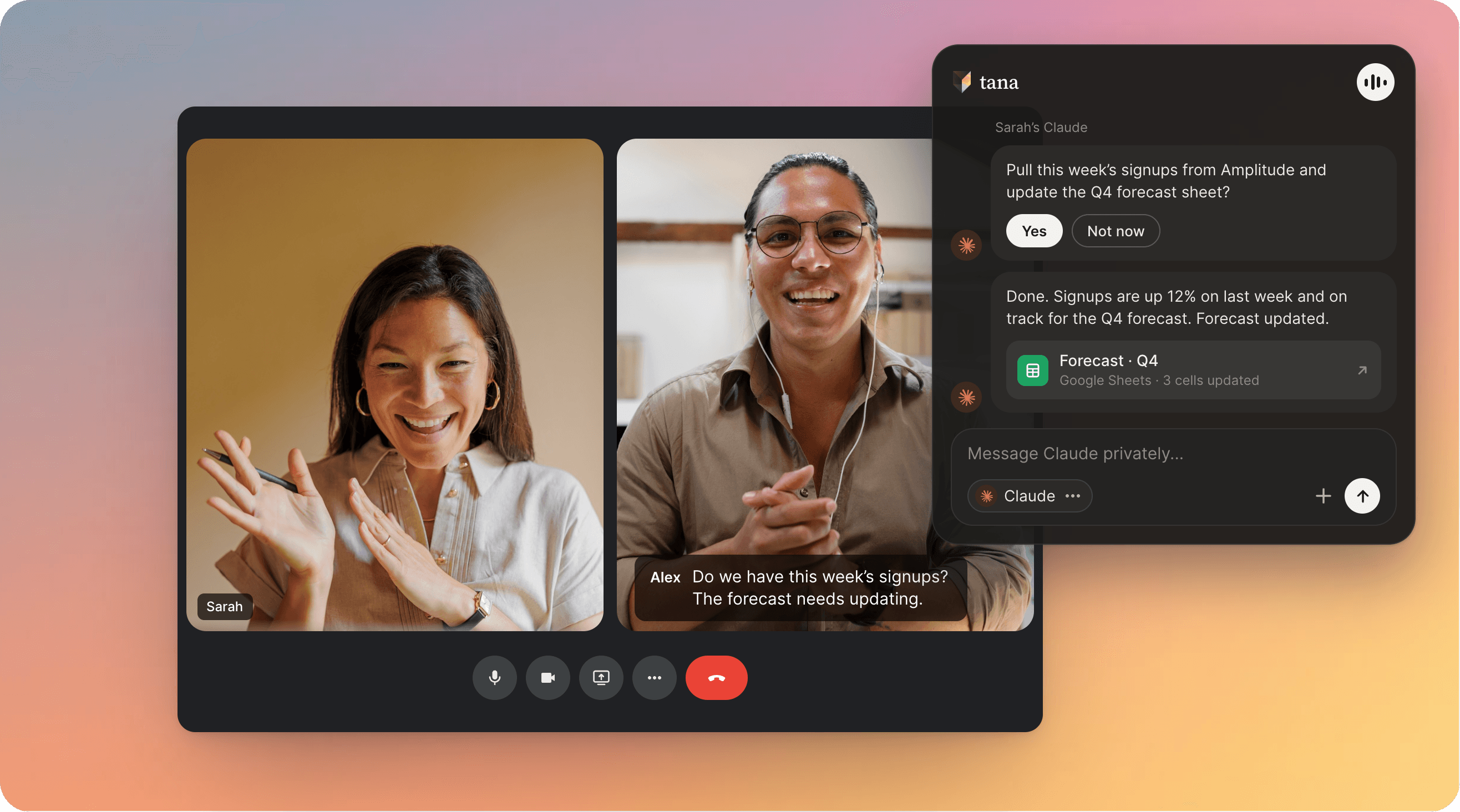
Connect the Claude or ChatGPT account you already have and ask it things right from the meeting. It follows the call as it happens, with the transcript, the chat and any screen that's shared, so it can draft the plan you're discussing, build a slide deck, a dashboard or a design, or search your email through the connectors you've set it up with, while the meeting is still going. Ask it in the chat or say "Hey Claude" out loud, and it also suggests what it could do from what was just said, for you to approve with a click. Its work stays private to you until you share it into the meeting. Set it up in the Tana desktop app on Mac, Windows or Linux under Settings, External agents, with the Claude or ChatGPT app (Claude Code on Linux) installed on that computer.
Work shows what's waiting on you
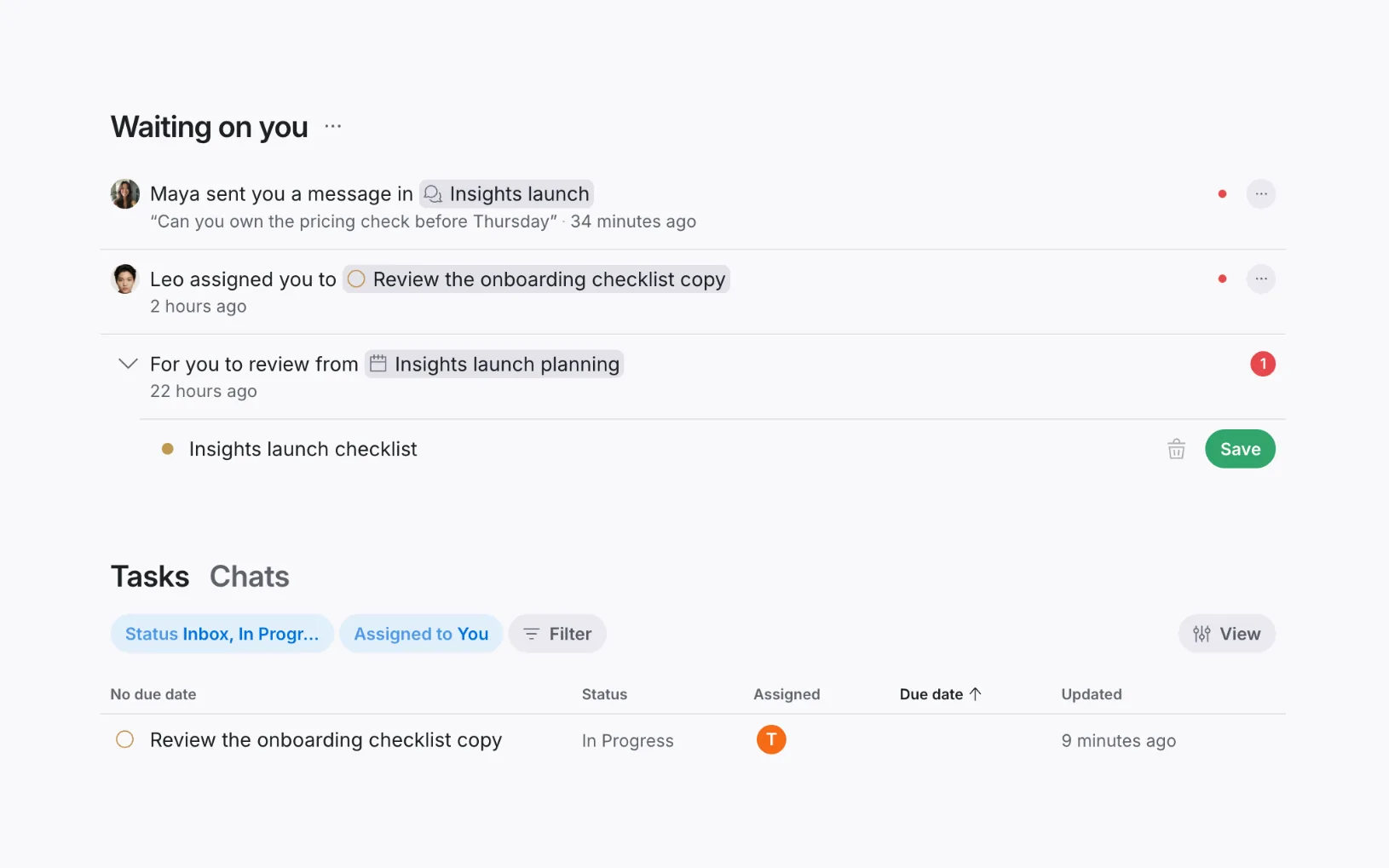
Work opens on "Waiting on you": the meetings, chats and documents that need something from you, such as drafts to review or someone who mentioned you. Review a draft right there without leaving the page. Your tasks and your chats sit below it. Rows you've dealt with fold away, and Show cleared brings them back.
The meeting chat has tabs, and views you can keep beside it
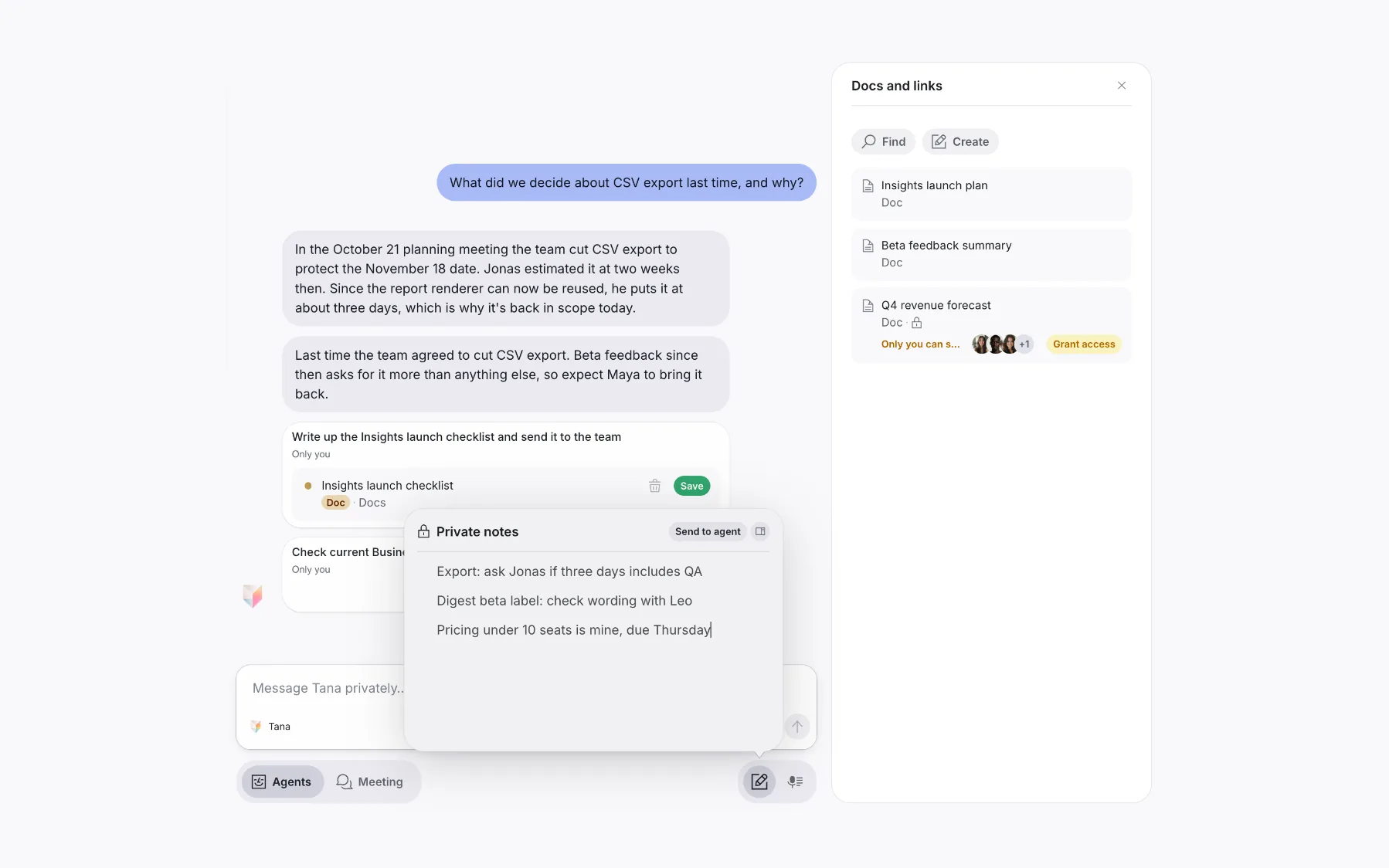
Agents is private to you: your own agent answers there, and that's where suggestions for you show up. Meeting is shared with everyone in the call, with the timeline and screenshots. Notes, Docs and Transcript open over the chat without losing what you're typing, and Dock beside the chat keeps one open in its own column. Notes are private to you, and Send to agent hands one to your agent. When you capture an outside meeting on your own, the column is just your Agents chat.
Your logo on guest meetings
Guests joining your meetings, and people opening a document you shared with a link, see your organization's logo and name. It's on by default. Admins can turn it off under Settings, Organization.
Choose how long meeting data is kept
On the Enterprise plan, admins can have transcripts, screenshots and recordings deleted after a set number of weeks. The summary and outcomes are always kept, and any meeting can be kept forever.
Improvements
18- Your agent picks up the suggestions meant for youTana sends each suggestion from a meeting to whoever was asked, offered to do it or raised it, and to the organizer only when nobody else fits. Your own Claude or ChatGPT usually picks it up for you, does what it can and asks before acting, with options you can answer in one tap. Meetings, Agents
- Decide when your agent asks before actingSet your Claude or ChatGPT to Auto, where it decides what needs your approval, or Manual, where it always asks first. New chats start with the setting you last picked. Agents
- Drafted tasks read like a teammate wrote themWhen Tana or your own agent turns a meeting suggestion into a task, bug or document, it writes the body in plain sentences for whoever picks it up, with no labels or source lines. Meetings, Agents
- A live transcript, organized by topicThe transcript shows what everyone says as they say it, guests included. Earlier topics fold into one line each, the current one is marked "Now", and topics where someone mentioned you are marked so you can jump straight to them. Meetings
- Fix misheard words in the transcriptRight-click a word in the meeting's transcript to correct it, here or everywhere in the transcript, and add it to your organization's important words so transcription gets it right from then on. Meetings
Show all 18 improvements
- Attach any kind of fileAdd Word, Excel, PowerPoint, zip and other files to a chat, a document or a meeting, and anyone who can see them can download them. In a document, type /File to add one. Tana reads text files such as code, logs, JSON and CSV. AI chat, Docs, Meetings
- Guests can download files from the meeting chatA file attached in the meeting chat has a Download button for guests, and for people joining from another Tana organization. Meetings
- Start a meeting about a document"Recent meetings" in a document's menu lists the meetings it's pinned to, and its + button starts a new meeting with the document already pinned. Docs, Meetings
- See a document's open proposalsA document's side panel lists the proposals waiting to change or delete it, each under the meeting or chat it came from. Review opens the proposal right there. Docs, Agents
- Links show as cards in the meeting chatA link on its own line in the meeting chat, and each link in the meeting's docs, shows the page's picture and title. A message that is only a link shows just the card. Meetings
- Reactions next to PresentReactions have their own button beside Present in the meeting toolbar. On a wide window it opens a row of quick reactions that stays open until you hide it. Meetings
- Know when your connection is weak in a meetingTana tells you when your connection is unstable or reconnecting, and suggests turning off your camera. Others see a warning on your video while it lasts. Meetings
- End one capture to start anotherWhile Tana captures another meeting, a meeting card's capture buttons ask whether to end it. Choose End and capture to stop the current capture and capture this meeting. Meetings, Apps
- Find a member in a large organizationIn Settings, Members, a filter box narrows the list by email once your organization has more than 10 members. Interface
- Faster switching between pagesClicking a link, row or sidebar item switches pages right away instead of leaving the old page up while the new one loads. Interface
- Find every doc, agent or task of one kind in SearchThe sidebar no longer has a More section. To list every doc, agent, skill or other kind of item, open Search and pick the kind in its type filter. An item's location pill, like Docs or Tasks, opens that same search. Interface
Fixes
10- Your own agent recovers instead of hangingIf Claude or ChatGPT takes too long to open a conversation, the message says so and asking again works. Claude no longer fails with a sign-in error when Claude Code is also open on your computer. A message you send after a quiet spell no longer gets refused. Agents
- Tana finds Claude Code from the newer Windows Claude appTana finds the Claude Code that comes with the newer Claude app for Windows. Agents, Apps
- Signing in to Claude on Windows opens only your browserSigning in to Claude from Tana on Windows no longer opens a console window that stays until the sign-in finishes. Agents, Apps
- Links open in the right Chrome profileIf you use several Chrome profiles, links from the Tana desktop app, such as joining a Google Meet, open in the profile signed in with your Tana account. Apps
- Joining another company's meeting from your own TanaIf you have a connected calendar, you can join a meeting another Tana organization hosts from your own Tana again, and your calendar doesn't get a second copy of it. Meetings
- Noise cancellation with Bluetooth headsetsNoise cancellation works with Bluetooth headsets. When your audio device doesn't support it, the switch says so. Meetings
Show all 10 fixes
- No reminders for meetings you declinedThe desktop app's meeting reminder skips meetings you declined, and closes if you decline while it's showing. Meetings, Apps
- Meeting times in your time zoneWhen Tana mentions a meeting's time in chat, search results or your daily brief, it uses your own time zone. AI chat
- The Linux app starts on tiling window managersThe Linux desktop app starts on Hyprland, Sway and i3, and its window no longer flickers when it starts or when you open a tab. Apps
- Updating Tana on a Mac someone else set upIf Tana was installed by another account on your Mac, it explains that an update needs an administrator's password and waits until you choose to try again, instead of asking at every update check. Apps

Turn meetings into the most productive part of your day.
Explore further
All updates