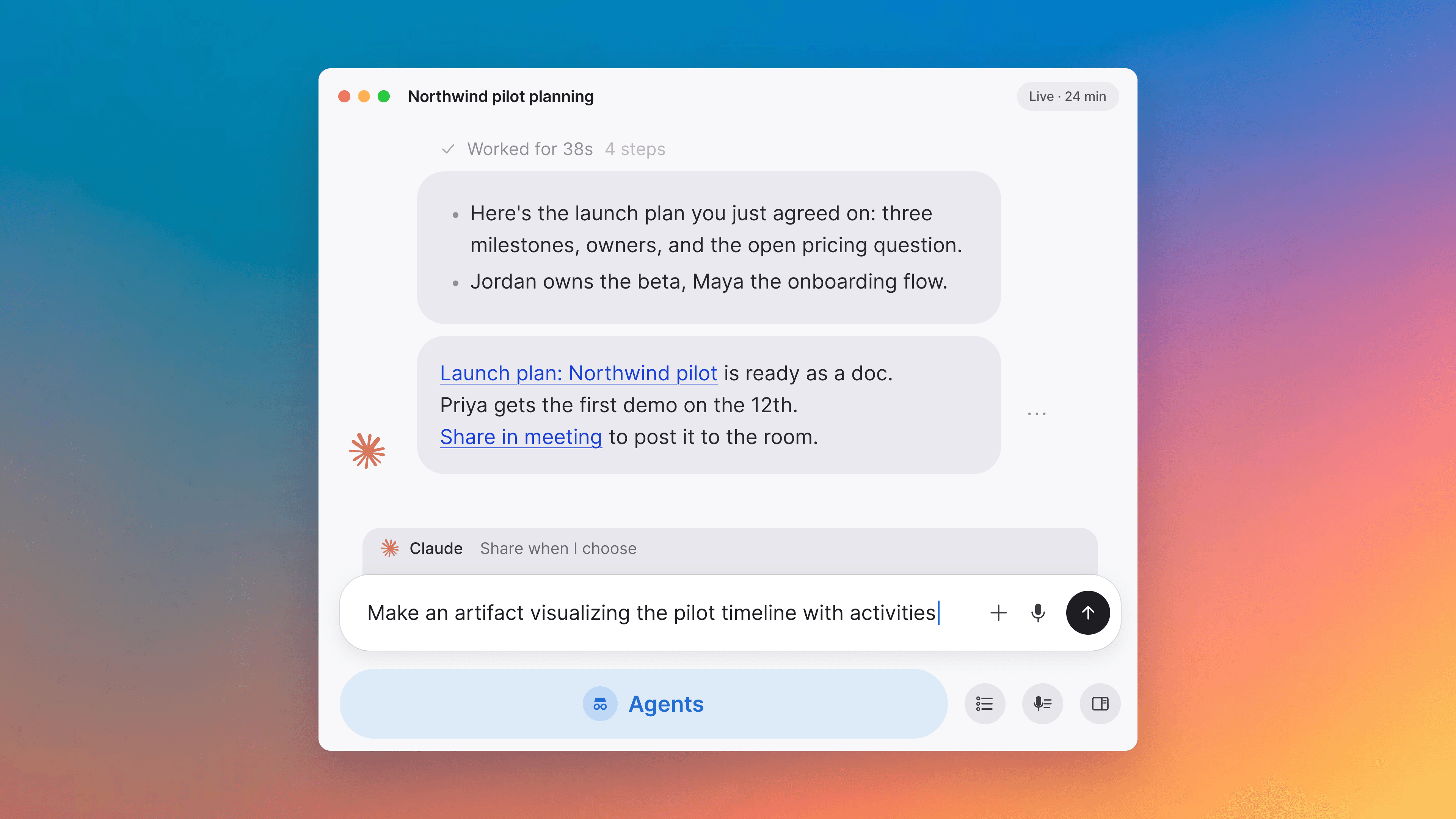
Multitasking voice agent, plain-language search
The voice agent works on several requests in the background during a meeting, search turns a plain question into filters, and a search can be saved as a document.
The voice agent works in the background, on several things at once
Ask the agent for something mid-meeting and it goes off and does it while the conversation carries on: look something up, draft or update a document, find related notes, or act in a tool you've connected. Several requests can be running at the same time. Each is acknowledged as you make it, and the result comes back at a natural pause rather than over whoever is speaking. It also follows more of the meeting than it used to, including the day's agenda and the meeting's pinned items, captured outcomes and shared screen, so there is less to explain before you ask.
Search understands a plain-language question
Typing something like "meetings with Sarah last week" now turns into filter pills automatically, with a sparkle icon on the search field marking an interpreted query, instead of only matching on keywords. Edit a filter by hand and it becomes your own; the sentence drops away and the filters stay.
Ask the voice agent to present a document
Say "present the risks doc" and the voice agent puts a document pinned to the meeting on the shared stage, the same way the Present button does, guests and access prompts included. "Stop presenting" takes back off a document you put up yourself. It knows what's on stage, whoever put it there, so you can ask about what everyone is looking at.
Set up a daily brief in Slack
A card on Today walks you through creating a daily brief agent. Each morning it reads your calendar and recent meetings and sends you one Slack DM: today's meetings, what happened since yesterday, preparation worth doing, and tasks or follow-ups you may have dropped. It covers only meetings you actually attend, not everything your account can see. The agent is yours to keep, so you can open it and change the prompt, the tools, or the schedule, and Tana won't overwrite it. It sends to you and cannot message anyone else, and it needs your personal Slack account connected. Link it too if your Slack email differs from your Tana sign-in, so the brief can find you.
A formatting toolbar when you select text
Select text in a document with a mouse or trackpad and a formatting bar appears. Turn into changes the block to text, a heading, a bulleted, numbered or to-do list, a blockquote, or a code block, and bold, italic, strikethrough and inline code sit alongside it, with whatever is already applied shown as a pressed button. Nothing moved: the slash menu, Cmd+K and the keyboard shortcuts still do all of it.
Save a search as a document, and pin it
A search you keep redoing can be kept. Set up the filters in global search and save the result as its own Search document. Pin it like any other document and it's one click away, re-running fresh each time you open it.
Change or remove a document's type
A document's type used to be permanent once you set it. Open the document and its ⋮ menu now offers Change type to pick a different one, and Remove type to make it untyped. Field values from the old type stay on the document as leftover fields, grouped under the type they came from and read-only, and they become editable again if you change back. Task status and assignees carry over. A custom workflow state from the old type does not.
Improvements
12- Move a whole recurring series to TanaMoving a recurring meeting to a Tana link used to convert the one occurrence you were looking at. You can now choose between that and replacing the whole series, on Google and Outlook alike. A Google series that had been split by editing "this and following" used to refuse the move outright, and now works. Meetings
- One-click filters for meetings, tasks, docs, and chatsThe search filter bar has one-click Meetings, Tasks, Docs, and Chats buttons in place of the old two-pill layout. Picking Meetings reveals When and Attendees; picking Tasks reveals Status and Assigned to. Interface
- One timeline in the meeting digestTalk, presented documents, screenshots, and the AI's captures and skill runs now appear together in one chronological list, instead of a timeline plus a separate area below it for what the AI ran. A run shows up the moment you ask for it and updates in place once it's done. A chevron at the bottom of a long list opens the rest. Meetings
- Present a document straight from its tileAn accepted outcome, a pending proposal, or a pinned item on the meeting surface can be put on the shared stage during a call without going through the Present picker: right-click the tile for Present document, or pick Present at the top of its share menu. Meetings, Docs
- Answer a meeting invite without leaving TanaA meeting you've been invited to, synced from your calendar, shows a Going? control with Yes, No, and Maybe next to the way in. Answering one occurrence of a recurring meeting asks whether that covers just this time or the whole series. Meetings
- The voice agent moves into the meeting digestThe voice control moves out of the meeting toolbar to the top of the digest, where it turns into the agent's avatar once a session is running. A click still starts or ends a hands-free session, or say "Hey Tana" as before. Meetings
Show all 12 improvements
- Run a skill before the meeting startsThe action row now offers a working Run skill button before you've joined, instead of a disabled one. Capture, which needs a live conversation, stays hidden until the call starts. Meetings, Skills
- A calmer countdown to when your meeting starts or endsJoin a few minutes early and a quiet "Starts in" note appears in the digest. It stays quiet through the calm middle of a live meeting, then turns amber for "Ends in" and red for "Over by" as you approach or pass the scheduled end, with a Wrap up button attached. Meetings
- Add audio to a documentDrop or paste an audio file into a document, or use /audio to pick one, and it shows up as an inline player, the same as an image or video. Docs
- Arrow keys carry you between a title and its bodyPressing Down on a title's last line moves into the body, and Up on the body's first line returns to the title, with the caret keeping its column the way it does anywhere else. Docs, Commands and shortcuts
- Ask about a meeting by pasting its linkPaste a meet.tana.inc link, a Tana meeting link, or just the meeting code into a chat and the AI reads that meeting. It used to need you to find the meeting yourself first. Meetings
- Five places a meeting could live, rankedAfter a meeting that isn't filed anywhere, Tana asks whoever can file it where it belongs and shows an initial shortlist of up to five spaces, ranked by what the meeting was about and narrowed to spaces every Tana member on the call can already reach. The best guess comes preselected; the chevron opens the full space picker if you'd rather choose somewhere else, and a checkbox opens the meeting to everyone in the space as you move it. Meetings, Spaces and sharing
Fixes
11- The desktop tray shows only your meetingsThe desktop tray could list meetings you're not on. It now shows only the meetings you're actually an attendee of. Apps
- Rename an org-visible Tana-only meeting without being its organizerOn a meeting your org can see that wasn't synced to an outside calendar, only its organizer could rename it, even though anyone else in the org already could. Now the people on the meeting can rename it too. A private, invite-only meeting stays organizer-only. Meetings
- An invitation that fails says whyInviting someone who couldn't be invited showed a bare "HTTP 400" whatever the cause, even when the reason was as ordinary as the person already being a member. You now get the real reason, and the same goes for revoking an invitation, removing a member, and changing a role. Interface
- Filter dropdowns keep one search boxCreated by, Assigned to, Type, and Space grew a second search box on the second keystroke and swallowed the first letter you typed. There is one box now, and it keeps every letter. Interface
- Pasted tables stay whole in chatPasting a Markdown table into the chat composer split it into disconnected row fragments. It arrives as one table now. AI chat
Show all 11 fixes
- A throttled calendar write reads as busy, not as blockedWhen Google rate-limited a write, adding Tana to a meeting reported that you had lost permission to edit your own event, and dropped the change. Tana now treats a rate limit as the temporary condition it is. Meetings
- @tana reads the thread in a Slack Connect channelMentioning @tana in a channel shared with another company got only the words of the mention itself, never the thread it sat in and never the attachments. It now reads the thread and its attachments once Tana can confirm who's actually in the conversation. Integrations, AI chat
- Link your Slack account to get DMs even when the emails don't matchAsking Tana, or one of your agents, to send you a Slack DM failed when the email on your Slack account wasn't the one you sign in to Tana with. Link your Slack account under Settings → Integrations → Slack and Tana asks Slack who you are instead of matching on the address, so the DM reaches you even when the two emails differ. Integrations, AI chat
- A meeting you create inside a space stays yours to editCreating a meeting from a space's Create menu left it without anyone holding edit rights over it, so once you joined, Tana rejected your own edits to its title or time and quietly reverted them. Whoever creates the meeting now keeps those rights. Meetings
- Only a headset takes over your microphoneTana switched to any microphone the moment it appeared, treating anything new as something you had just plugged in. That included an iPhone showing up over Continuity, mid-call. A device that appears now takes over only if it looks like a headset; anything else just offers a "Use as microphone" toast instead of taking over. Meetings
Notes
1- SOC 2 Type 2Prescient Assurance LLC examined the controls behind Tana and the SOC 2 Type 2 report is ready. Request it from the trust center, alongside our security practices and the current sub-processor list. Tana Outliner is not in scope. Interface