
Meeting consent and transparency with Tana: tell people you are transcribing
Everyone in a meeting should know when it is being transcribed. How to tell participants you are using Tana, what to say, what to do when someone says no, and how pausing, deleting, and data retention keep the record clean.
Summary
- Tell people at the start of every meeting that you are using Tana to transcribe it, and give them a clear chance to say no. It takes one sentence.
- When Tana captures a call in Zoom, Microsoft Teams, Google Meet, or another tool, it does so from your own computer, with no bot joining it. Nobody else in the call can see that it is running, so letting them know is up to you.
- When you host the meeting in Tana, every participant can see whether transcription is running or paused, and a video recording shows a clear indicator to everyone for as long as it runs.
- If the conversation turns sensitive, pause transcription and resume when everyone is ready.
- If something was captured that should not have been, delete that part of the transcript, or the whole transcript.
- On the Enterprise plan, and as an add-on for Business, an admin can set a data retention period, so transcripts, recordings, and screenshots are deleted automatically after a set number of weeks.
A transcript is only a good record if everyone in the room agreed to it being made. That is true for a sales call, a customer interview, a board meeting, and a one-on-one alike. Telling people up front also makes for a better meeting: once it is said, you can stop typing and pay attention, and nobody is left wondering what is happening to their words.
This guide covers how to make that a habit: what to tell people and when, what to say, what to do when someone says no, and how to handle the parts of a conversation that should not be kept. It is about how consent works in practice, not about the law. For the rules that apply where you and your participants are, check with your legal team.
Why consent matters when you transcribe a meeting
Everyone in the meeting should know
Everyone in a conversation has a stake in how it is captured. They may speak differently on the record, they may be bound by their own company’s rules, or they may simply prefer not to be transcribed. None of that can be respected if they do not know.
So the standard is simple: whenever you use Tana to transcribe a meeting, tell the other participants before you start, and let them decline. This holds whether the meeting is a video call, a phone call, or a conversation around a table.
Why it is up to you
Tana captures external calls on Zoom, Microsoft Teams, Google Meet, and other tools from the desktop app on your own computer. No bot joins the call and nothing appears in the participant list. That keeps the meeting uncluttered, and it also means the other people in the call have no way of seeing that a transcript is being made unless you tell them.
Tana currently does not post a notice in the meeting chat or mark your video. The notice is you, saying it out loud.
Meetings hosted in Tana show it to everyone
You can also hold the meeting in Tana itself, and invite people outside your organization as guests. There the state of the transcript is part of the call for everyone in it. All participants can see when transcription is running and when it is paused.
The same goes for video. If you record the meeting as video, everyone in the meeting sees a clear indicator that it is being recorded, for as long as the recording runs.
An indicator is not the same as agreement, so still say it out loud and ask. But in a Tana meeting nobody has to take your word for it: what you tell people and what they see on screen match.
What people need to know to agree
“This call may be recorded” does not tell anyone much. For someone to give a real yes, they should know four things:
- That it is happening. You are using Tana to transcribe the conversation.
- What is kept. A transcript, screenshots of anything shared on screen, and the summary and action items written from them. A video recording only if you choose to make one.
- Who can see it. You, and the people in your organization who have access to the meeting.
- How long it is kept. Your organization’s retention period, if it has one.
You do not have to recite all four every time. Lead with the first, and be ready to answer the rest.
How to tell people, step by step
When to say it
Say it before transcription starts, not partway through. The most reliable pattern is to mention it twice: once in the invitation, so nobody is surprised, and once out loud when the meeting opens.
| When | How |
|---|---|
| Before the meeting | A one-line note in the calendar invitation |
| At the start of the meeting | Say it out loud and ask if everyone is comfortable |
| When someone joins late | A quick recap for them |
| In person or on a phone call | Say it out loud before you start capturing |
A calendar note can be as short as this:
I’ll use Tana to transcribe this call so I can focus on the conversation. Let me know if you’d prefer that I take notes by hand.
What to say
Ask about transcription as its own question, separate from the small talk, and wait for the answer. A yes or no question works best, because the spoken answer then sits in the transcript alongside the rest of the conversation.
Sales and discovery calls
Before we start: I use Tana to transcribe my calls so I can stay focused on you instead of my notes. It helps me follow up accurately. Are you comfortable with that?
Customer and executive meetings
I’d like to transcribe today’s discussion with Tana so I can give it my full attention and still get the details right. If you’d rather I take notes by hand, just say so. Is that all right with everyone?
Internal and cross-team meetings
Is everyone fine with me transcribing this in Tana? If we get to anything sensitive, I’ll pause it.
Keep a record of the answer
The spoken yes in the transcript is a good start. If your team has a place where it tracks consent, such as a CRM record or a research log, note it there too: the date, who agreed, and what you told them. Record a no in the same place.
When someone says no, or the conversation turns sensitive
If someone declines
Thank them, do not start the capture, and take notes by hand. You can do that in Tana too: open Private notes in the meeting chat area and write there. If Tana is already running, end the capture. Do not ask twice, and do not make them explain.
Pause for sensitive topics
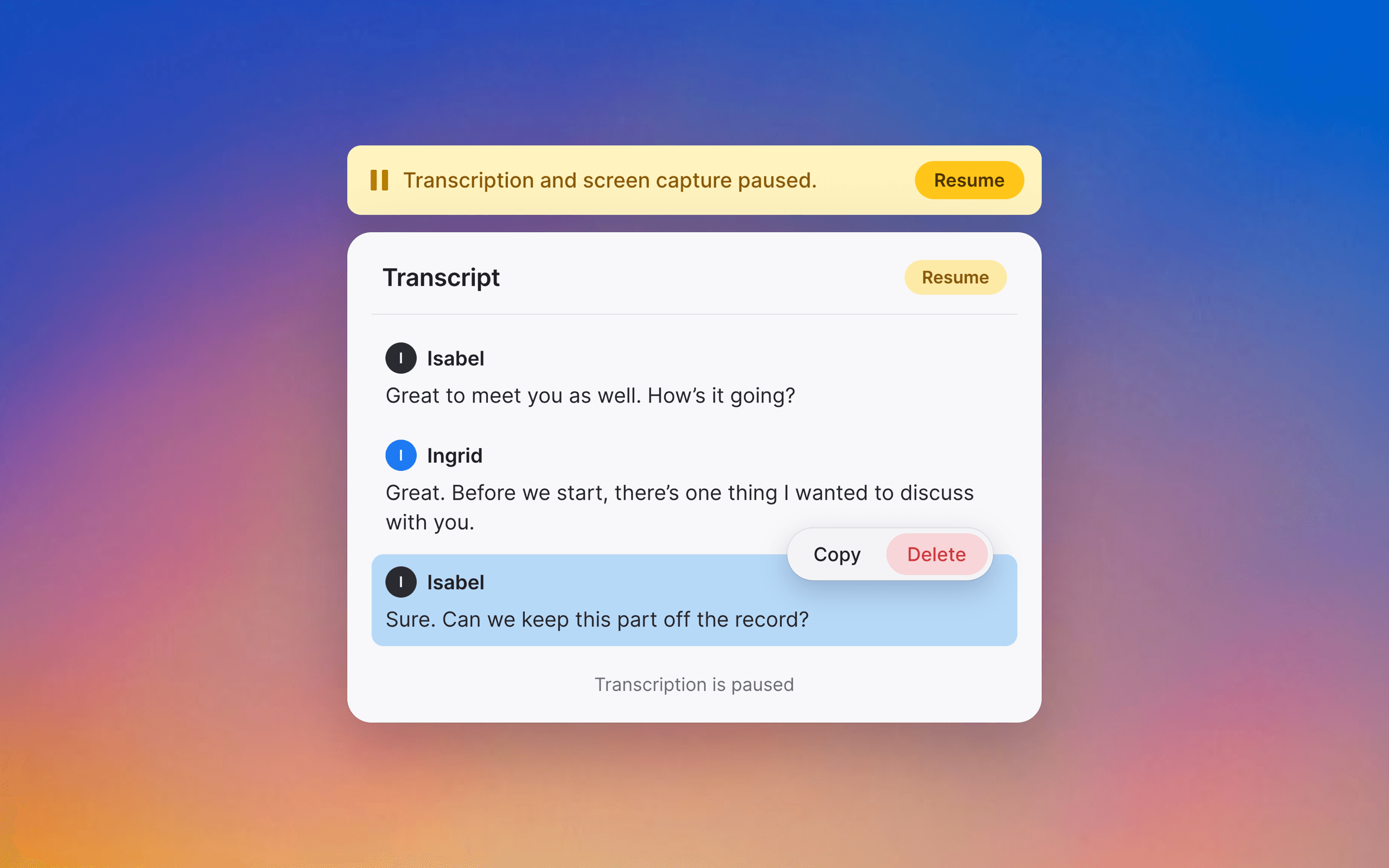
Some meetings are fine to transcribe except for ten minutes in the middle: a personnel matter, a number that is not public yet, something personal. For those, pause transcription. While it is paused, nothing about the conversation is captured, neither the words nor the shared screens. Resume when everyone is ready, and say that you have. In a meeting hosted in Tana, everyone sees that transcription is paused, and sees when it is running again.
It is worth offering this at the start of the meeting. People are more willing to agree to a transcript when they know they can ask for it to be paused.
Delete what should not have been captured
Sometimes the sensitive part arrives without warning and is in the transcript before anyone thinks to pause. In the transcript, select the paragraphs or speaker turns that should not be there and delete them. The rest of the transcript stays as it was. If the whole conversation should not have been captured, you can delete the entire transcript instead. Screenshots of shared screens can be deleted one at a time or all together.
Afterwards, read the meeting summary and edit out anything that came from the part you removed. If a participant asks you later to remove something they said, the same steps apply.
What to tell participants about their data
What Tana keeps
When you capture a meeting, Tana keeps the transcript, screenshots of what was shared on screen, and the summary and outcomes written from them. A video recording exists only if you start one.
The content of your meetings is not used to train AI models, by Tana or by the AI vendors Tana works with. See Privacy and security for the details, including Tana’s SOC 2® Type 2 examination.
How long it is kept
By default, meeting data is kept for as long as the meeting exists in Tana.
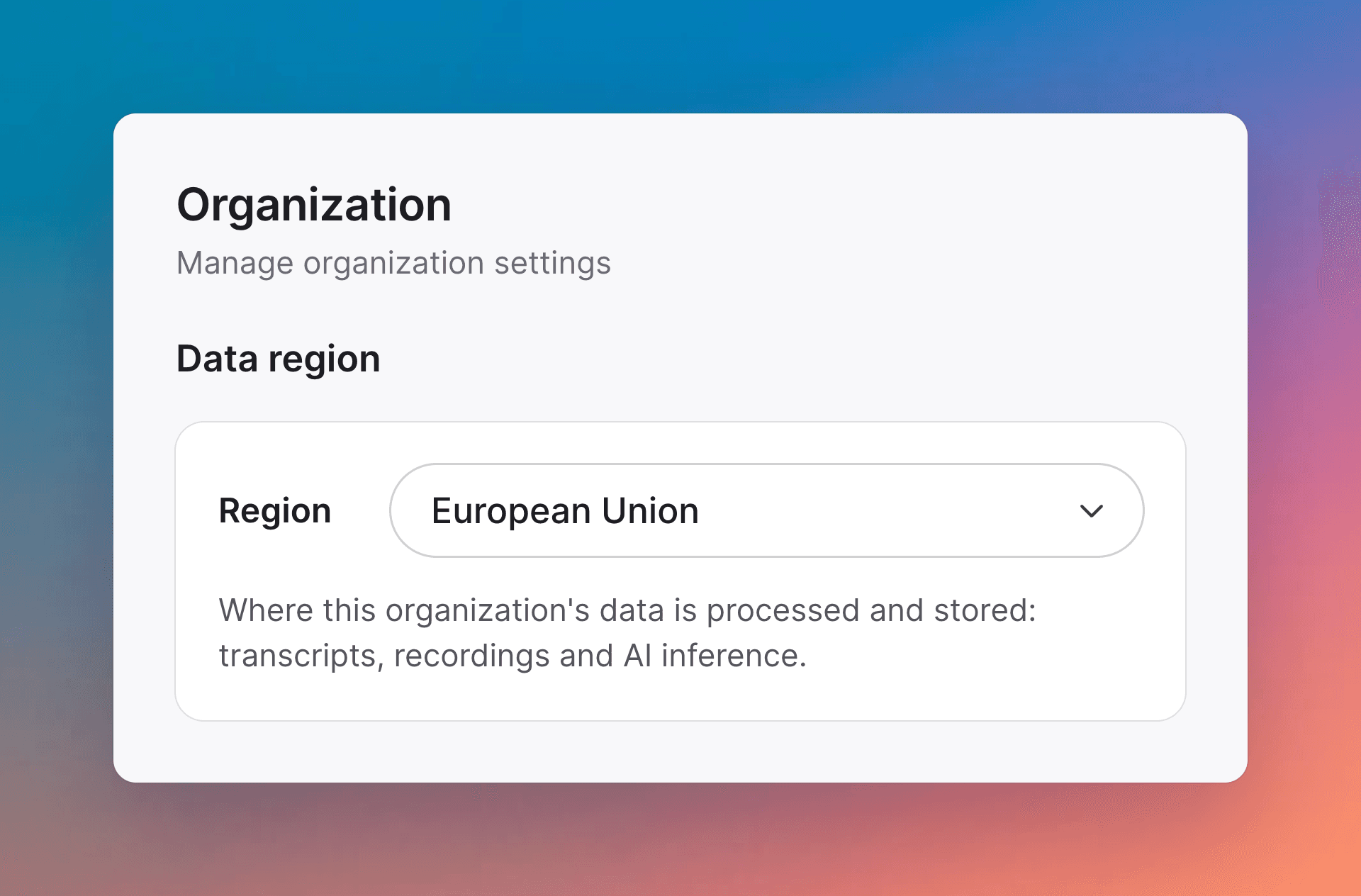
On the Enterprise plan, and as an add-on on the Business plan, an admin can set a data retention period for the whole organization. Transcripts, recordings, and screenshots are then deleted automatically a set number of weeks after the meeting, with nobody having to remember to do it. The summary and outcomes stay, so the decisions and next steps are not lost with the raw record.
With a retention period in place, the answer to “how long do you keep this?” is one sentence, and it is the same for every meeting.
A checklist for your team
- Put it in the invitation. Add one line saying the meeting will be transcribed with Tana.
- Say it at the start. Ask a yes or no question before the real discussion begins.
- Have a fallback. Be ready to take notes by hand if someone declines.
- Offer to pause. Tell people you will pause transcription for anything sensitive, and do it when asked.
- Clean up afterwards. Delete anything from the transcript that should not be kept, and check the summary.
- Know your retention period. Be able to say how long transcripts are kept, or ask your admin to set one.
- Note the answer. Record who agreed and who declined wherever your team tracks it.
Frequently asked questions
Can other people in the meeting see that I am using Tana?
It depends on where the meeting is held. In a meeting hosted in Tana, yes: every participant can see whether transcription is running or paused, and a video recording shows an indicator to everyone. In a call in Zoom, Microsoft Teams, Google Meet, or another tool, not on their own: Tana captures the call from your computer, without a bot in the call, and currently does not post a message in the meeting chat or add a mark to your video. Either way, tell participants yourself at the start of the meeting.
Do I need the other participants’ consent to transcribe a meeting?
Always tell participants and give them the chance to decline, whether the meeting is a video call, a phone call, or in person. Whether the law also requires their consent depends on where you and the other participants are, so check with your legal team.
What should I do if someone does not want to be transcribed?
Do not start the capture, or end it if it is already running, and take notes by hand. If part of the meeting was already transcribed, delete that part of the transcript, or the whole transcript.
Can I stop transcription for part of a meeting?
Yes. Pause transcription when the conversation turns to something that should not be captured, and resume afterwards. Nothing said or shared on screen is captured while it is paused.
Can I remove something from a transcript after the meeting?
Yes. Select the paragraphs or speaker turns in the transcript and delete them, or delete the whole transcript. Then check the meeting summary and edit out anything that came from the part you removed.
How long does Tana keep meeting transcripts?
For as long as the meeting exists, unless your organization has set a data retention period. On the Enterprise plan, and as an add-on on the Business plan, an admin can have transcripts, recordings, and screenshots deleted automatically after a set number of weeks. The summary and outcomes are kept.
Explore further