
Tana Enterprise admin controls explained: SSO, groups, data residency, retention and agent governance
Where meeting data is stored and processed, how long it is kept, how access is managed with SSO and groups, and which settings, agents and tools an administrator controls on the Business and Enterprise plans.
TL;DR
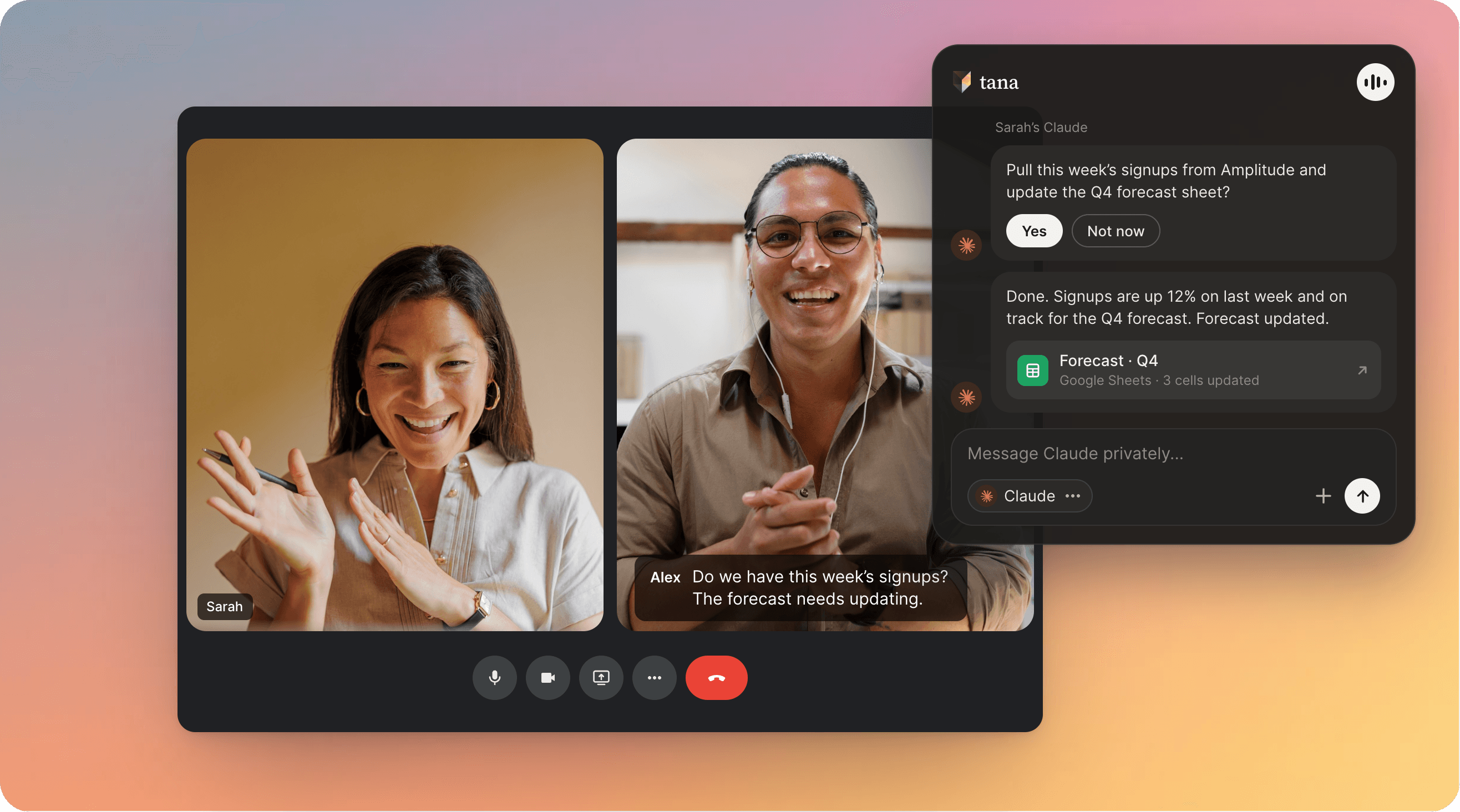
- Tana is a meeting platform for teams. It transcribes meetings, keeps the summaries and outcomes in a knowledge base shared across the organization, and lets each person bring their own AI agent, such as Claude or ChatGPT, into the call.
- Administrators control five areas: data residency, data retention, identity and access, organization-wide settings, and which agents and tools can connect.
- On the Enterprise plan, an organization in the EU region has its transcripts, recordings, screenshots and AI inference kept in the EU.
- Admin controls and groups are included in Business, from $30 per member per month billed yearly. SAML SSO, audit logs, a custom DPA, data residency and retention controls are included in Enterprise and available as add-ons to Business.
- Tana has completed a SOC 2 Type 2 examination and is GDPR compliant. No meeting data is used to train any model.
Meeting tools usually arrive in a company one person at a time. Someone installs a notetaker, connects a calendar, and a few months later transcripts of customer calls, 1:1s and planning meetings sit in accounts that IT has never reviewed. Sharing is often open by default, nobody has decided how long recordings are kept, and access does not change when a person moves team or leaves.
Does Tana support SSO, data residency and admin controls for a company rollout? Yes. Tana has a Business plan and an Enterprise plan for this, and the controls are described below.
This guide covers what Tana stores, where that data is processed, how access is managed, and what an administrator can set for the whole organization. Where a control depends on the plan, the section says so.
What admin controls for a meeting platform should cover
A meeting platform handles some of the most sensitive material a company produces: what was said in the room, word for word. The controls that matter fall into five areas.
- Data residency. Where transcripts, recordings and screenshots are stored, and where the AI models that process them run.
- Data retention. How long the raw record of a meeting is kept, and what remains once it is deleted.
- Identity and access. How people sign in, how they are grouped, and how access to shared content follows those groups.
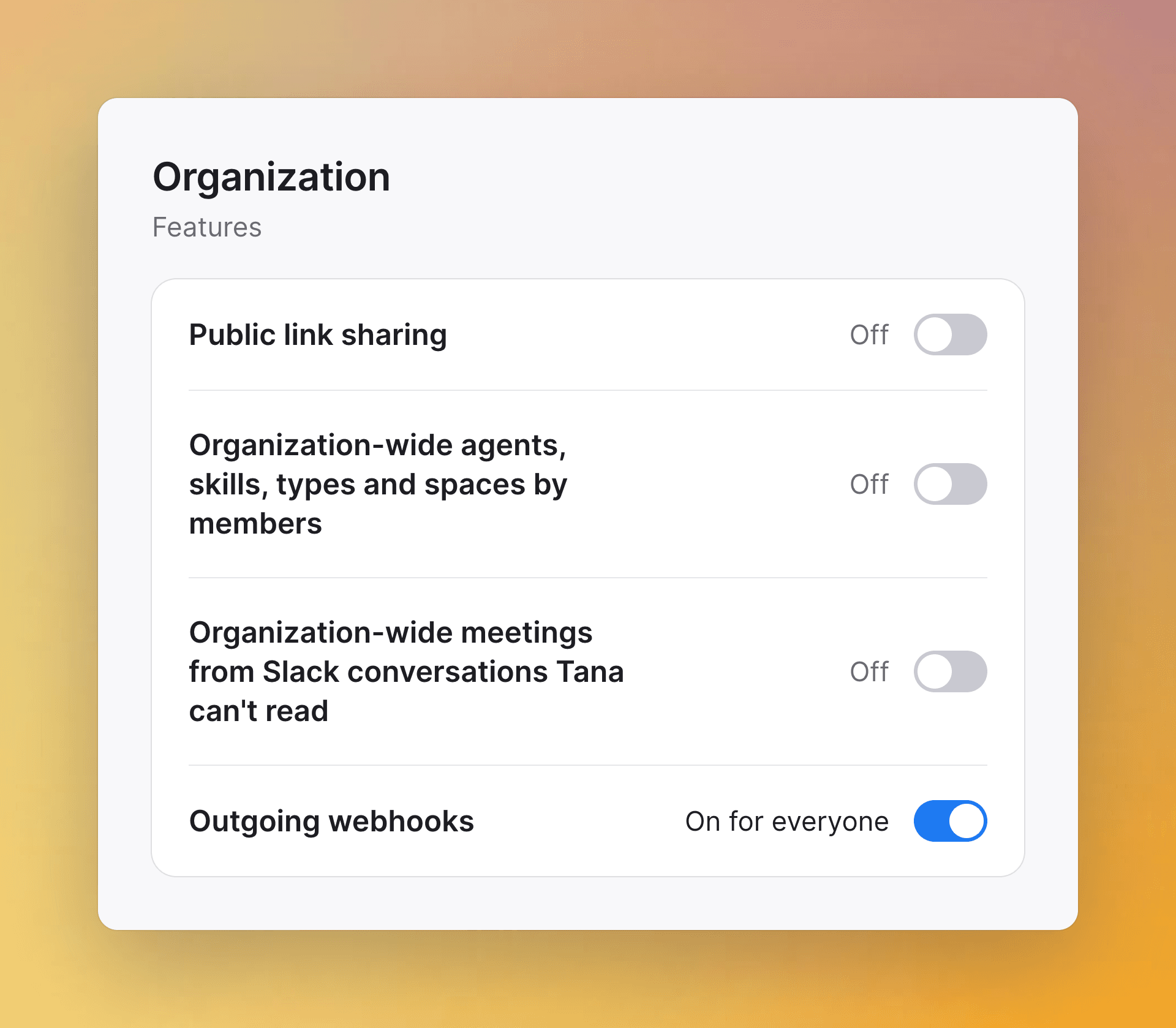
- Organization-wide settings. What an administrator can switch off or limit for everyone, such as public links.
- Agents and connected tools. Which AI agents and which connections to other systems members are allowed to use.
A tool that covers recording and summaries but leaves these five to each individual user is a personal tool. The rest of this guide goes through how Tana handles each one.
Tana admin controls at a glance
| Control | What it does | Plan |
|---|---|---|
| SAML SSO | Members sign in through your identity provider, Microsoft included. | Enterprise, add-on for Business |
| Group sync | Groups from your directory are available in Tana with the same members. | Business and Enterprise |
| Groups in Tana | Administrators create and manage groups when there is no directory to sync. | Business and Enterprise |
| Space access by group | A group is given view or edit access to a space. | Business and Enterprise |
| Data residency | US or EU region for storage, processing and AI inference. | Enterprise, add-on for Business |
| Data retention | Transcripts, recordings and screenshots are deleted after a set number of weeks. | Enterprise, add-on for Business |
| Public links | Public link sharing can be turned off for the organization. | Business and Enterprise |
| Org-wide publishing | Who can make agents, skills, types and spaces available to everyone can be limited. | Business and Enterprise |
| Meetings from Slack | Meetings stay closed when Tana cannot tell who should have access. | Business and Enterprise |
| Outgoing webhooks | Meeting transcripts are sent to your own systems. | Business and Enterprise |
| Approved connections | An allowlist of the MCP connections members can add. | Business and Enterprise |
| Approved agents | The external agents members can use in Tana. | Business and Enterprise |
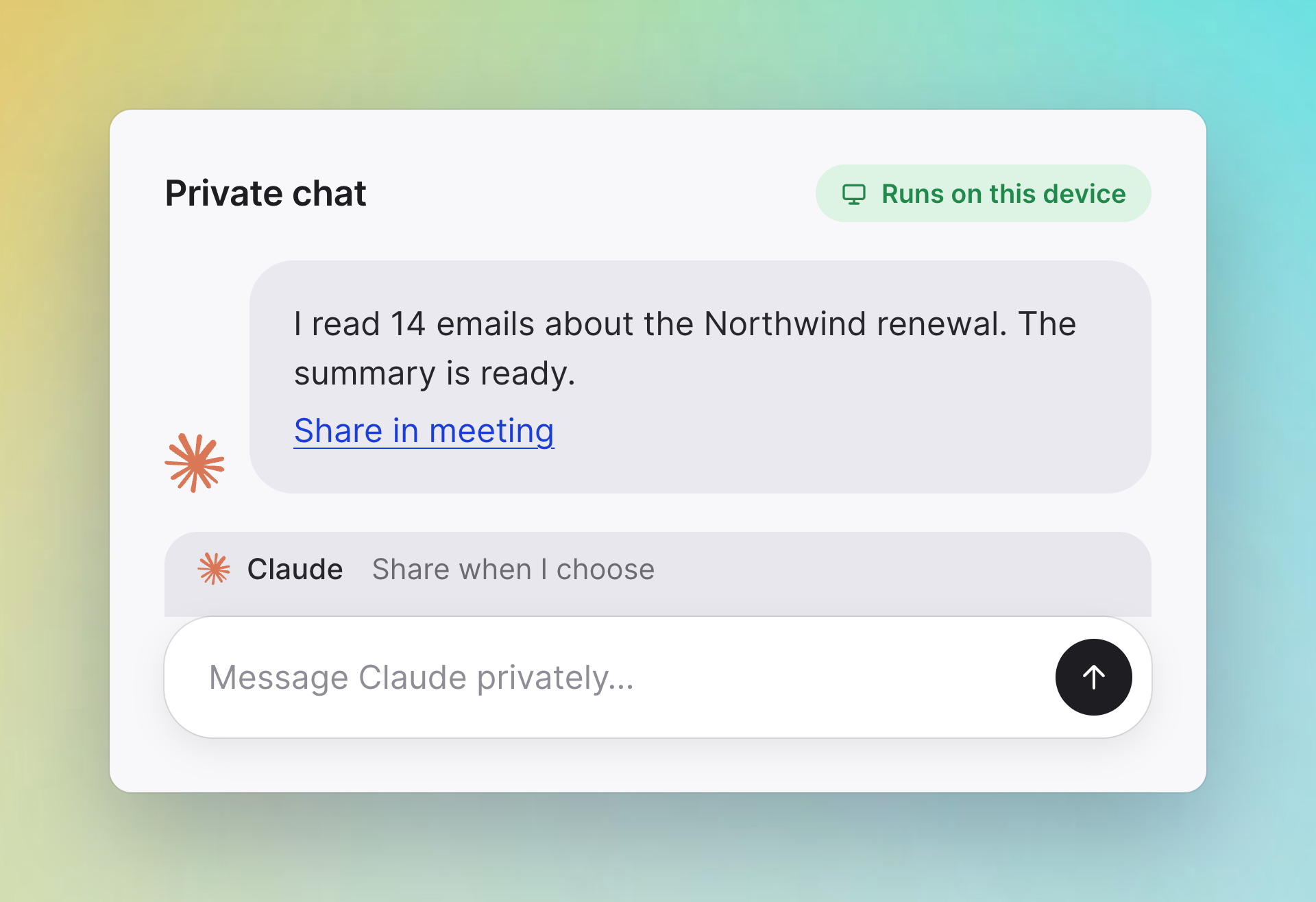
| On-device agents | A person’s chat with their agent is stored on their own device. | Enterprise |
| Audit logs | A record of activity in the organization. | Enterprise, add-on for Business |
| Custom DPA and security reviews | A data processing agreement and review process to fit your requirements. | Enterprise, add-on for Business |
Data residency
Where meeting data is stored is only half of the question. A transcript that is stored in one region but sent to a model in another for summarizing has still left that region. When you review a meeting tool, ask about both.
Where Tana stores and processes meeting data
Tana is built to comply with EU privacy regulations, which means a high level of data privacy and security for all customers, wherever they are based.
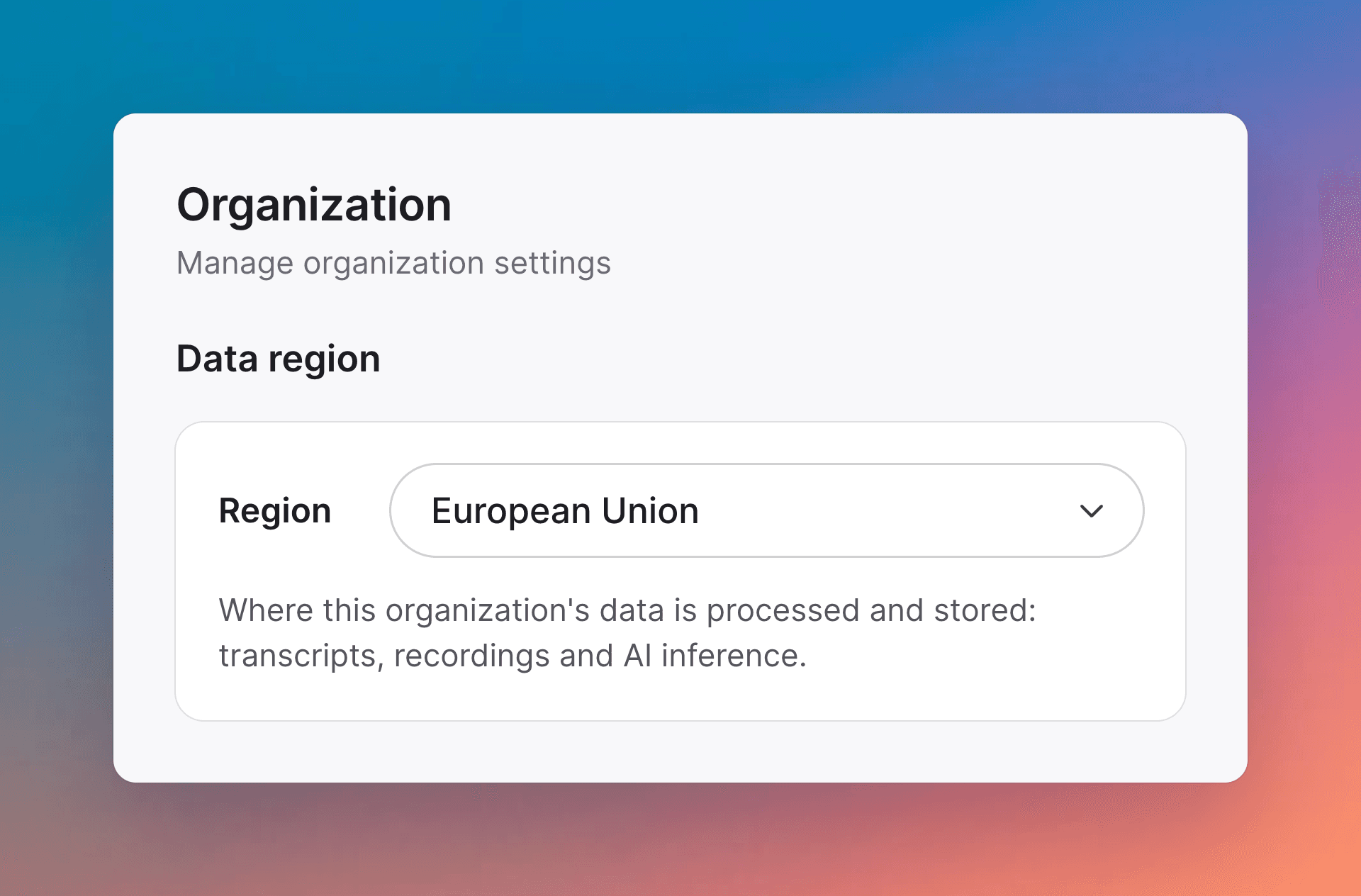
Each Tana organization chooses a data region, either the US or the EU. For an organization on the Enterprise plan that chooses the EU region, all meeting data and all processing stay in the EU:
- Transcripts are processed and stored in the EU.
- Recordings and screenshots are stored in the EU.
- AI inference runs in the EU, across the model providers Tana uses.
AI inference and model training
Inference covers every model call made on your data, including the calls that write a meeting summary and the calls made when an agent answers a question about a meeting. For an Enterprise organization that has chosen the EU region, those calls run in the EU.
No meeting data is used to train any model, on any plan.
Transcript retention and deletion
Many companies do not want a word-for-word record of every conversation kept indefinitely. The record that carries the risk is the raw one. What a team needs later is usually the decision and the follow-up.
What Tana keeps by default
A meeting in Tana produces two kinds of data: the raw record (transcript, recording and screenshots) and what is written during and after it (the summary, the meeting chat, private notes and the outcomes, such as decisions and action items). By default, Tana keeps both for as long as the meeting exists.
Setting a retention window
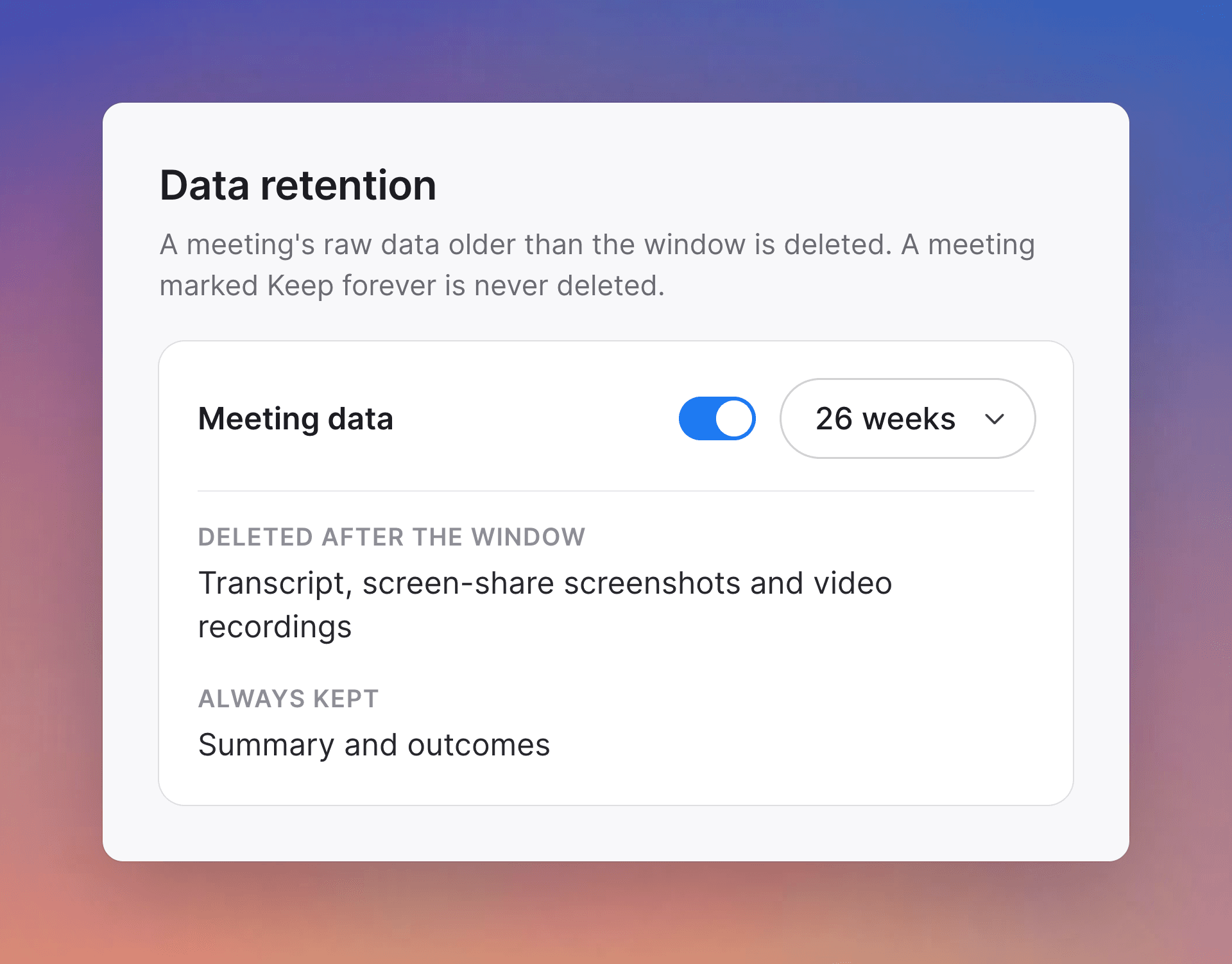
An administrator can set a retention window, in weeks, under Data retention in the organization settings. The window is measured from when the call ended, and it applies to existing meetings as well as new ones.
- Deleted when the window passes: the transcript, the recording and the screenshots.
- Kept: the summary, meeting chat, private notes and the outcomes.
Each finished meeting shows the date its raw record will be deleted. A meeting that needs to be kept can be exempted with Keep forever. See data retention for details.
Identity and access
Managing access one person at a time works for a team of ten. For a company, access has to follow the groups that already exist in the directory, so that joining or leaving a team changes what a person can see without anyone editing a list.
Single sign-on with SAML
Tana supports SAML SSO with your identity provider, Microsoft included. Members sign in with their company account, and your identity provider decides who can sign in.
Groups and group sync
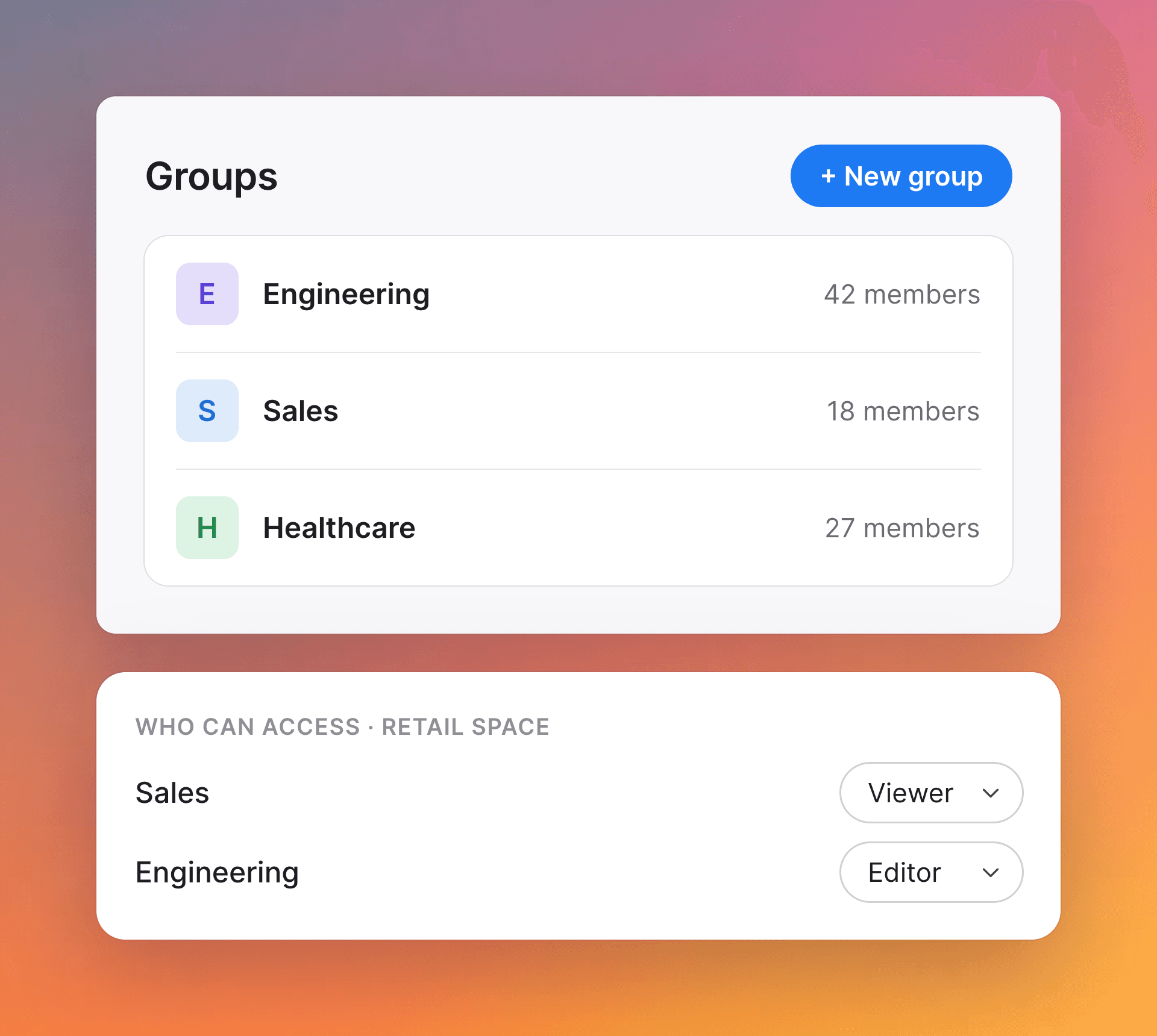
With group sync, the groups in your directory are available in Tana with the same members. A person in the healthcare group in your directory is in the healthcare group in Tana.
Organizations without a directory to sync can create groups in Tana and choose the members.
Space access by group
Content in Tana is organized in spaces, for example one per team, project or client. An administrator gives a group access to a space with either view or edit rights. The engineering group can edit the engineering space while the sales group can view it.
A person added to a group gets that group’s access without a separate invitation. For a new employee, that means the right spaces are there on the first day.
Who sees what a meeting produced
What a meeting produced is shared with the people who took part in it, not with the whole organization. It reaches a wider audience when someone shares it or files it in a space.
Organization-wide settings
These settings apply to every member and are managed in the organization settings.
Turning off public links
By default, a member can turn a document into a link that opens without signing in. An administrator can turn public link sharing off for the organization. Sharing with people inside the organization is not affected.
Limiting what is published to the whole organization
Agents, skills, types and spaces can be made available to every member. In a large organization this fills up quickly with personal experiments. An administrator can limit who is allowed to publish to everyone, so the shared setup stays curated.
Meetings started from Slack
A meeting can be started from Slack. When Tana cannot determine who should have access to that meeting, it stays closed. It is not opened to the organization as a fallback.
Sending transcripts to your own systems
Outgoing webhooks send meeting transcripts to a system you run, for archiving or for your own processing.
Agents and connected tools
AI agents add a question that older meeting tools did not raise: what can the agent reach, and where does its work end up?
How external agents run
In Tana, each person can connect their own Claude or ChatGPT as an external agent. The agent runs on that person’s computer, signed in with their own account, and uses the connectors and permissions already approved for that account. Tana does not hold the credentials to those tools. No bot joins the call.
Approved connections and approved agents
Administrators control what can connect:
- Approved connections. An allowlist defines which MCP connections members can add.
- Approved agents. Administrators choose which external agents members can use in Tana.
Private by default
What an agent produces is visible only to the person who asked for it, until that person shares a specific result.
On-device agents
On the Enterprise plan, the conversation between a person and their agent is stored on that person’s device and is not sent to Tana. If the agent reads email or files to complete a task, that content stays on the device. Only a result the person chooses to share is stored in Tana.
Security and compliance
- SOC 2 Type 2. Tana has completed its SOC 2 Type 2 examination. See trust.tana.inc.
- GDPR. Tana is GDPR compliant, and a custom DPA is available on the Enterprise plan. A standard DPA is available on Business.
- Security reviews. The Enterprise plan includes security reviews with the Tana team.
- Model training. No meeting data is used to train any model.
- Audit logs. Audit logs are part of the Enterprise plan and are coming soon.
Checklist: five questions to ask when reviewing a meeting tool
- Where does inference run? Ask where the model calls happen, not only where the data is stored.
- What is deleted, and what is kept? A retention policy should say which data it removes and what remains afterwards.
- Does access follow your directory? Check that groups come from your identity provider and that access to shared content can be given per group.
- What is the default when access is unclear? The safe default is closed.
- Who controls which agents and tools connect? This should be an administrator setting, not a choice each member makes.
Business and Enterprise
Tana has two plans for larger organizations.
Business starts at $30 per member per month, billed yearly. It includes unlimited members and team spaces, the organization-wide settings, groups, approved connections and agents, and multiple external agents per person.
Enterprise has custom pricing, billed yearly or quarterly. It includes everything in Business, plus SAML SSO, audit logs, a custom DPA and security reviews, US or EU data residency with EU inference, retention controls, on-device agents and a designated customer success manager.
SAML SSO, audit logs, the custom DPA, data residency and retention controls can be added to Business individually. See pricing.
How to evaluate Tana
Tana offers a two-week pilot with one team of five to ten people and two or three recurring meetings, such as a weekly team meeting, customer calls or 1:1s.
- Before the pilot. The scope, success criteria and commercial terms are agreed.
- Week 1. Tana is installed, agents and tools are connected, and the Tana team joins the first meetings.
- Week 2. The team runs its meetings in Tana on its own, with a check-in mid-week.
- After two weeks. The results are reviewed against the success criteria, and the rollout is agreed.
To set up a pilot or a security review, book a call.
Frequently asked questions
Does Tana support single sign-on?
Yes. Tana supports SAML SSO with your identity provider, Microsoft included. It is included in the Enterprise plan and available as an add-on to Business.
Can Tana keep all our data in the EU?
Yes. On the Enterprise plan, an organization in the EU region has its transcripts processed and stored in the EU, its recordings and screenshots stored in the EU, and its AI inference run in the EU. Data residency is also available as an add-on to Business.
Can we delete transcripts automatically?
Yes. An administrator sets a retention window in weeks. When it passes, the transcript, the recording and the screenshots of a meeting are deleted. The summary, meeting chat, private notes and the outcomes are kept.
Does Tana use our meetings to train AI models?
No. No meeting data is used to train any model.
Does a bot join our calls?
No. Tana runs on each person’s computer. For a Zoom, Google Meet or Microsoft Teams call, nothing joins the call as a participant.
Can we control which AI agents and tools employees connect?
Yes. Administrators keep an allowlist of the MCP connections members can add and choose which external agents can be used in Tana. Both are included in Business and Enterprise.
Can we stop employees from sharing documents publicly?
Yes. An administrator can turn off public link sharing for the whole organization.
Is Tana SOC 2 certified?
Tana has completed its SOC 2 Type 2 examination and is GDPR compliant. See trust.tana.inc.
Glossary
Allowlist. A list of the items that are permitted. Anything not on the list is blocked.
Audit log. A record of who did what and when in a system, used for security reviews and investigations.
Data residency. The geographic region where data is stored and processed.
Data retention policy. A rule for how long a type of data is kept before it is deleted.
DPA. Data processing agreement. The contract that sets out how a vendor handles personal data on a customer’s behalf.
External agent. An AI agent from another provider, such as Claude or ChatGPT, that a person connects to Tana with their own account.
Identity provider. The system that holds a company’s user accounts and confirms who a person is when they sign in.
Inference. A call to an AI model to produce an output, such as a summary of a transcript.
MCP. Model Context Protocol. An open standard for connecting AI agents to tools and data.
SAML. Security Assertion Markup Language. A standard that lets an identity provider sign a person in to another application.
SOC 2 Type 2. An independent examination of how a company’s security controls operate over a period of time.
SSO. Single sign-on. Signing in to many applications with one company account.
Explore further