Global Clipper: Capture to Tana from anywhere on your desktop

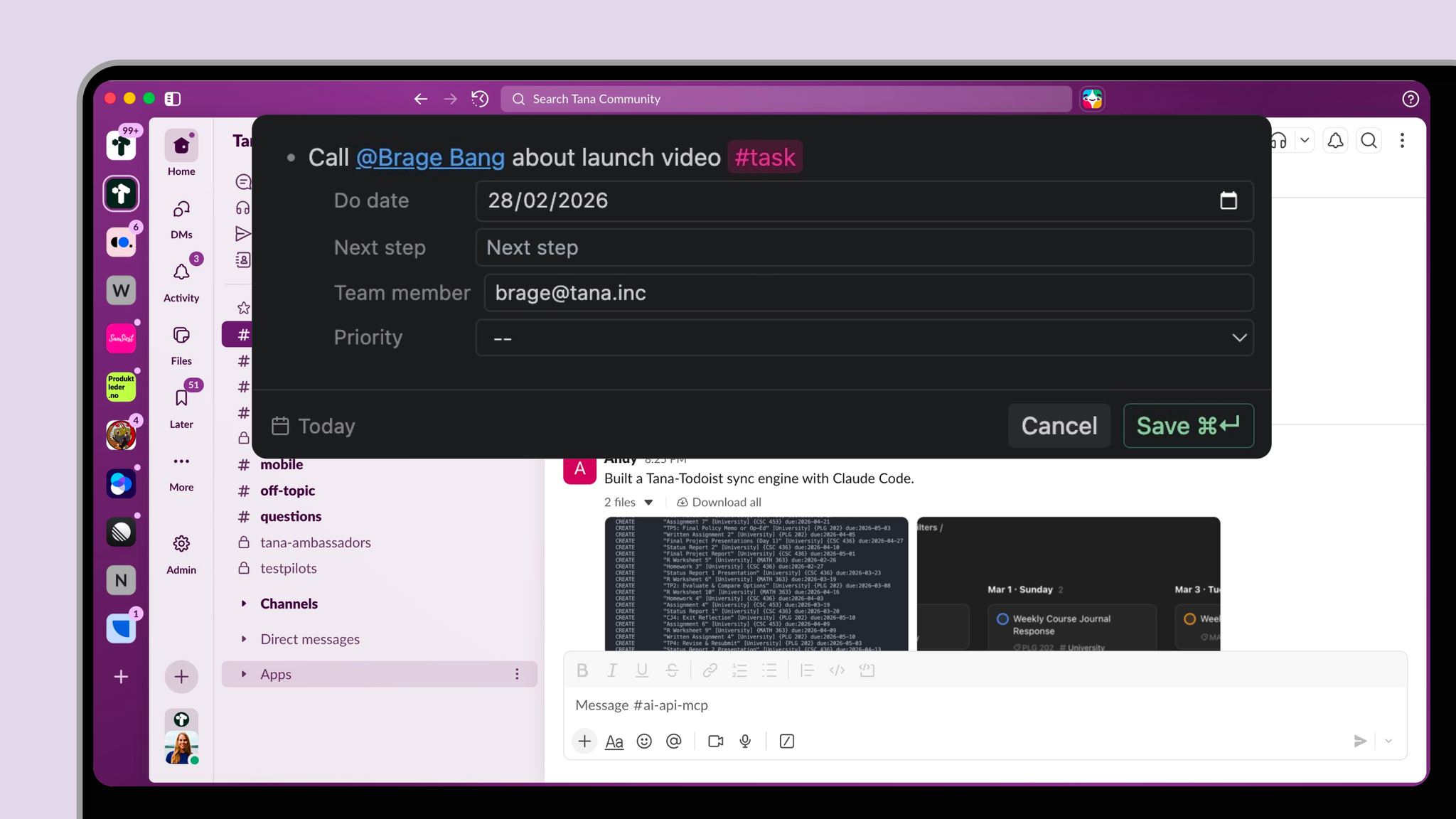
If you have ever had a great idea while writing an email, reviewing a doc, or sitting in a meeting, you know the cost of context switching. You either ignore the idea or break your flow.
Global Clipper fixes that.
Capture without breaking focus
With the Tana desktop app running, press:
Shift + Cmd + Space
A small capture modal appears on top of any app. Type your thought, paste a link, add a task, and continue your work.
(video coming here)
You can customize the shortcut under:
Tana desktop → OS menu → Options → Customize keybindings
This makes Tana your always-available inbox for ideas, commitments, and insights.
Structured from the first keystroke
Global Clipper is not just a quick text box. It understands your system.
You can:
- Apply supertags
- Use @mentions
- Expand and set fields (tab through fields)
- Use basic extended tags and inherited fields
- Paste links and other content directly from your clipboard
That means you are not just capturing raw notes. You are capturing structured, actionable information that flows directly into your existing workflows.
For example:
- Add a new task with a deadline and owner while reading Slack
- Capture a client insight from an email and tag it with the right project
- Save an article link and immediately apply your Research supertag with relevant fields
Your graph becomes richer with every capture.
Built for managers and operators who move fast
If you run back to back meetings, juggle multiple projects, or manage a team, the real bottleneck is not thinking. It is friction.
Global Clipper reduces the friction between noticing something important and saving it in the right place.
No more sticky notes.
No more temporary docs.
No more promising yourself you will “add it later.”
You capture once. Tana handles the structure.
Known limitations
This is the first version, and there are a few things to be aware of:
- Not all field option variants are supported yet
- Some issues may occur with extended tags
- Tana desktop must be running for the clipper to work
We will continue improving support for more advanced field types and edge cases.
From long standing request to reality
Global Clipper has been one of the most upvoted and discussed feature requests in our community.
Thank you to everyone who pushed for this.
Tana is designed to be your second brain. With Global Clipper, it becomes available wherever you think.
Download the latest desktop version, try the shortcut, and start capturing from anywhere.