






Leave the call with Pipedrive already updated
Tana does the CRM work while you talk. Ask in chat to open deals, log notes, pull up records, and update fields in Pipedrive, or debrief a meeting out loud and send the outcome straight onto the deal. You finish with the pipeline current, not a list to type up later.
Create deals and log notes from chat
What you can do with Pipedrive
From a meeting
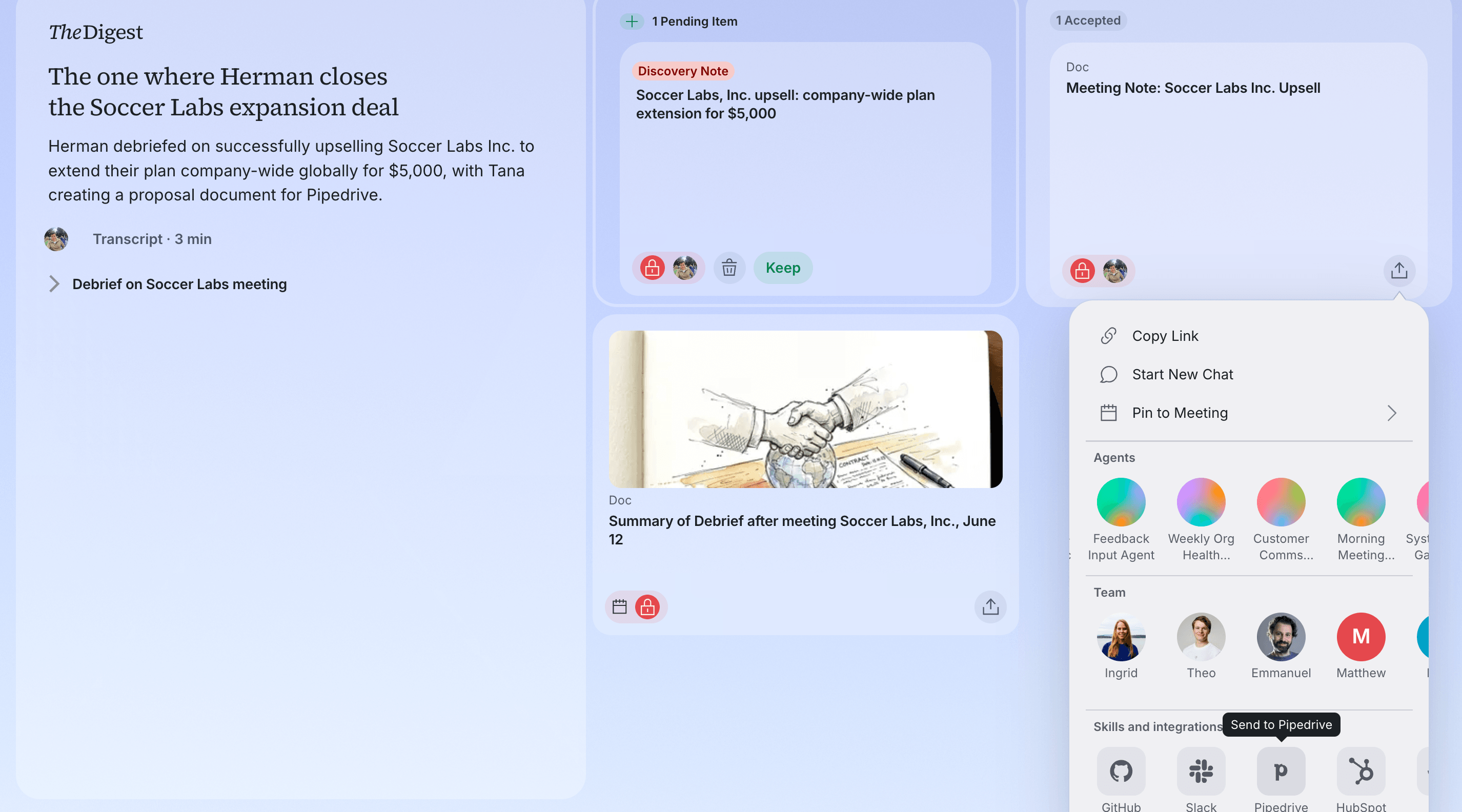
Update Pipedrive before you've left your customer meeting
Have your customer meetings in Tana, or debrief out loud with Tana's voice agent. Tana writes up the outcome, so you can send it straight to Pipedrive, for example as a note on a deal.
In your flow
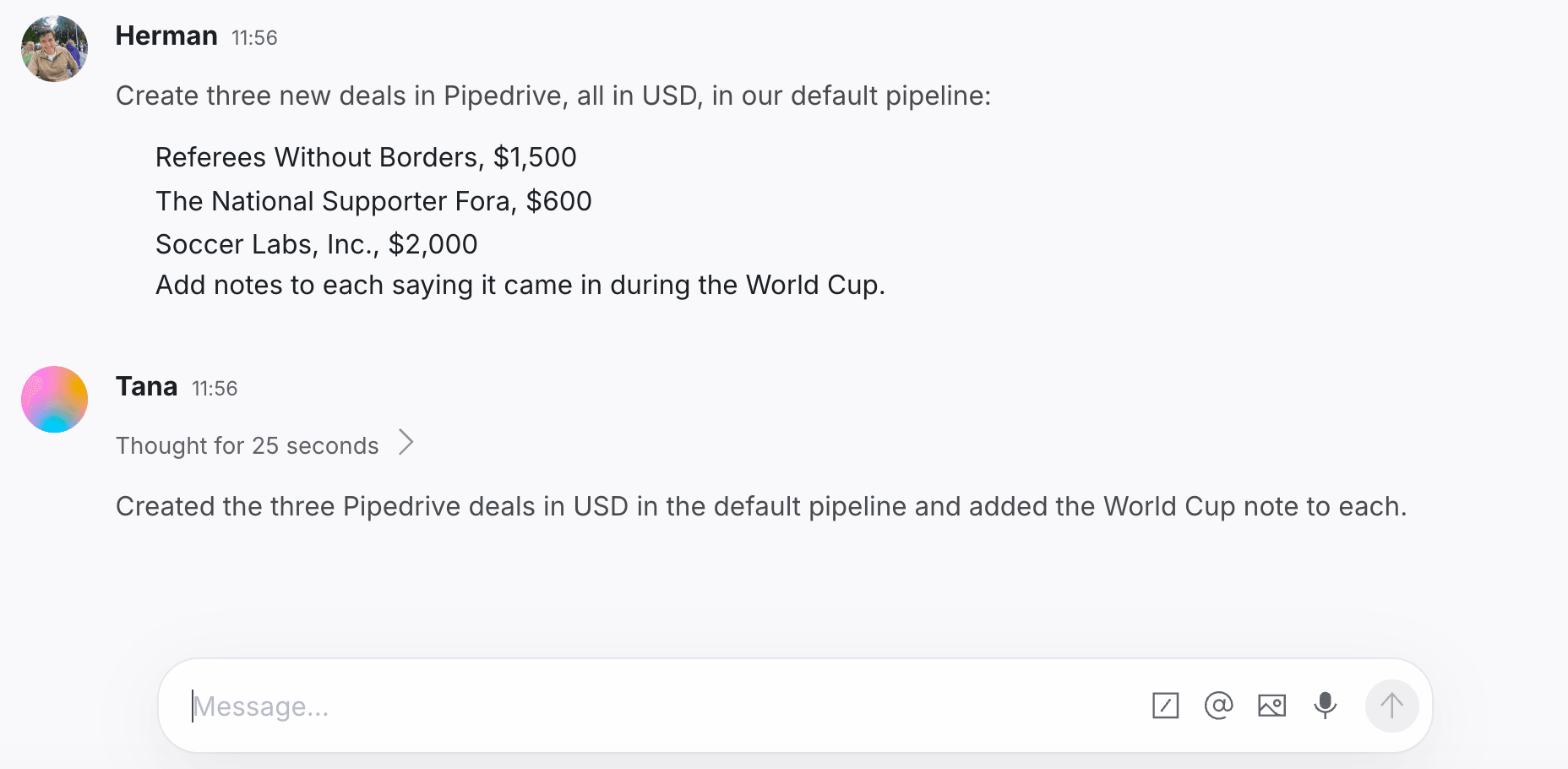
New deals in Pipedrive without leaving your flow
Tell Tana what to open and it creates the deals in Pipedrive, with value, currency, and pipeline set, and a note on each. It finds the right contact or company to link them to.
From your docs
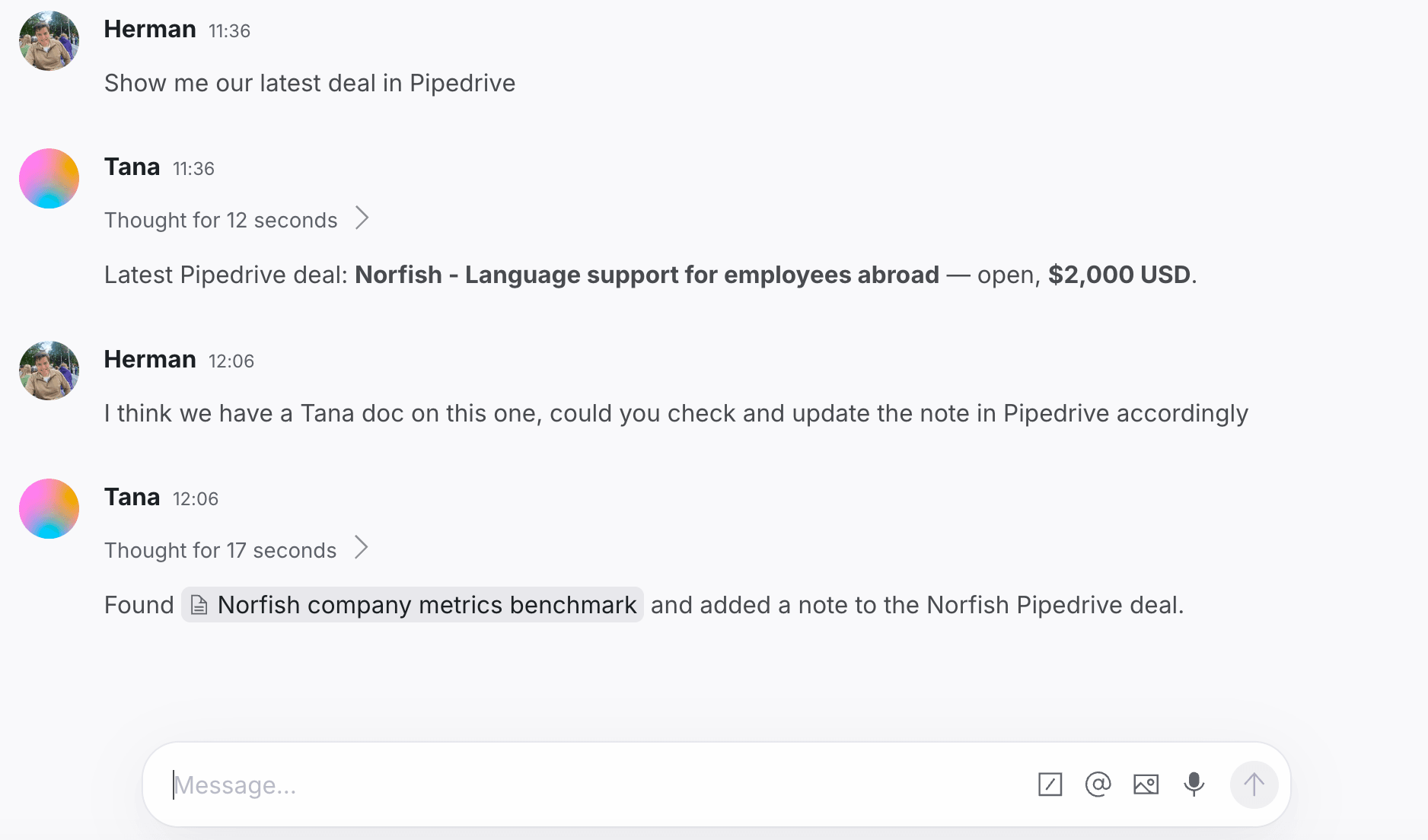
The deal note writes itself from your Tana docs
Ask for your latest deal and Tana finds it in Pipedrive. Point it at a Tana doc and it logs a note on that deal, so the CRM carries context you already have, without copy and paste.
How to connect Pipedrive
- Open Settings in Tana and go to Integrations.
- Find Pipedrive and click Connect.
- Authorize Tana in the popup that opens.
- Pipedrive is now available to AI in chat, and to any skill you attach to a type.
Frequently asked questions
- Does Tana integrate with Pipedrive?
- Yes. Connect Pipedrive from Settings and Tana's AI can search persons and organizations, list and create deals, log notes, and update records, all from chat.
- Can Tana create a deal in Pipedrive?
- Yes, from chat. Ask in plain language and it opens a deal with a title, value, currency, and pipeline stage, linked to the right person or organization, and it can create several at once.
- Where can Tana log a note?
- On a person, an organization, or a deal.
- What can Tana do from a meeting versus chat?
- Debrief out loud with the voice agent and Tana writes up the outcome, which you can send to Pipedrive from the meeting, typically as a note on the deal. Creating deals and updating records is done in chat, where Tana has the full Pipedrive toolset.
Related integrations
- HubSpot
Read and update your CRM from chat
- Contacts
- Deals
- Log notes
- Google Calendar
Sync your events so every meeting lands in Tana
- Calendar sync
- Today view
- Talking points
- Outlook
Sync Microsoft Outlook events into Today
- Calendar sync
- Today view
- Talking points
- GitHub
File and manage issues and PRs from chat
- Issues
- Pull requests
- Read code




Do the work in the meeting
Connect Pipedrive and let Tana’s AI act on it while you talk. No more notes to write up afterward.
Get Tana