






Your CRM, in the flow of the meeting
Connect HubSpot, and Tana's AI can pull customer context into your prep and log what happened straight after the call. Search records, update properties, and create deals and notes, all from chat.
Read and update your CRM from chat
What you can do with HubSpot
Before the call
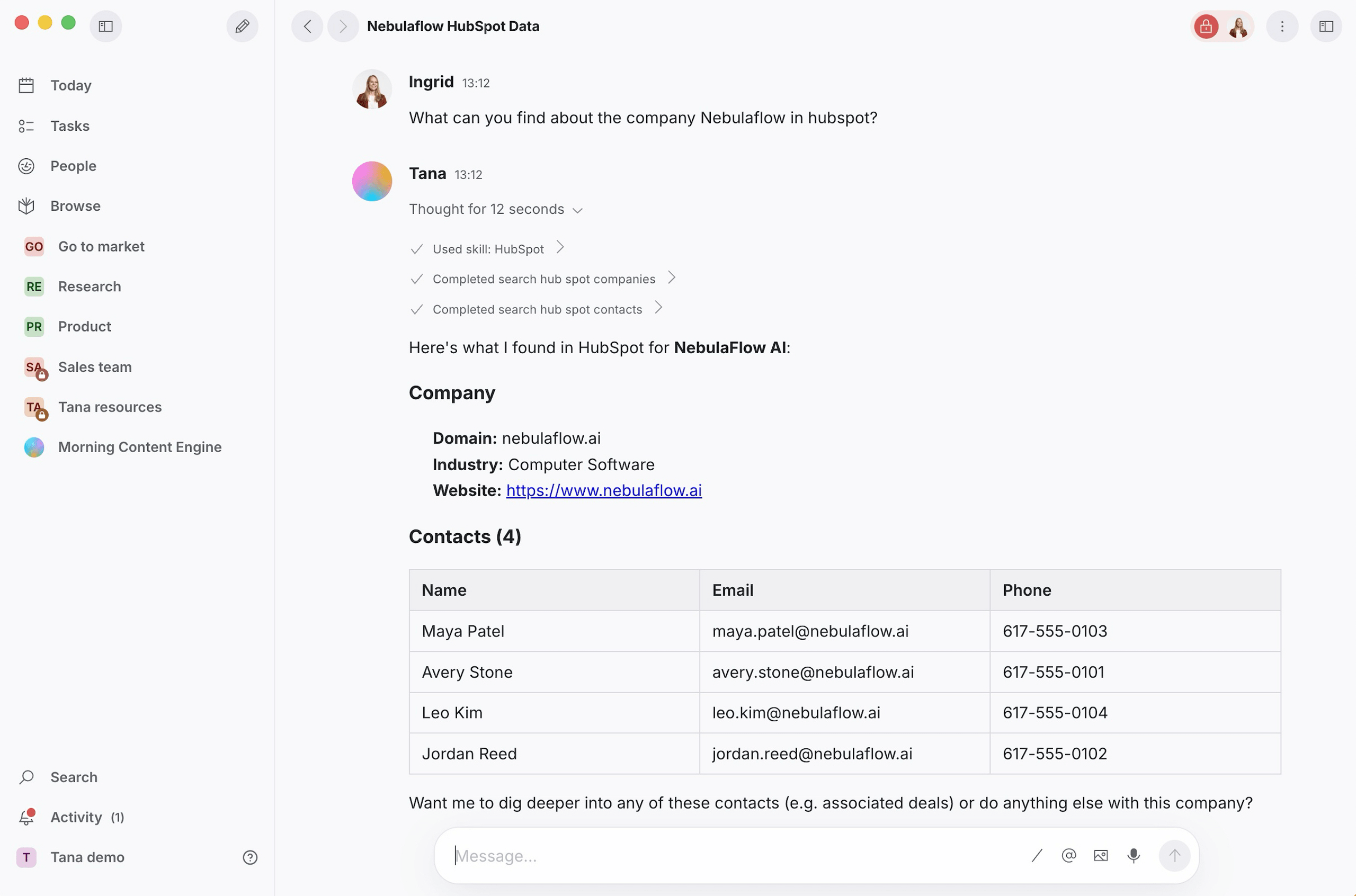
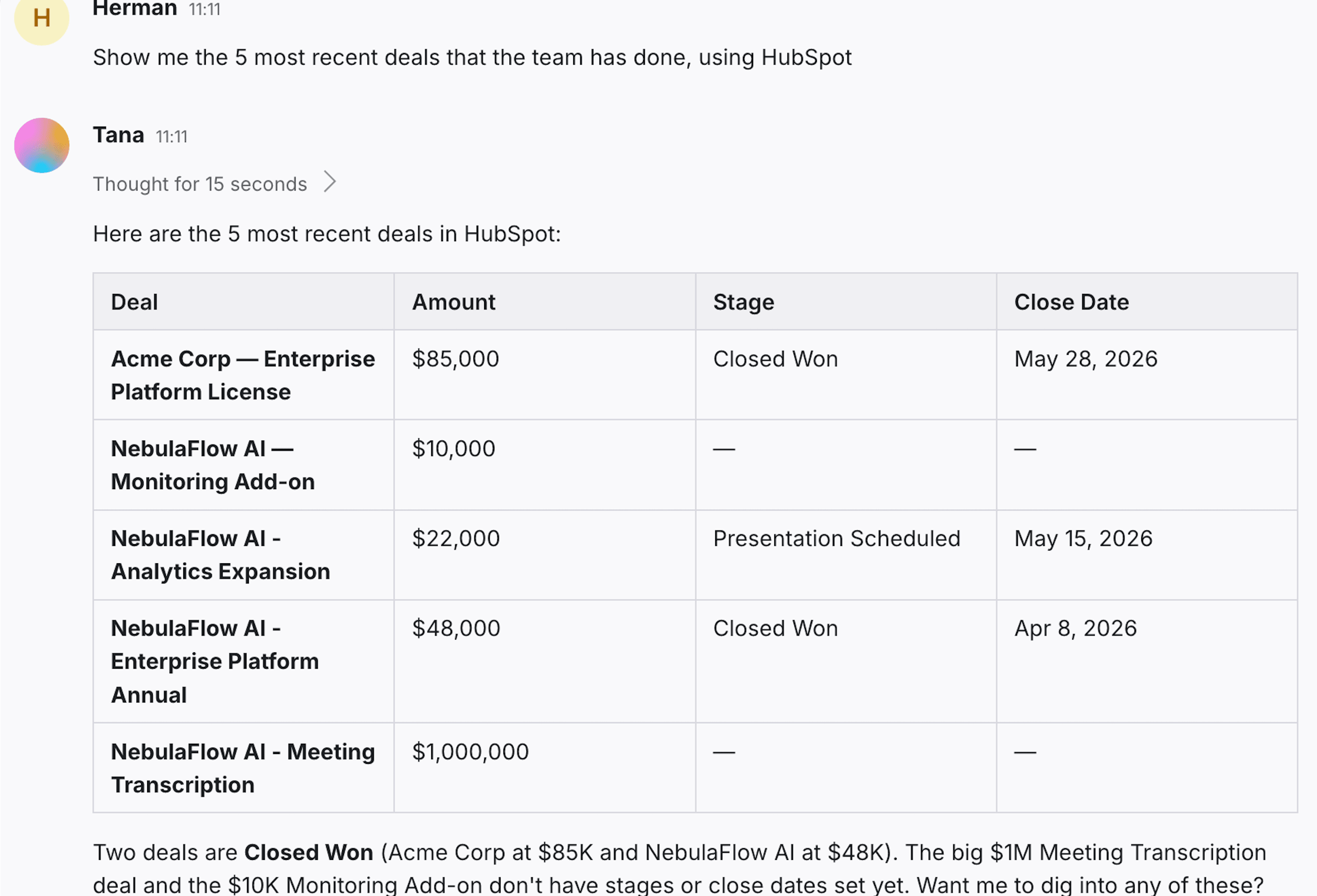
Prep before the call
- Search contacts by name, email, or company
- Look up a contact's full details and associated deals
- See recent deals with amount, stage, and close date
Pull up everything we know about acme.com before the call
During the call
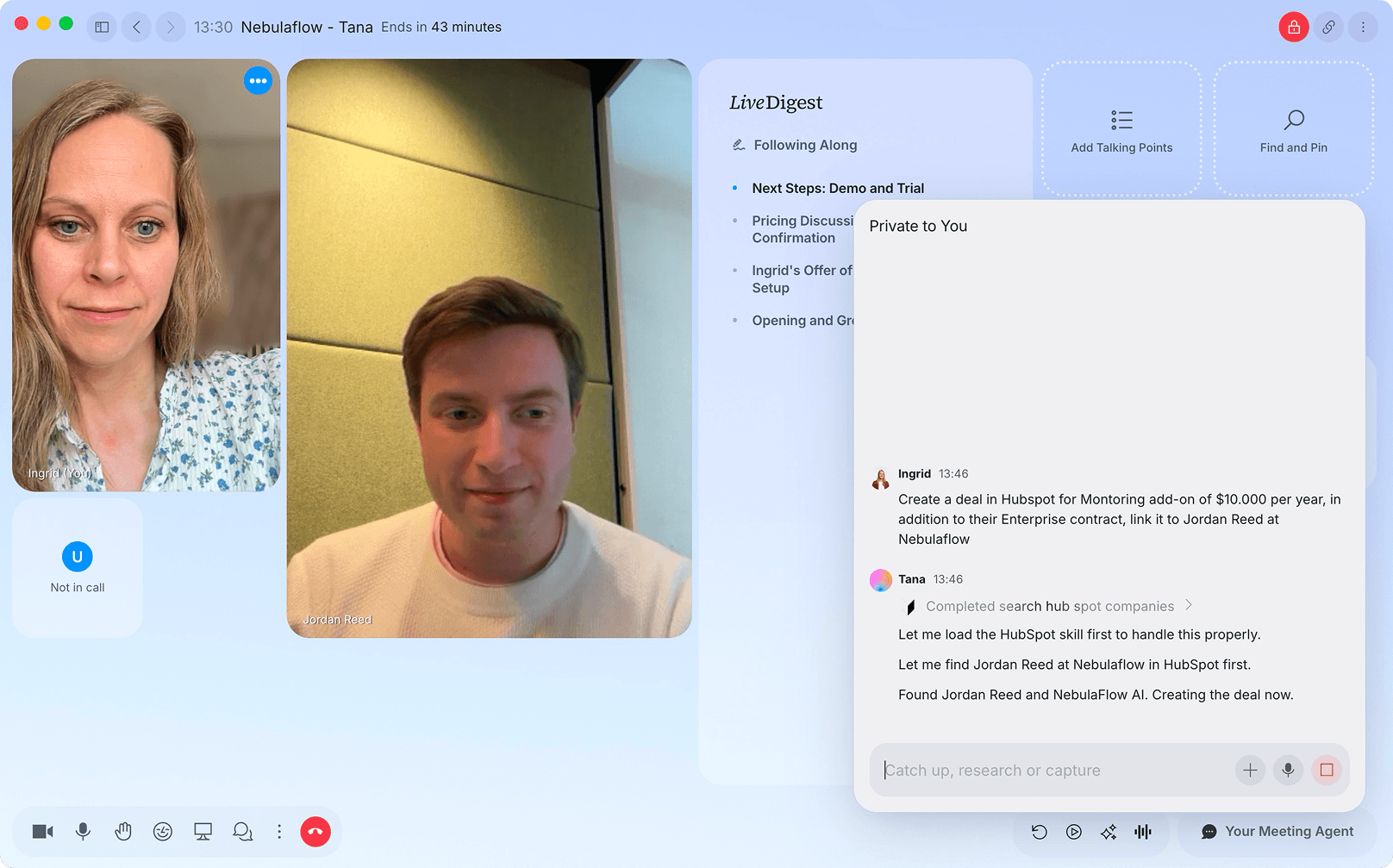
Create a deal on the call
- Create deals straight from the live conversation
- Link a new deal to the contact or company
Create a HubSpot deal for Acme and link it to Jonas on this call
By asking
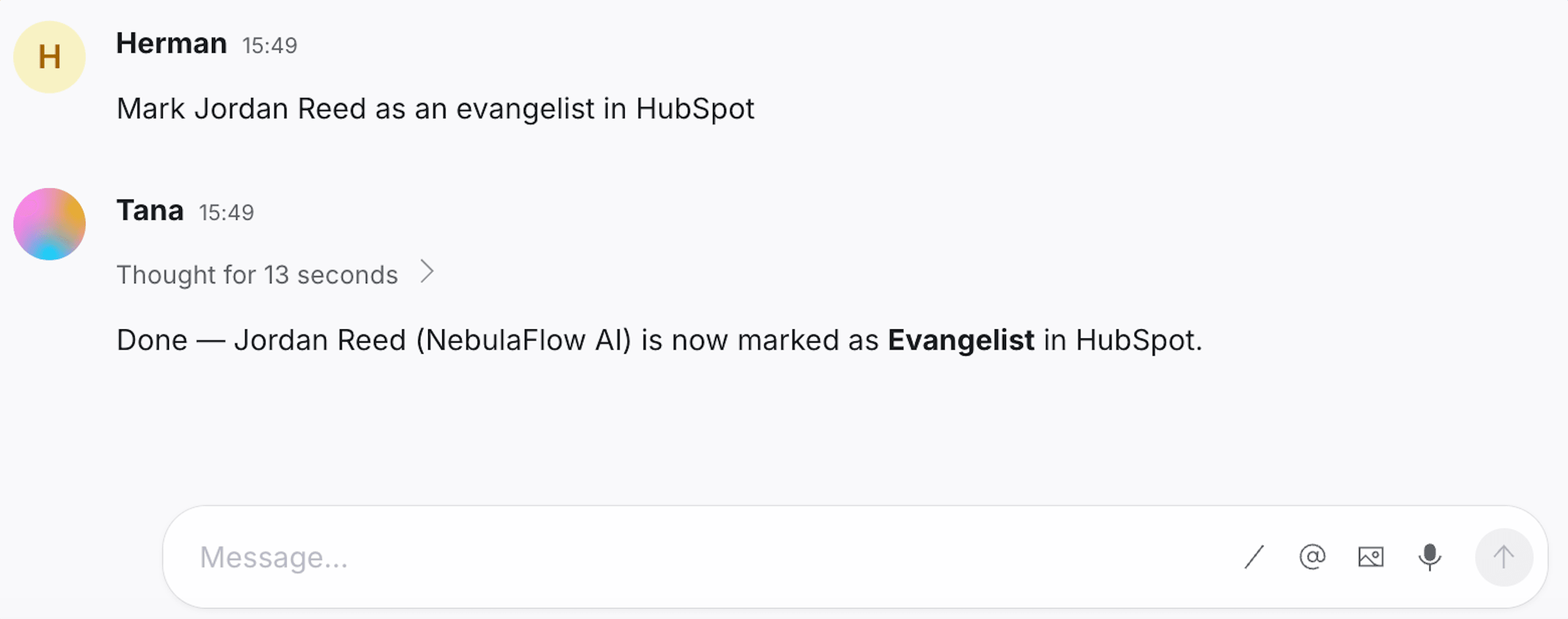
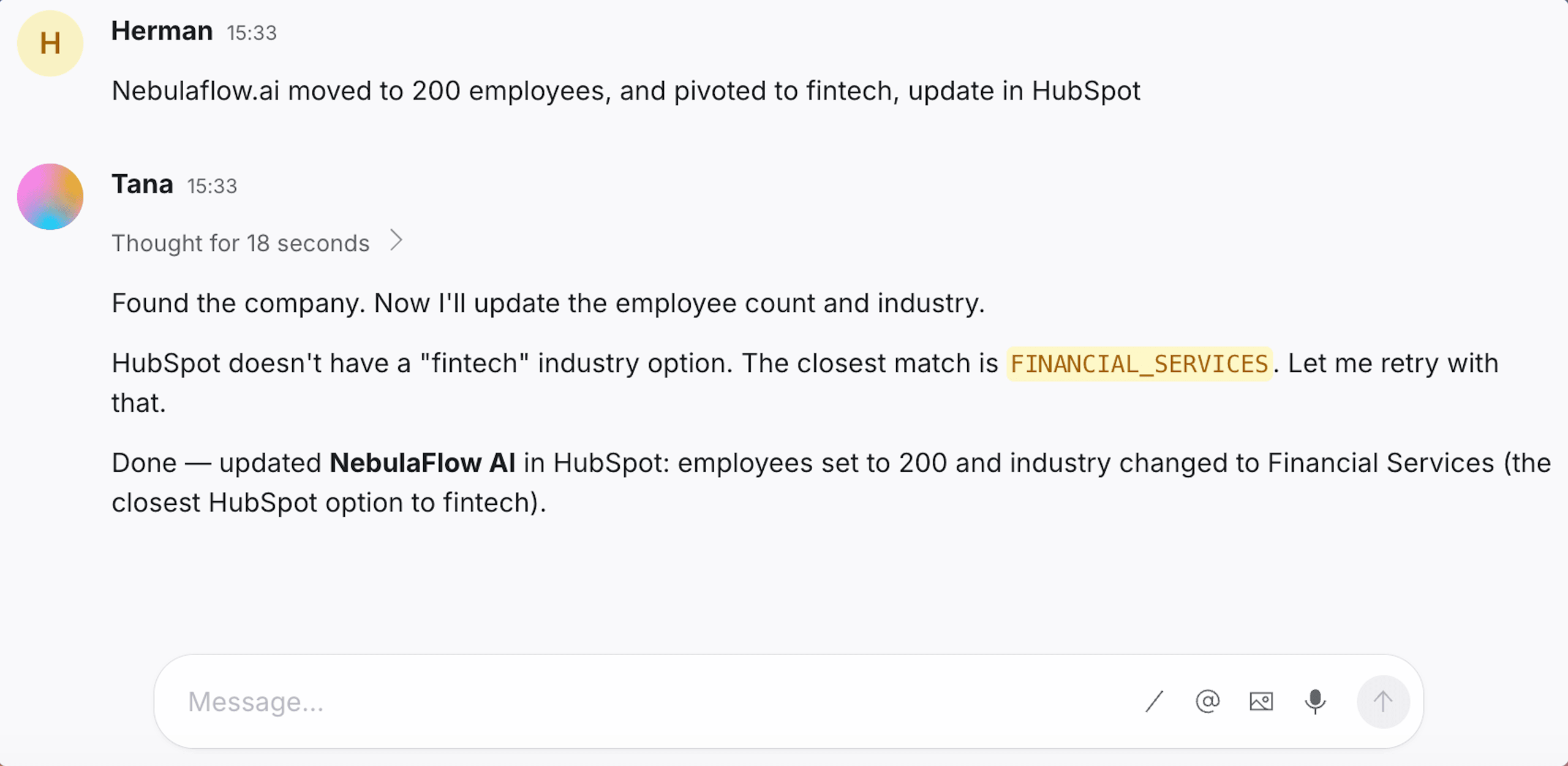
Update records by asking
- Update lifecycle stage, lead status, and any contact property
- Update company properties the same way, in plain language
Move the Acme contact to the opportunity lifecycle stage
After the call
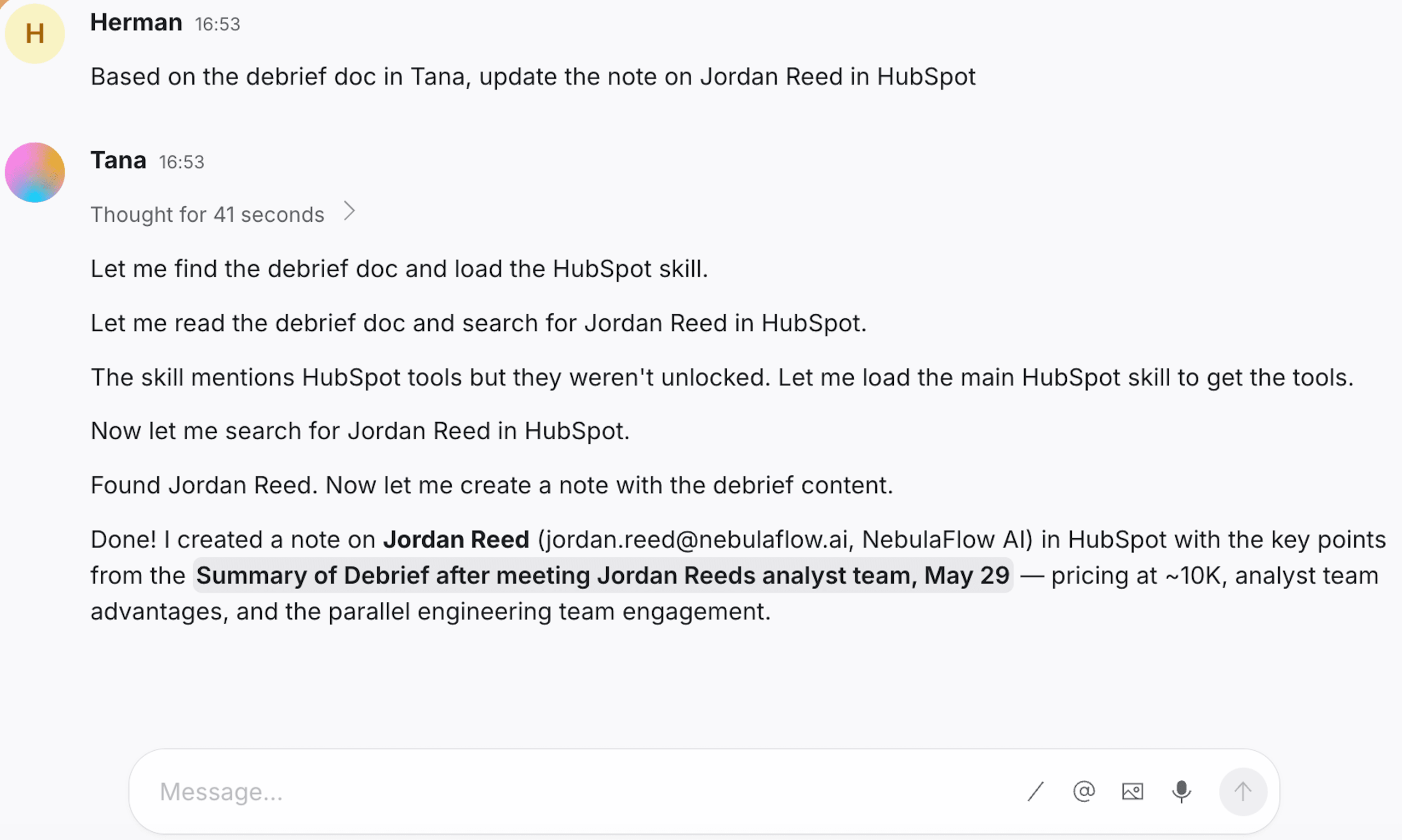
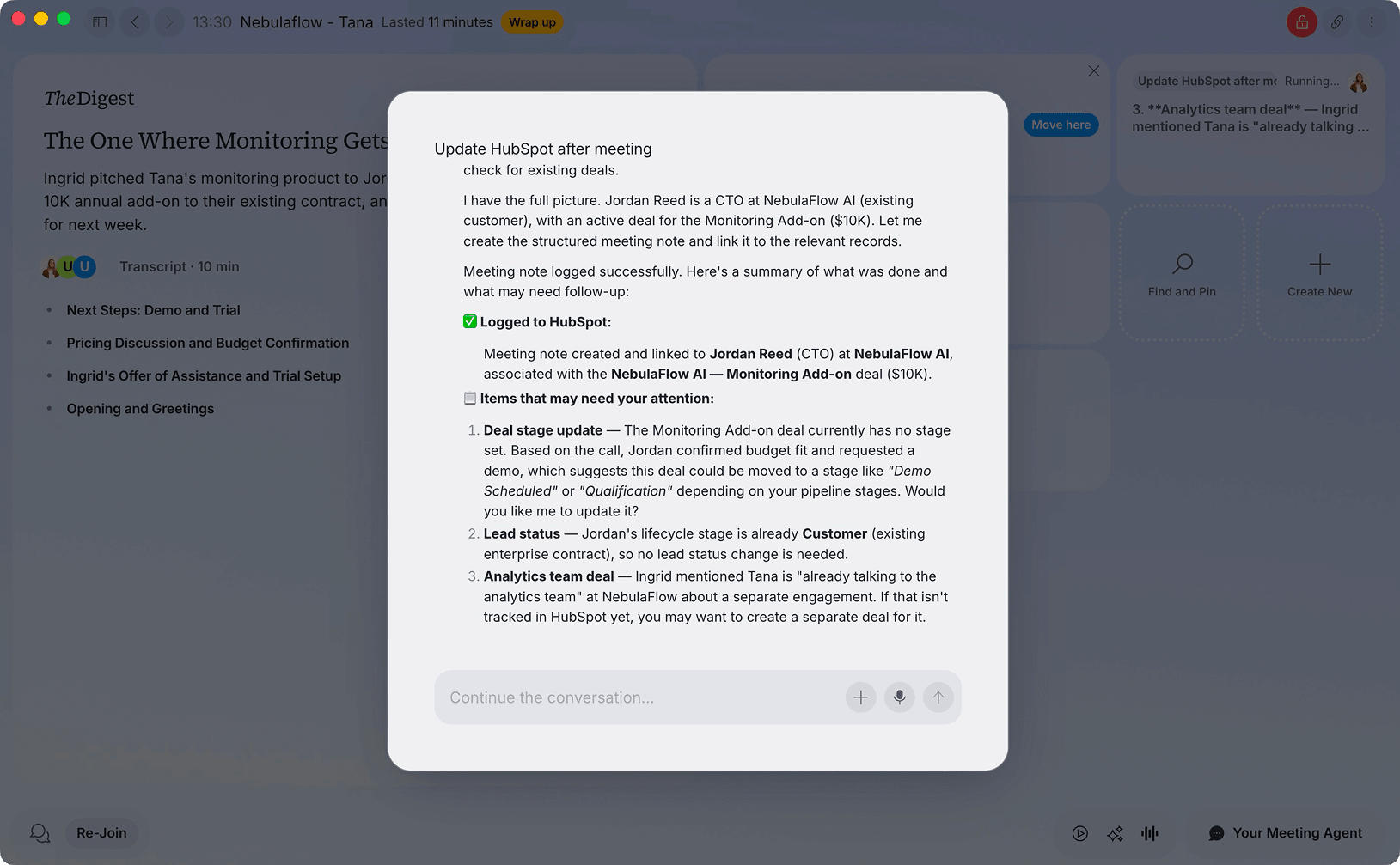
Log it back, automatically
- Log a note against a contact, company, or deal
- Capture meeting takeaways straight onto the CRM record
Log these meeting takeaways as a note on the Acme deal
How to connect HubSpot
- Open Settings in Tana and go to Integrations.
- Find HubSpot and click Connect.
- Authorize Tana in the popup that opens.
- HubSpot is now available to AI in chat, and to any skill you attach to a type.
Frequently asked questions
- Does Tana integrate with HubSpot?
- Yes. Connect HubSpot from Settings and Tana's AI can search contacts, companies, and deals, update properties and lifecycle stages, create deals, and log notes to CRM records, all from chat.
- Can Tana update custom HubSpot properties?
- Yes. Property names follow your HubSpot configuration, including custom properties, using HubSpot's internal property names and the values configured in your account.
Related integrations
- Pipedrive
Create deals and log notes from chat
- Deals
- Notes
- Contacts
- Google Calendar
Sync your events so every meeting lands in Tana
- Calendar sync
- Today view
- Talking points
- Outlook
Sync Microsoft Outlook events into Today
- Calendar sync
- Today view
- Talking points
- GitHub
File and manage issues and PRs from chat
- Issues
- Pull requests
- Read code



Do the work in the meeting
Connect HubSpot and let Tana’s AI act on it while you talk. No more notes to write up afterward.
Get Tana