






From meeting to GitHub issue, in one step
Connect GitHub, and Tana's AI works with your issues, pull requests, and code from chat. File a structured issue from a meeting, read your repositories for context, hand the work to Copilot, then review and merge the pull request, without leaving the conversation.
File and manage issues and PRs from chat
What you can do with GitHub
In the meeting
Catch the work as you talk
- Talk through a bug or task in a meeting or chat
- Tana follows along and tracks what needs an issue
- GitHub sits among your tools, ready when you are
Check the web repo for open issues about the login bug, then file one if there's nothing there
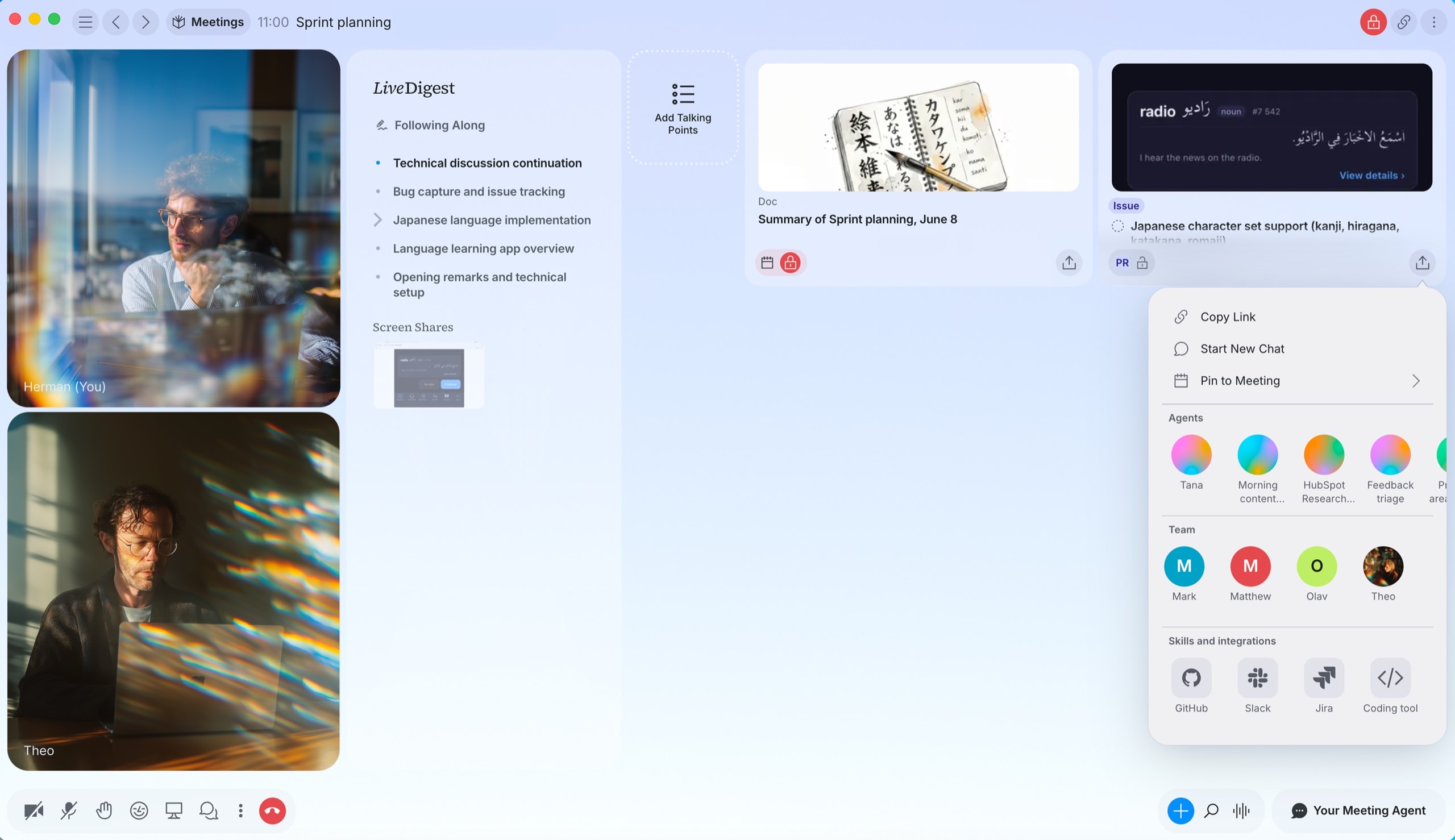
From a discussion
File it, scoped to the real code
- Create an issue with a title, body, labels, and assignees
- Tana reads the repository to ground it in the actual files
- Search first so you don't file a duplicate, and confirm the repo
Read the auth code in acme/web, then file the login bug as an issue
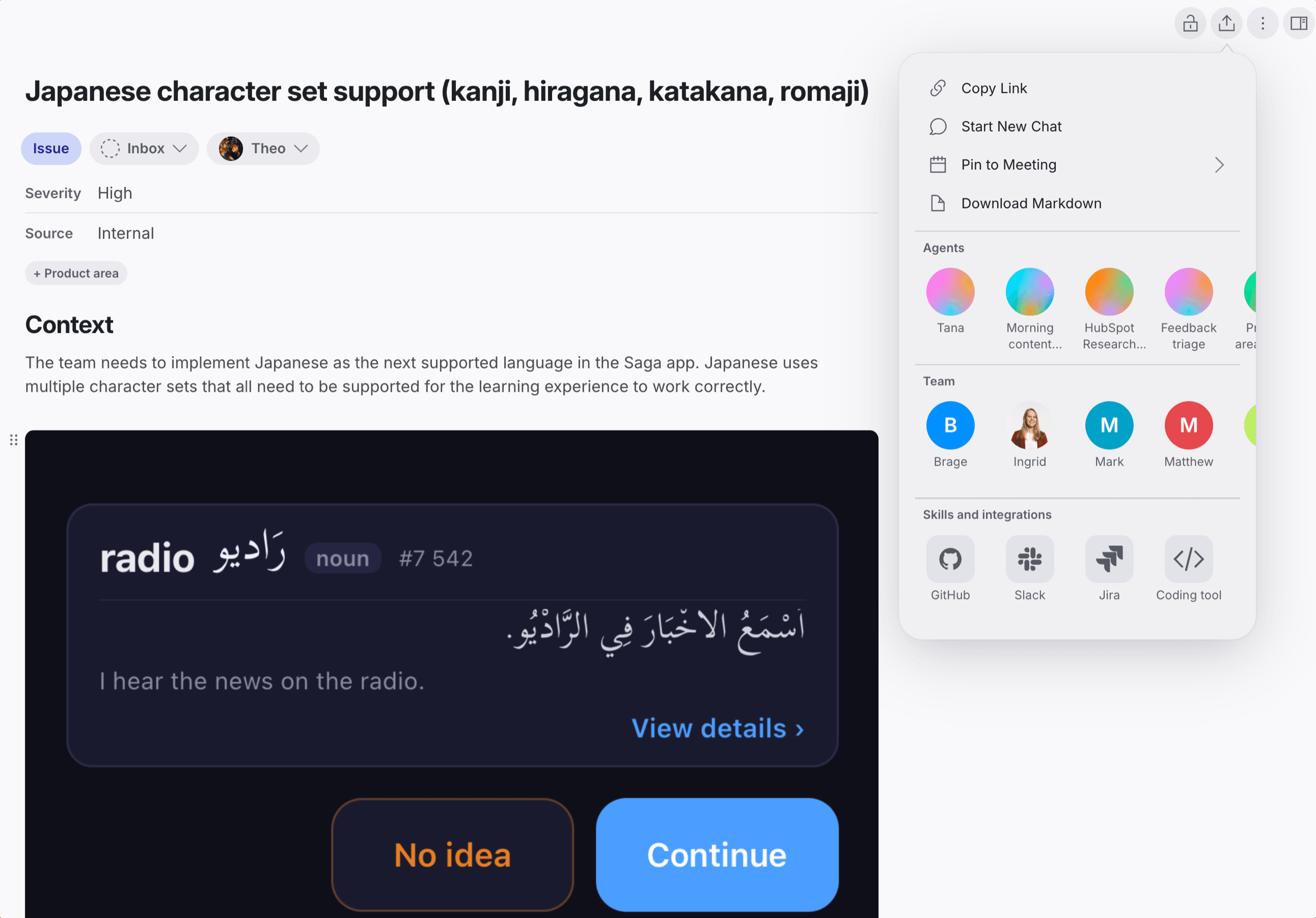
Filed in GitHub
Lands ready for Copilot
- The body is GitHub-flavored markdown, with the reporter quoted verbatim
- Screen-share screenshots from the meeting come across for visual context
- Assign it to Copilot to start a fix and open a pull request
- Review, approve, and merge that pull request from chat
File this as an enhancement in acme/web and assign it to Copilot
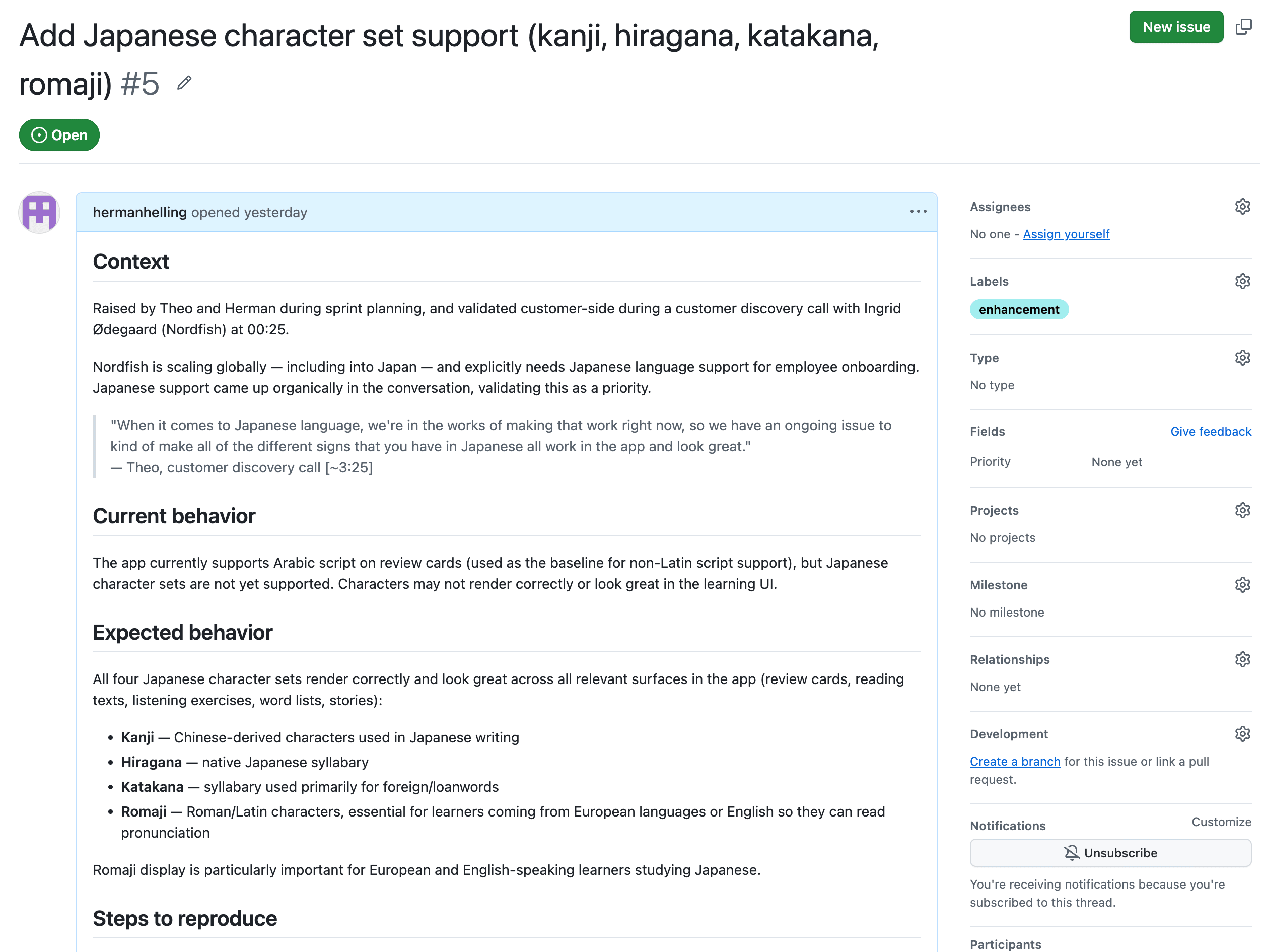
More you can do
Pull requests
- List and create pull requests
- Review: approve, request changes, or comment
- Merge with a merge, squash, or rebase
Read code
- Browse a repository's directories
- Read file contents at any branch, tag, or commit
Comments
- Add a comment to any issue or pull request
Copilot
- Assign an issue to Copilot to start a fix and open a pull request
How to connect GitHub
- Open Settings in Tana and go to Integrations.
- Find GitHub and click Connect.
- Authorize Tana in the popup that opens.
- GitHub is now available to AI in chat, and to any skill you attach to a type.
Frequently asked questions
- Does Tana integrate with GitHub?
- Yes. Connect your GitHub account from Settings and Tana's AI can search, create, and update issues, review and merge pull requests, comment, and read code, all from chat.
- Can I create a GitHub issue from a meeting?
- Yes. Tana reads the discussion, checks the repo for duplicates first, and files a structured issue with the reporter quoted verbatim, the current and expected behavior, and steps to reproduce. It confirms which repo before filing.
- Can Tana open and review pull requests?
- Yes. It can list and create pull requests, submit a review to approve, request changes, or comment, and merge with a merge, squash, or rebase.
- Can Tana read code in my repositories?
- Yes. It can browse directory contents and read file contents at any branch, tag, or commit, for the repositories your account can access.
- Can I hand an issue to GitHub Copilot?
- Yes. When you file an issue you can assign it to Copilot so it can start on a fix, or assign a teammate instead.
Related integrations
- Linear
Create and track Linear issues from meetings
- Create issues
- Search
- From meetings
- Jira
Push bugs and requests into Jira from chat
- Create issues
- Search
- Workflow status
- Claude
Connect Claude to your Tana workspace over MCP
- Connect via MCP
- Proposals
- Hand off to Claude Code
- Cursor
Send a meeting to Cursor as a ready-to-run prompt
- Hand off context
- Open in Cursor




Do the work in the meeting
Connect GitHub and let Tana’s AI act on it while you talk. No more notes to write up afterward.
Get Tana