






Bugs and requests, filed in Jira as you talk
Connect Jira, and Tana's AI can create and update issues straight from your meetings and chat. It writes the description in Jira's own format, with headings, lists, and code, and can check for an existing issue first so you don't file a duplicate.
Push bugs and requests into Jira from chat
What you can do with Jira
In the meeting
Catch the work as you talk
- Talk through a bug or task in a meeting or chat
- Tana follows along and tracks what needs an issue
- Jira sits among your tools, ready when you are
Check Jira for open issues about the login bug, then file one if there's no duplicate
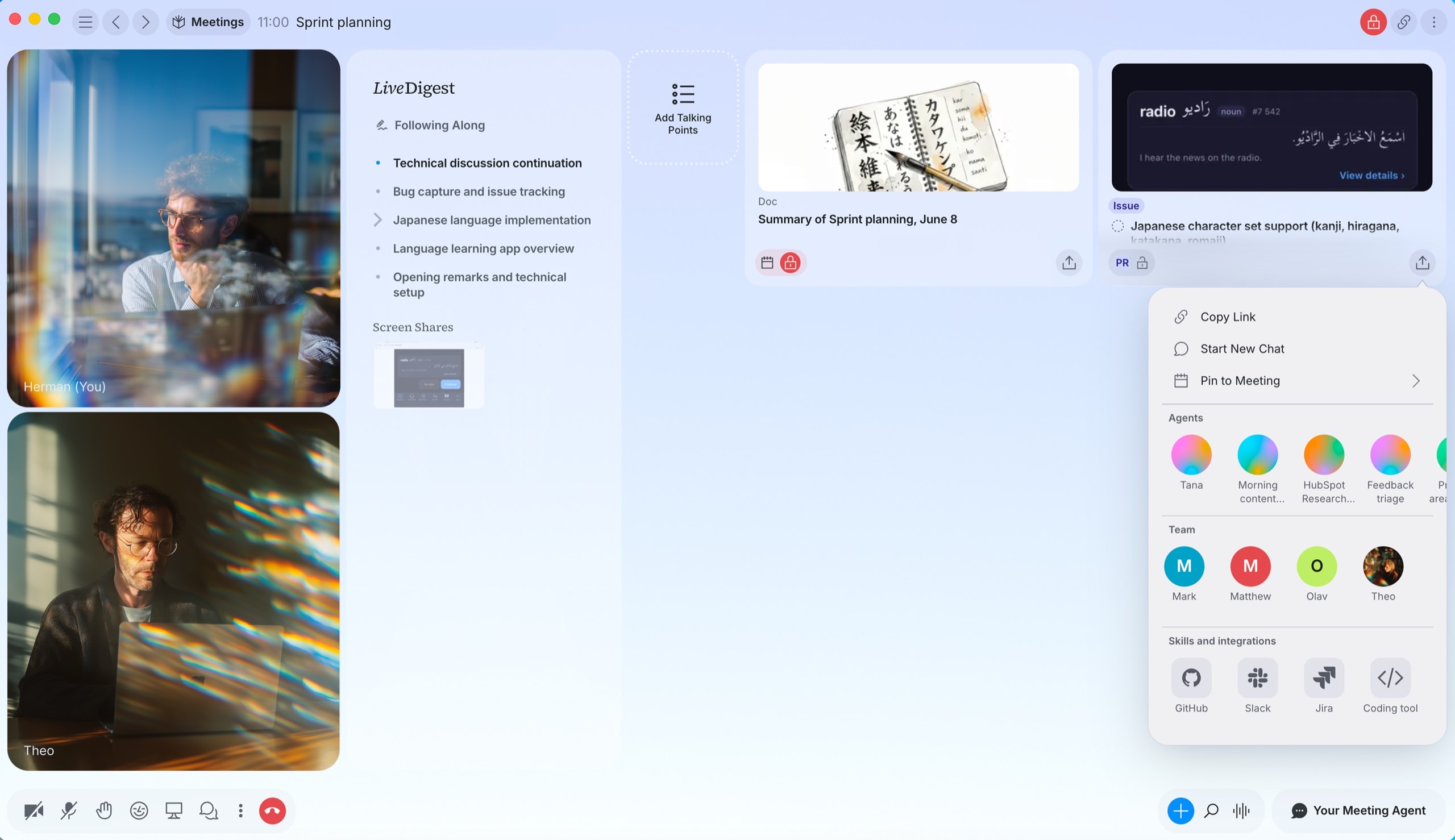
From a discussion
File it without switching tools
- Create an issue with summary, description, type, priority, labels, and assignee
- Search first so you don't file a duplicate
- List the projects you can access so it lands in the right one
Create a Jira issue in the ENG project and assign it to me
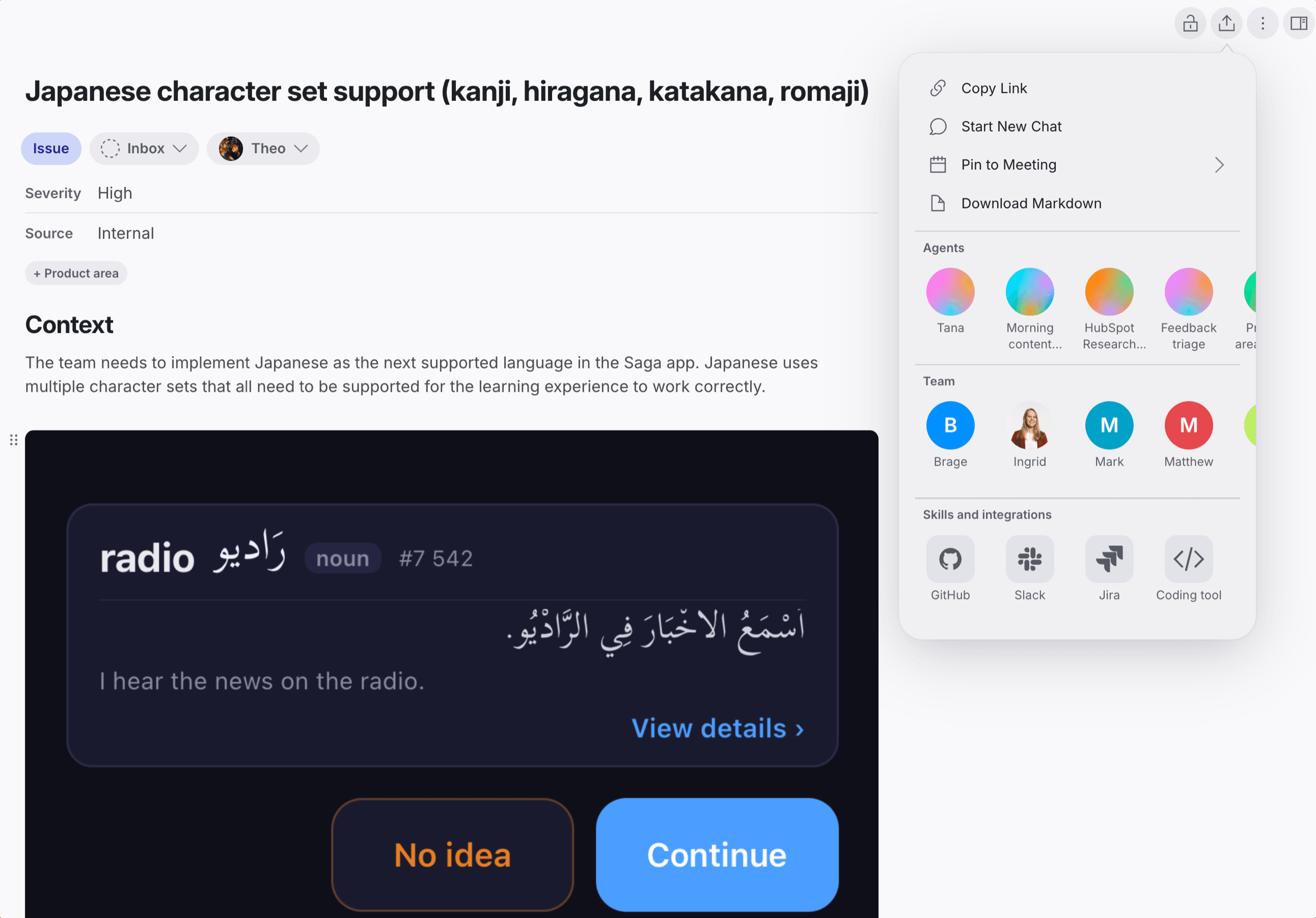
Filed in Jira
Lands formatted, ready to work
- Descriptions render in Jira's own format, with headings, lists, and code
- Update an issue's summary, description, priority, labels, or assignee
- Move an issue through your workflow to a new status
Move ENG-412 to In Review and set it to High priority
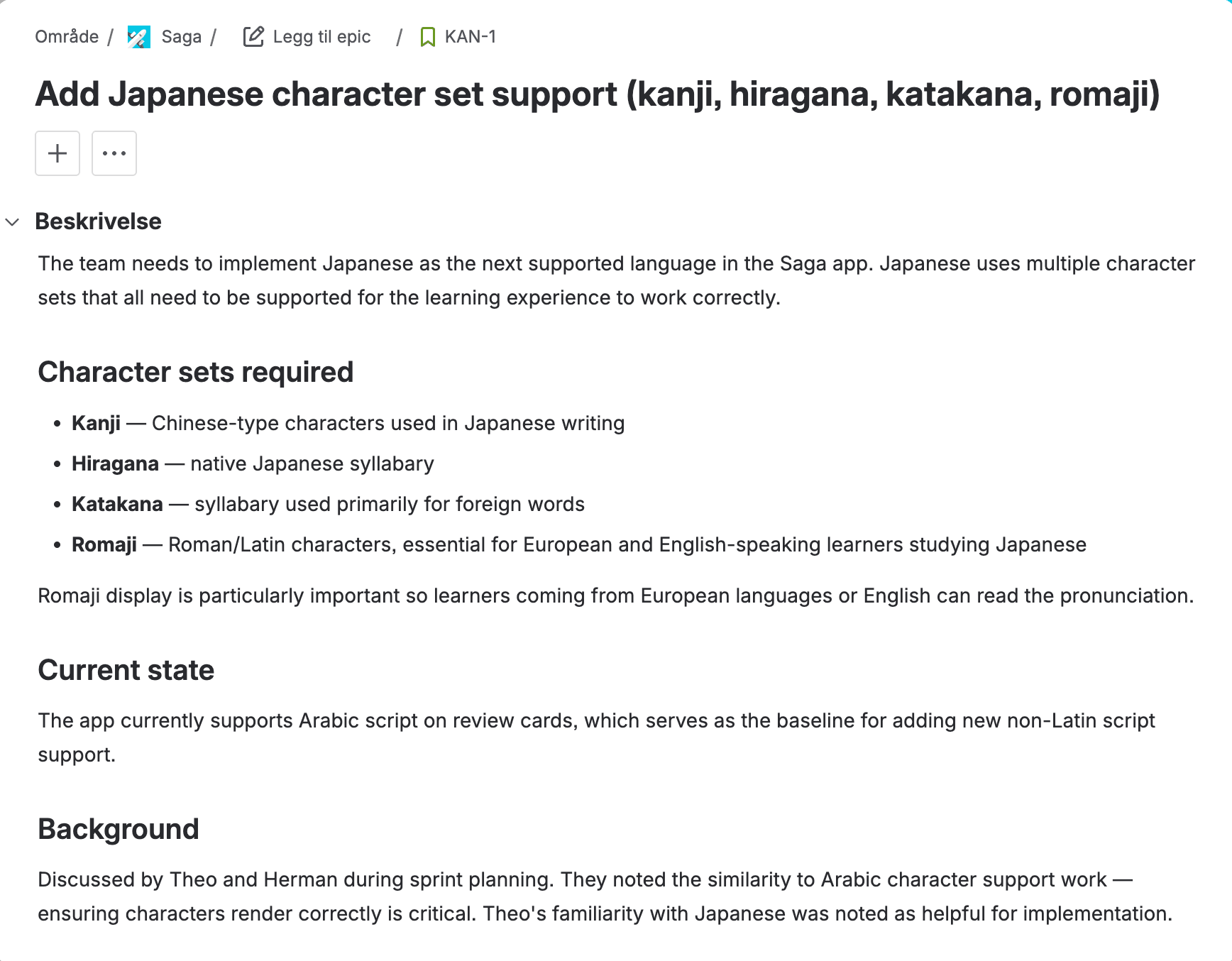
How to connect Jira
- Open Settings in Tana and go to Integrations.
- Find Jira and click Connect.
- Authorize Tana in the popup that opens.
- Jira is now available to AI in chat, and to any skill you attach to a type.
Frequently asked questions
- Does Tana integrate with Jira?
- Yes. Connect Jira from Settings and Tana's AI can list projects, search issues, and create and update issues from meetings and chat.
- Does Tana check for duplicates before filing an issue?
- When you ask it to, the AI searches existing issues first, so you don't file the same bug twice. It can scope the search to a project or look across the ones you can access.
- Can Tana move an issue through our workflow?
- Yes, within your project's rules. The AI uses your workflow transitions and can only move an issue to a status your workflow allows from where it is now.
Related integrations
- Linear
Create and track Linear issues from meetings
- Create issues
- Search
- From meetings
- GitHub
File and manage issues and PRs from chat
- Issues
- Pull requests
- Read code
- Google Calendar
Sync your events so every meeting lands in Tana
- Calendar sync
- Today view
- Talking points
- Outlook
Sync Microsoft Outlook events into Today
- Calendar sync
- Today view
- Talking points



Do the work in the meeting
Connect Jira and let Tana’s AI act on it while you talk. No more notes to write up afterward.
Get Tana