Bring your own tools
This update is about reach. Tana's AI can now use the tools on your own servers, a reworked Tasks view groups and filters your work into slices you can bookmark and share, and a new search popover gets you to anything in Tana from wherever you happen to be.
Connect your own MCP servers
Tana already connects to GitHub, Slack, Linear, Jira, and HubSpot. Now you can connect anything else that speaks the Model Context Protocol, your own internal server or a third party's, and its tools become available to Tana's AI.
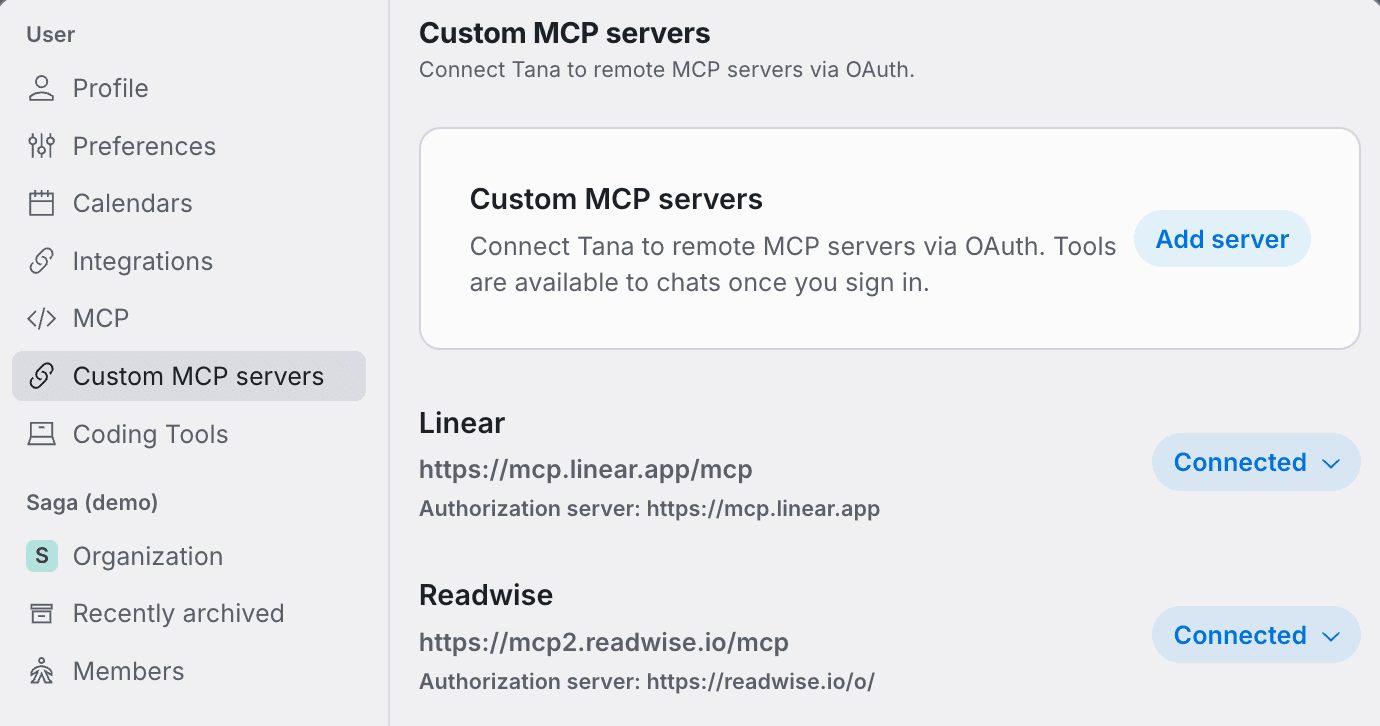
Add a server from settings and authorize it once over OAuth. Each connection becomes a skill, so its tools only enter a chat when that skill is in scope, and you can allow or deny each tool from the skill's panel. Your connected servers stay private to you.
It runs both ways, too. Tana is itself an MCP server, so Claude, Cursor, or any MCP client can work with Tana from the other side. See Custom MCP servers for the full picture.
Your tasks, grouped and filterable
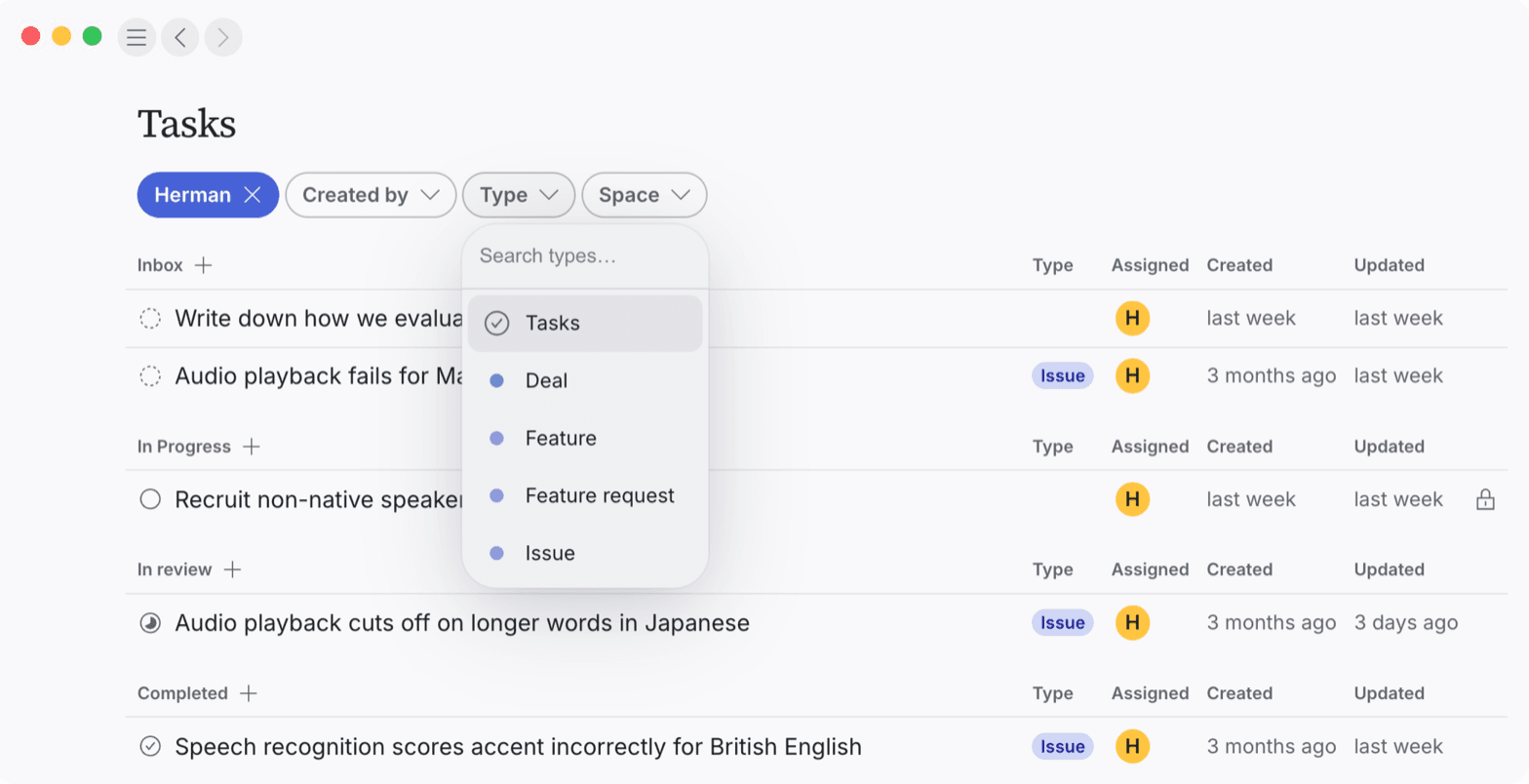
The Tasks view is now built around filter pills, assignee, creator, type, and space, that live in the URL, so any slice of your tasks, everything assigned to you, what you have delegated, only your open issues, becomes a link you can bookmark or share, and the browser's Back and Forward walk your filter history. Group the list by type, status, or assignee, with a "+" on every group heading that adds a task already matching that group and your active filters. With nothing filtered, the view shows your most recent tasks rather than an empty screen.
Search, wherever you are
Search now opens as a popover right where you are, including while you are writing in a document. Start typing for full-text search across Tana, or open it empty to browse.
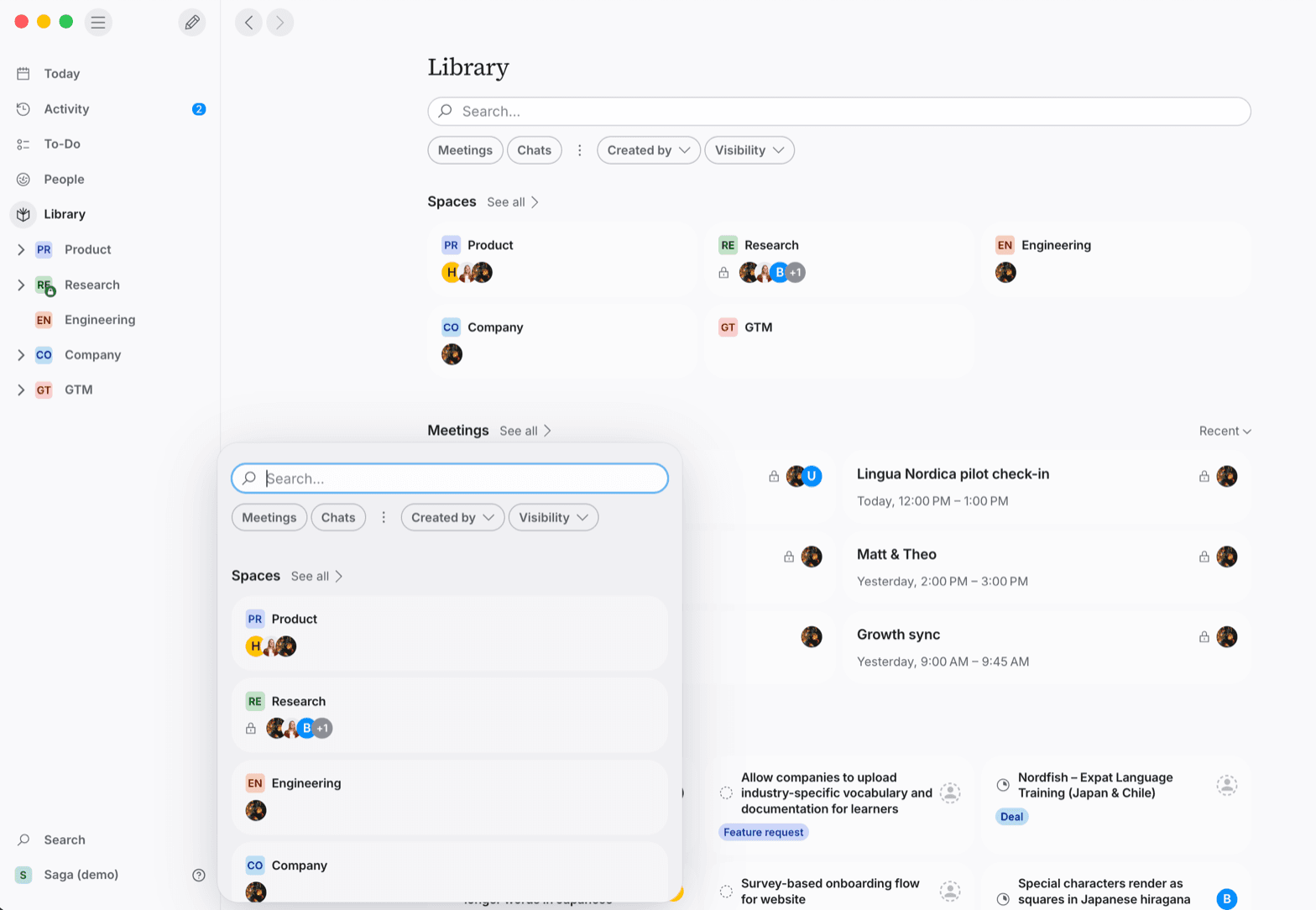
When nothing is typed, the popover shows the Library as a browsable index: each kind of thing, meetings, tasks, types, chats, and the rest, in its own section with a "See all" page. It is the fastest way to land on something without losing your place. Reach for it with Cmd+P on macOS, or Ctrl+P on Windows and Linux.
More in this update
Filter by who can see it. A new visibility filter in search and the Library narrows any list to what is private to you, shared with you, restricted, open, or shared by link.
Set an outcome's state from the meeting. Outcome tiles show a state control inline for anything with a workflow, a plain task or a typed item like a Bug, so you can move it along without opening it.
See where any item lives. The location button on a panel now names the Library section an item belongs to, like "Meetings" or "Docs", and links straight there.
Recent meetings, front and center. The Meetings preview on your Library and space home leads with recent meetings, with a dropdown to switch between recent, upcoming, today, and past.
Reopen an archived type. A "Recently archived" list in settings keeps every type you have archived, so you can find one and unarchive it.
A title chip when you scroll. Scroll down any panel and a compact chip with the item's icon and type appears in the toolbar. Click it to jump back to the top.
Dictation keeps your last words. Send a dictated message the moment you stop speaking and the tail of what you said now makes it in, instead of getting dropped.
Copy a long prompt for a coding tool. When a hand-off prompt is too long for a tool's launch link, Tana offers a "Copy full prompt" button so you can paste the whole thing.
Open a video in its own player. Opening a video item now plays it in a dedicated player panel with the usual toolbar, instead of a generic view.
Transcription spells your team's names right. Meetings and dictation now lean on your organization's name and your teammates' names, so "Tana" and the people in the room come through correctly.
That is the gist. The full list, every new, improved, and fixed item, lives in the changelog.
Try this
The new search popover and Library are about getting to anything fast. Let the AI do the gathering: drop this into a chat and it pulls a scattered topic into one place.
The Tana Team

Turn meetings into the most productive part of your day.
Explore further
All updates