TL;DR
- Executive meeting management is a lifecycle, not a notes problem: prepare, capture, log the decisions, assign the follow-ups, report out, and carry the context into the next meeting.
- Tana runs the lifecycle for you: a scheduled agent briefs you before the call, the meeting is captured without a bot, and decisions and action items arrive as proposals you review and approve.
- Approved follow-ups file into the trackers your team already runs on, including Linear, Jira, Slack, and HubSpot, and a slide deck artifact generated from the meeting gives you something shareable for the board.
- Because recurring meetings update the same record instead of spawning a new summary each time, you can ask chat "what did we decide this week" and get an answer with receipts.
Executive meetings are the most expensive hour on the calendar, and the most likely to leak. Decisions get made and never written down, follow-ups get nodded at and never assigned, and the next meeting reopens ground the last one closed. The fix is not better minutes. It is treating the meeting as a lifecycle and having the tool run each stage rather than doing it yourself. This guide walks through that lifecycle in Tana: prep, capture, decisions and follow-ups, board-ready output, and carrying context forward. There is no special executive mode, and you do not need one. The same primitives that run a sprint review run a leadership meeting; what changes is what you point them at.
Step 1: walk in briefed, without doing the prep yourself
Executive coordination starts before anyone joins the call. In Tana, a scheduled agent can brief you ahead of a meeting from your connected context: what was decided last time, what is still open, and what has moved since. It leaves a prep doc, so you open the meeting reading a current picture rather than reconstructing one from memory and old threads. The full setup is in prepare for meetings.
This matters more for executive meetings than most: the attendees are the people least likely to have time to prepare and most likely to make decisions anyway.
Step 2: capture the meeting without a bot
Tana captures meetings natively, and it captures external Zoom, Teams, and Meet calls too, with no bot joining. The desktop app records audio and takes screenshots of anything screen-shared in the background. For executive and board conversations that is a real difference: no visible participant labeled "notetaker" in a sensitive meeting, and no dependence on whoever scheduled the call remembering to invite one.
During the meeting, the Capture control lets you turn a stretch of discussion into a typed item on the spot: a Decision, a Task, or any custom type your team has defined. When the CFO says "we are pausing the expansion hire," you capture it as a Decision the moment it lands, rather than hoping it survives into the notes.
Step 3: log the decisions
Decisions are the whole point of an executive meeting, and the first thing lost when the record is a flat summary. In Tana, Decision is a real type: capture one during the call, or let extraction pull the decisions out afterward, each as a proposal you review before it is written anywhere. You can also ask chat in plain language to create a custom Decision type with the fields your team cares about, a rationale field, an owner, a status, so every decision is logged the same way.
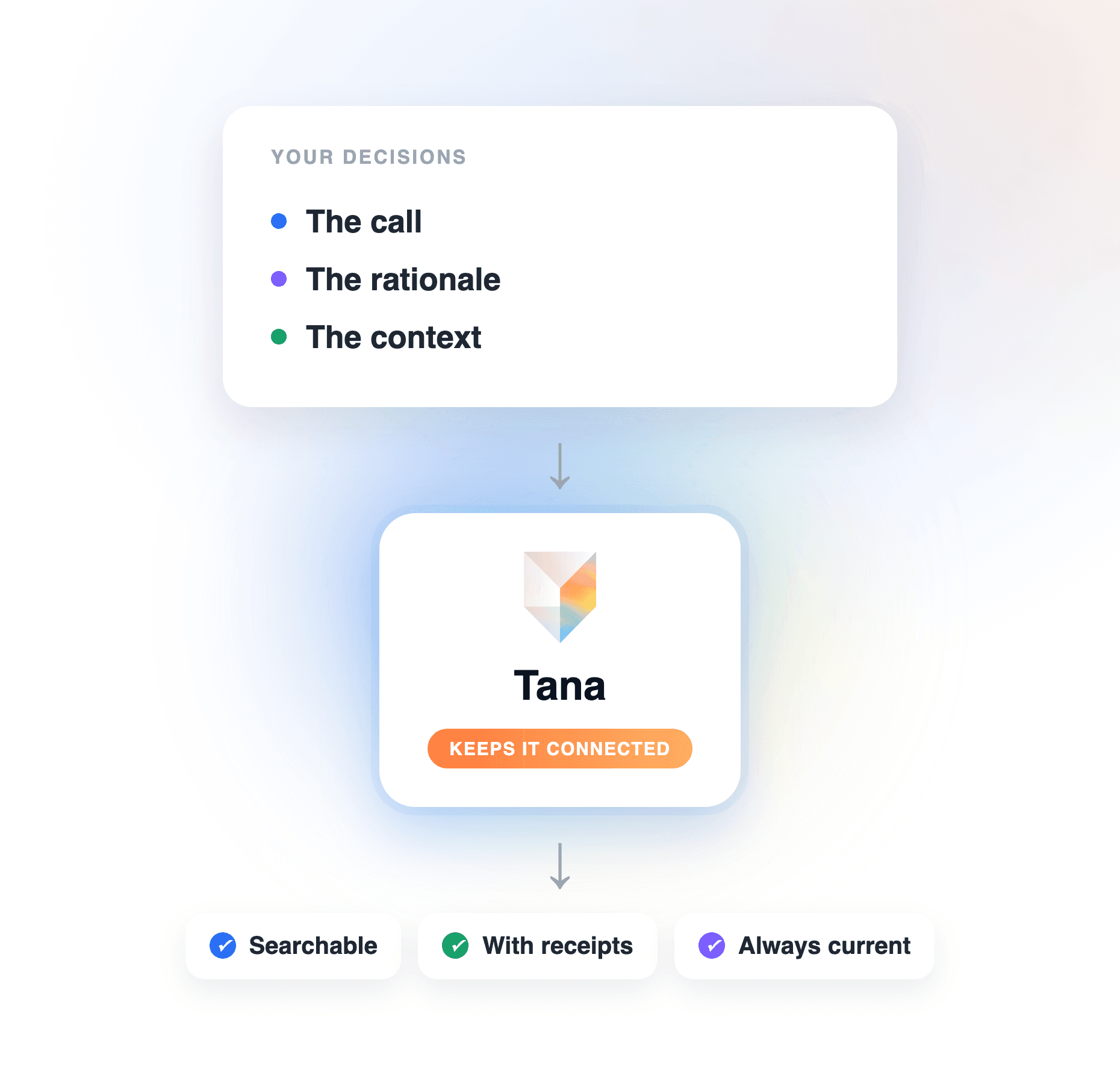
Tracking executive decisions well means more than logging the outcome. A decision never really closes; it lives on as a constraint on future work, so its value depends on two things a task never needs: the rationale, so it does not get relitigated when the context resurfaces, and the connection to its consequences, so you can tell whether it worked. Because a Tana Decision is captured from the conversation itself, both travel with it, the options weighed and the objection raised stay attached, and the decision leaves the meeting as a structured, reviewable item rather than a sentence buried in prose. Recall then works the way you want (see Step 6): ask chat "why did we decide this" and the answer comes with receipts, not a reconstruction from whoever remembers the meeting.
Step 4: turn follow-ups into filed work
After the call, extraction produces one canonical summary plus the action items, each assigned to the person the conversation pointed at. Everything arrives as a proposal: you see what the meeting produced, correct anything the conversation left ambiguous, and approve. Nothing is written anywhere until you do.
Approved follow-ups then file into the trackers your team already runs on, including Linear, GitHub, Jira, Slack, HubSpot, Pipedrive, and anything else reachable through Tana's Model Context Protocol (MCP) server, with screen-share screenshots embedded where they help. The action item from the leadership meeting becomes a ticket in the tool the owning team actually works in, which is where action item management usually breaks down. If follow-ups going missing is your problem, see how to keep meeting action items from getting lost.
Step 5: produce something the board can read
For board meeting preparation, Tana can generate a slide deck artifact from the meeting: a hero slide, takeaway cards, the action items, and a closing slide, built from what was actually said. You edit it inline and share it via link or with specific people, under the same access controls as any doc. To be clear about what this is: a generated artifact you review and shape, not a formal board-report export (export from Tana is Markdown). What you get is a fast first draft of the report-out, produced from the meeting itself instead of assembled from scratch the night before.
Step 6: carry context into the next meeting
Recurring executive meetings are where most tools quietly fail: each call produces its own disconnected summary and the record fragments. In Tana, you pin the relevant doc or Product Track to the meeting, and extraction updates that record instead of creating a parallel one. Re-running extraction updates the existing outcomes and de-duplicates rather than spawning a new summary per call. The monthly leadership meeting builds one living record, not twelve.
That record is what makes recall work. Ask chat "what did we decide this week" or "why did we do it this way" and the answer is grounded in what was actually recorded, with receipts pointing back to the meeting it came from. The next agenda writes itself from what is still open.
What this looks like in Tana
Take a monthly leadership meeting. The morning of, the scheduled agent has left a prep doc: last month's decisions, the open follow-ups, what moved on the pinned track. The call runs on Meet; Tana captures it in the background, no bot on the attendee list. Mid-discussion, someone calls the pricing question, and you capture it as a Decision while it is being said. After the call, one summary and a set of assigned action items arrive as proposals. You fix one owner the conversation left vague, approve, and the engineering follow-up lands in Linear while the hiring one goes to the recruiting channel in Slack. You generate the deck artifact, tighten two slides, and share the link with the board. Next month, the same track is one meeting richer, and the agent's briefing already reflects it.
Where a general chatbot or notetaker fits
A notetaker in an executive meeting gives you a faithful transcript and a decent summary, and if a record of what was said is all you need, that is enough. A general chatbot will happily draft an agenda or tidy minutes you paste in. Both stop at the same line: the output is yours to carry out. The decisions still need logging somewhere structured, the action items still need to become tickets in the right tracker, and next month's meeting starts cold because nothing connects one call to the next. Executive meeting management is exactly the part after the summary. Tana does that part: it proposes the logged decisions, the filed follow-ups, and the updated track, and you approve them, so the meeting produces finished work instead of a record of work to do.
Frequently asked questions
How do you manage decisions and follow-ups for executive meetings?
Capture decisions as structured items during the meeting, extract the action items with owners afterward, and file each follow-up into the tracker where the owning team works. Tana does this end to end: decisions are captured as typed items, extraction assigns action items to the person the conversation pointed at, and everything arrives as a proposal you approve before it files into Linear, Jira, Slack, or wherever the work lives.
How do you track executive decisions in Tana?
Give each decision a defined shape instead of a bullet in a summary. In Tana you ask chat to create a Decision type with the fields that matter, the rationale, the owner, and a status, then capture decisions as typed items during the meeting or let extraction surface them afterward as proposals you approve. Because each Decision stays connected to the discussion that produced it and to the record it affects, you can ask chat later "what did we decide on pricing this quarter" or "why did we choose this vendor" and get an answer with receipts, which is what separates a tracked decision from a logged one.
How do you prepare for an executive or board meeting quickly?
Have the preparation done for you. In Tana, a scheduled agent briefs you before the meeting from your connected context, past decisions, open follow-ups, what changed since last time, and leaves a prep doc, so preparation is reading a current picture rather than assembling one yourself.
Can Tana capture executive meetings on Zoom or Teams without a bot?
Yes. Tana captures its own meetings natively and captures external Zoom, Teams, and Meet calls through the desktop app, which records audio and screen-share screenshots in the background. No bot joins the call, which matters in sensitive executive conversations where an extra participant on the attendee list is unwelcome.
How do you keep recurring executive meetings from covering the same ground?
Keep one living record instead of a summary per call. In Tana you pin a doc or Product Track to the recurring meeting, and extraction updates that record and de-duplicates rather than creating a new summary each time. Ask chat "what did we decide about this last month" and you get the answer with receipts, so the meeting spends its time on what is genuinely open.
Can you generate a board deck from a meeting?
Tana generates a slide deck artifact from the meeting, a hero slide, takeaway cards, action items, and a closing slide, which you edit inline and share via link under the same access controls as any doc. It is a generated first draft to shape, not a formal board-report export, and for most report-outs that draft removes the assembly work entirely.
Does Tana have a separate executive meeting mode?
No, and it does not need one. The same primitives that run any meeting in Tana, agent prep, bot-free capture, typed decisions, proposals, and pinned tracks, handle executive meetings; you point them at a Decision type and a leadership track instead of a sprint board. That is a feature: the executive record lives in the same shared context as the rest of the work, so chat and agents can draw on all of it.
Explore further