
TL;DR
- Meeting overload is not a willpower problem. Most meetings on a manager’s calendar exist to move information: share status, re-explain a decision, catch someone up. Those meetings disappear when the information moves without them.
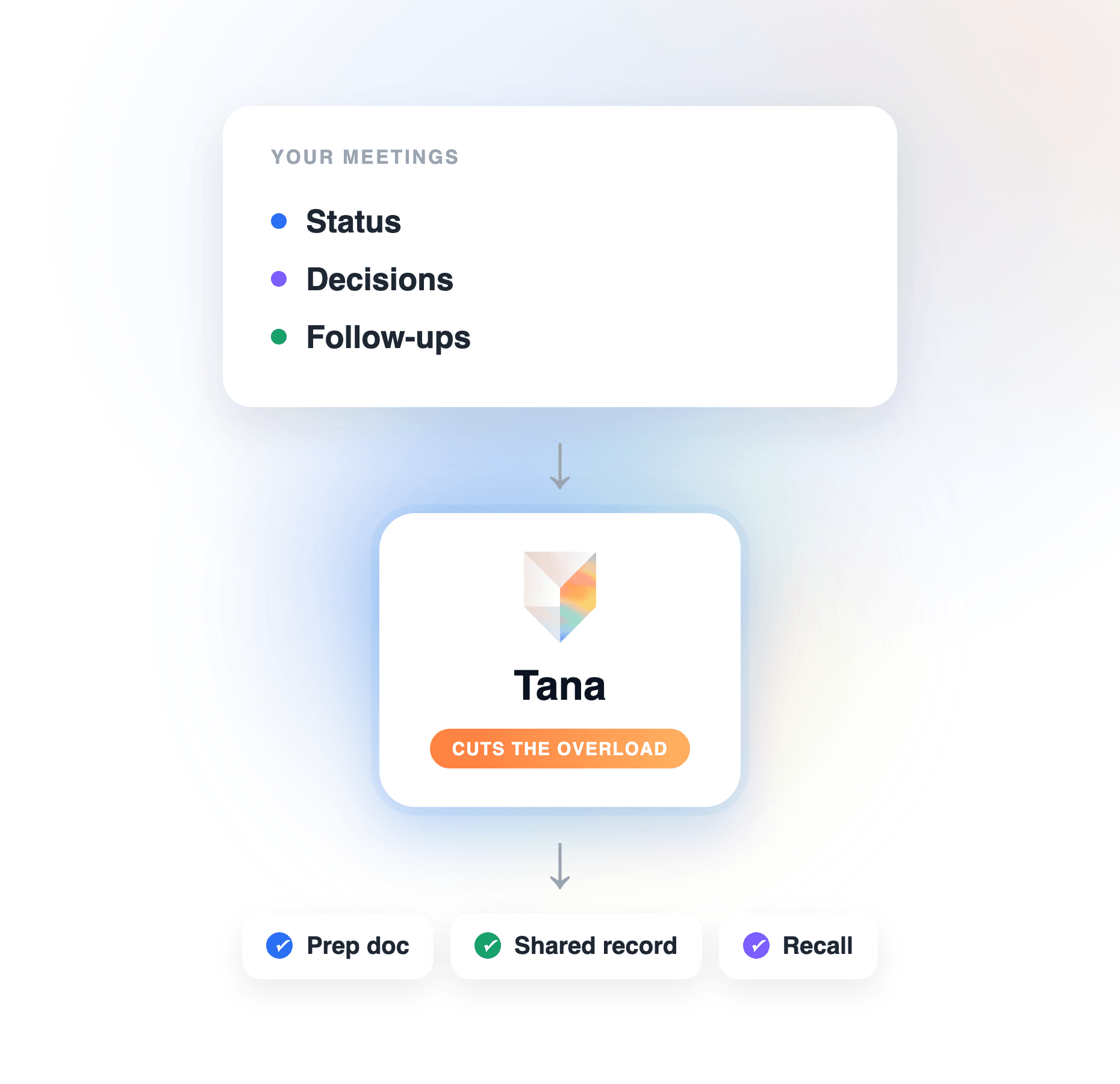
- The fix is a connected system, not a shorter calendar: cancel the status meeting and let a shared record carry the update, walk into the meetings you keep already briefed, capture decisions and follow-ups live, and make all of it searchable so nobody books a meeting to re-ask.
- Declining invites without that system moves the load around: the questions come back as pings, and the pings become meetings again.
- Tana runs the system for you. It captures your meetings without a bot, updates one shared record instead of piling up summaries, briefs you before each call with an agent, and answers “what did we decide” from chat with receipts, so status meetings have nothing left to do.
Managers do not have a meetings problem so much as an information problem wearing a meetings costume. Status syncs exist because status lives in people’s heads. Follow-up meetings exist because the first meeting’s decisions were never written down where anyone could find them. Declining invites treats the symptom: the information still has to move, so it comes back as another invite. This guide shows the method for cutting meeting overload at the root, and how Tana automates each step: the prep, the capture, and the searchable record that makes the status sync unnecessary. For how the tools compare, see the best AI productivity tools for managers.
How to cut meeting overload, step by step
The method works with any stack. Under each step is what it takes to run yourself, and how Tana does it.
Step 1: cancel the status meeting and let a record carry the update
Start with the meetings whose only output is that people now know things. A status sync is a synchronous broadcast of information that already exists: replace it with a shared record that stays current, and the meeting has no job left.
The catch is who maintains the record. If updating it is one more task on everyone’s plate, it goes stale in three weeks and the sync comes back. The record has to be produced by the work itself. In Tana, the meetings you already run are the source: Tana captures calls natively and captures external Zoom, Teams, and Meet calls without a bot, and after each call, extraction produces one canonical summary with follow-ups assigned to whoever the conversation pointed at. Pin a doc or a Product Track to a recurring meeting and extraction updates that record instead of spawning a new summary per call, de-duplicating as it goes. The project page stays current because the conversations feed it, and nobody wrote an update.
Step 2: walk into the meetings you keep already briefed
Some meetings earn their slot: decisions, hard conversations, real collaboration. The overload version of these is arriving cold, spending the first fifteen minutes reconstructing context, and running over. The fix is showing up briefed, but doing the digging yourself before every call is its own tax.
Hand it to an agent. In Tana, a scheduled agent briefs you before a meeting from your connected context and leaves a prep doc: the past calls with these people, the open items, the decisions already made. You walk in with the full picture and spend the slot on the part that needs humans. The prepare for meetings guide shows the setup.
Step 3: capture decisions and follow-ups live, so one meeting stops spawning three
A meeting that ends with vague ownership schedules its own sequels: one to clarify what was agreed, one to check on the action items, one because the action items never got filed. Kill the sequels by leaving the room with decisions logged and work assigned.
In Tana this happens during the call. When the discussion lands on something that matters, the Capture control turns that stretch of conversation into a typed item: a Task, a Bug, a Decision, or any custom type your team uses. After the call, everything arrives as a proposal you approve before anything is written, and the approved items file into the trackers your team already runs on, including Linear, GitHub, Jira, Slack, HubSpot, Pipedrive, and more, with screen-share screenshots embedded in the issue. The meeting to “sync on next steps” has nothing to sync: the next steps are already in the tracker with owners. The deeper version of this step is in how to keep meeting action items from getting lost.
Step 4: make decisions searchable so people stop meeting to re-ask
The final source of meeting overload is re-litigation. Someone was not in the room, or was and forgot, and the cheapest way to find out what was decided is to book thirty minutes with you. Across a team, the manager becomes the search engine, one calendar slot at a time.
Give the team a better search engine. Because Tana’s record is built from the conversations themselves, anyone can ask chat “what did we decide about the pricing change” or “why did we do it this way” and get an answer grounded in what was recorded, with receipts pointing back to the discussion. Decisions carry their rationale. The person who would have booked you asks the record instead, and your calendar never hears about it.
What this looks like in Tana
A concrete week. Your Monday status sync is gone; the Product Track it used to feed is pinned to the remaining weekly decision meeting, so every call updates the same record and the team reads it asynchronously. Tuesday, before a roadmap call, the prep doc is waiting: last month’s decision on scope, the open bugs a customer raised, who committed to what. During the call, a scope cut gets captured as a Decision with its rationale, and a regression someone demos on a shared screen gets captured as a Bug. Afterwards, the proposals are queued: the summary updates the Track, the Bug goes to Linear with the screenshot embedded, a task lands on the engineer the conversation pointed at. You approve them in two minutes. Thursday, a teammate who missed everything asks chat what changed on the roadmap and gets the decision, the reasoning, and the receipt. No catch-up meeting, no recap thread.
Where a general tool or chatbot falls short
You can run a version of this with a notes doc and a general AI assistant, and for a solo manager with a light calendar it may be enough. The gaps show up at team scale:
- The record depends on you. A status page you update yourself is a chore, and chores lose to calendars. It goes stale the first busy week, and a stale record is worse than none: people stop trusting it and book the meeting anyway.
- Each meeting is an island. A general tool summarizes one transcript at a time. It does not update last week’s record or de-duplicate, so you accumulate summaries instead of building a record.
- Nothing gets filed. A summary in a chat session is not an assigned task in your tracker. The follow-through is still yours to carry out, which is exactly the load you were trying to shed.
- Nobody else can ask it anything. The context lives in your chat history, so your team cannot query it, and the re-ask meetings survive.
A general assistant is fine for thinking through one meeting. Cutting meeting overload for a team requires the connected system: capture that feeds a shared record, filing that reaches your trackers, and search the whole team can use. That is the job Tana is built for; for how the category compares, see best meeting intelligence software 2026.
Frequently asked questions
What is the best way to eliminate meeting overload for managers?
Remove the reason most meetings exist: information that only moves synchronously. Cancel status meetings and let a shared, current record carry the update, arrive at the remaining meetings briefed, capture decisions and follow-ups during the call, and make the record searchable so nobody meets to re-ask. Tana automates that system: it captures meetings without a bot, updates one shared record per project, preps you with an agent, and answers “what did we decide” from chat with receipts.
How many meetings can a manager actually cancel?
Audit your calendar for meetings whose only output is shared awareness: status syncs, recap calls, catch-ups, and check-ins on action items. For most managers that is a large share of recurring slots, and each one is replaceable once a current record exists. With Tana, the record builds itself from the meetings you keep, since extraction updates the pinned doc or Product Track after every call, so the awareness meetings have nothing left to deliver.
How do I replace a status meeting without the update going stale?
Do not replace it with a page someone has to maintain; that doc decays and the sync returns. Replace it with a record produced by the work: in Tana, pin the project’s doc or Product Track to the meetings that touch it, and extraction updates that record and de-duplicates after each call. The team reads a current page instead of attending a broadcast.
How do I stop one meeting from turning into three follow-up meetings?
End the first meeting with decisions logged and work assigned, so there is nothing left to clarify. In Tana, the Capture control turns a stretch of discussion into a typed Task, Bug, or Decision during the call, and afterwards everything arrives as proposals you approve, filing into Linear, Jira, GitHub, or wherever your team tracks work. The “next steps” meeting dissolves because the next steps are already filed with owners.
Can AI prepare me for meetings so they run shorter?
Yes, and it is one of the fastest wins against meeting overload. A scheduled Tana agent briefs you before a meeting from your connected context and leaves a prep doc: prior calls, open items, decisions already made. Meetings run shorter because nobody spends the first quarter of the slot reconstructing context, and the prepare for meetings guide covers the setup.
How do I make past decisions searchable for my team?
Capture decisions as structured items when they happen, with rationale attached, in a record the whole team can query. In Tana, decisions captured during a call become Decision items, and anyone can ask chat “what did we decide about X” and get an answer grounded in the recorded discussion, with receipts. That single capability removes the meetings that exist only to re-ask.
Explore further