
TL;DR
- Bugs surfaced in standups, bug bashes, and design reviews die in notes because filing a ticket means leaving the conversation for the tracker. Your bug tracking software only tracks what reaches it.
- The fix is a short habit chain: name the bug out loud, capture it as a bug with the repro and what was on screen, file it before the call ends, and connect it to work already in flight.
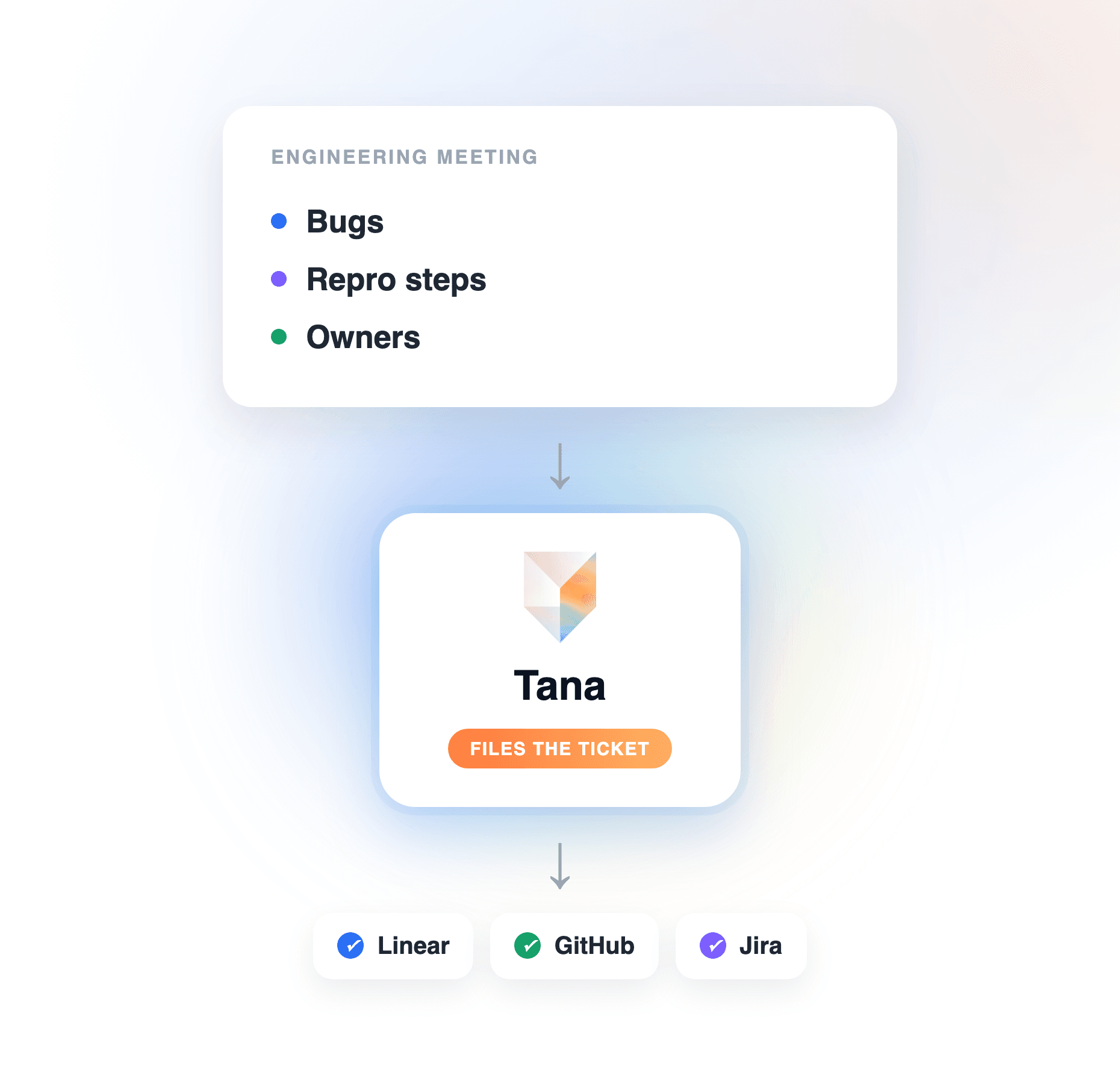
- Tana automates that chain. During the meeting you mark a stretch of discussion as a Bug, extraction attaches the screen-share screenshot as visual context, and the ticket lands in Linear, GitHub, or Jira as a proposal you approve before everyone hangs up.
- The tracker stays your system of record. Tana is the meeting-to-ticket layer on top of it, so nothing said in the room stays in the room.
Every engineering team has good bug tracking software and still loses bugs. Not the ones users report through a form, but the ones spotted in conversation: the flicker someone notices during a demo, the edge case raised in a design review, the “oh, that’s broken too” in a standup. Those bugs live in someone’s notes, and a bug that never reaches the tracker does not exist as far as your issue management is concerned. This guide covers the habits that get meeting bugs filed, and how Tana runs the whole chain so the ticket exists, with a screenshot and an owner, before the call ends.
Why bugs from meetings never reach the tracker
The problem is not discipline, it is timing. Filing a good ticket takes a context switch: open the tracker, pick the project, write the title, reconstruct the repro, find a screenshot. Nobody goes quiet for three minutes mid-meeting to do that, so the bug gets a line in the notes instead. After the call, the notes compete with the next meeting, the repro has faded, and the screen everyone was looking at is gone. Multiply that by every standup and bug bash in a week and the gap between “bugs we found” and “bugs we filed” is real, and invisible, because untracked defects show up in no dashboard.
How to file bugs from engineering meetings, step by step
The method works with any ticketing system. Under each step is how Tana carries it.
Step 1: name it as a bug the moment it appears
The cheapest habit with the highest payoff: when something broken comes up, someone says “that’s a bug” out loud. It converts a passing observation into a thing the meeting owes a ticket for. In Tana this is one action: while the meeting runs, the Capture control turns that stretch of discussion into a typed Bug item, live, without anyone leaving the call. Decisions and tasks get the same treatment, so the meeting produces typed outcomes, not prose.
Step 2: capture the repro and the screen, not a paraphrase
A ticket that says “search is flaky” gets bounced back for details. The repro is in the conversation, and the evidence is on the shared screen, so capture both while they exist. Tana captures the meeting natively, and external Zoom, Teams, or Meet calls without a bot: the desktop app records the audio and takes screenshots of the shared screen. When extraction builds the bug, the screenshot of the moment it was demonstrated is attached as visual context.
Step 3: give the bug a shape your workflow understands
A bug is not a paragraph. It has a severity, a status, an owner. Define that shape once so every captured bug arrives ready to triage. In Tana you can ask chat in plain language to create a Bug type with the fields you care about, severity among them, and a kanban workflow for its states. The guide to tracking issues with a type walks through it.
Step 4: file the ticket before the call ends
This is the step that separates teams who track meeting bugs from teams who mean to. If the ticket is not filed when the meeting ends, it joins the follow-up queue, and the follow-up queue is where bugs go to fade. Tana files the bug into the tracker your team already runs on, Linear, GitHub, Jira, and more, with the screen-share screenshot embedded in the issue. The ticket arrives as a proposal you review and approve, so the tracker gets a vetted issue, not transcript noise, before everyone has left the room.
Step 5: connect it to the work already in flight
A bug filed in isolation is better than a bug lost, but the same defect resurfacing across three meetings should not become three tickets. Pin the relevant doc or Product Track to the recurring meeting, and Tana’s extraction updates that record and de-duplicates instead of spawning a new summary per call: the bug from last week’s bug bash raised again in this week’s standup stays one item. And when someone asks “did we ever file that rendering bug”, you ask chat and get an answer grounded in what was recorded, with receipts.
Step 6: hand it to whoever fixes it, human or agent
The chain ends when the fix starts. Because everything arrives typed and assigned to the person the conversation pointed at, triage is mostly approval. For teams working with coding agents, Tana’s Model Context Protocol (MCP) server lets Claude Code, Cursor, Codex, or GitHub Copilot read the bug, screenshot and discussion included, and write status updates back as proposals you approve. The bug spotted in a Tuesday design review can be in an agent’s working context Tuesday afternoon.
What this looks like in a bug bash
A concrete run-through. Your team spends an hour hammering on the release candidate over a Meet call, screens shared. Tana captures the call without a bot. Each time someone hits something, whoever is driving marks it: Capture, Bug. By the end of the hour there are eleven typed bugs, each tied to the moment it was found, with the screenshot of the broken state attached. Extraction assigns each to the person the conversation pointed at and proposes eleven tickets into Linear. The last five minutes of the call are proposal review: approve nine, merge one duplicate, reject one that turned out to be a config issue. The bug bash ends as nine tracked, assigned, screenshot-backed tickets, not a doc to process.
Where a notetaker or a general chatbot falls short
An AI notetaker will catch the bugs in its summary, and pasting a transcript into a chatbot will produce a decent bug list. If all you need is that list, either is fine. The gap opens at the tracker boundary:
- The action items are yours to carry out. A summary that says “file the pagination bug” still needs someone to open the tracker, rebuild the repro, and file it themselves. The context switch the meeting avoided lands on someone after it.
- The evidence is gone. A transcript records what was said about the broken screen, not the screen. A bug ticket without the visual is a slower bug ticket.
- Each meeting is its own record. The same defect discussed across three calls becomes three disconnected mentions, and spotting that pattern is left to whoever reads all three summaries.
General tools get you a list of bugs discussed. Your tracker needs tickets: typed, evidenced, deduplicated, owned. Tana is the layer that turns one into the other during the call. The broader version of this problem, action items of every kind going missing after meetings, is covered in how to keep meeting action items from getting lost.
Frequently asked questions
How do you capture bugs from engineering meetings automatically?
Use a tool that listens to the meeting and produces typed, filed output rather than a summary to process later. Tana captures the call, natively or on external Zoom, Teams, and Meet calls without a bot, lets you mark a stretch of discussion as a Bug live, attaches the screen-share screenshot, and proposes the ticket into your tracker before the call ends. You approve every proposal, so nothing is written unreviewed.
Can AI file bug tickets into Linear, GitHub, or Jira from a meeting?
Yes. Tana files bugs captured during a meeting into Linear, GitHub, Jira, and the other tools your team runs on, with the screen-share screenshot embedded in the issue. Every ticket arrives as a proposal you approve, so the tracker stays clean and filing stops depending on memory after the call.
Do meetings need their own bug tracking software?
No. Your existing tracker should stay the system of record; adding a second one fragments issue management. What meetings need is a capture layer that gets discussed bugs into that tracker reliably. Tana plays that role: it sits on top of Linear, GitHub, or Jira, turns meeting discussion into typed bugs, and files them into the tracker you already triage in.
How do you avoid duplicate bug tickets from recurring meetings?
De-duplicate at the source, before tickets are created. In Tana you pin the relevant doc or Product Track to the recurring meeting, and extraction updates that record instead of producing a fresh summary per call, so a bug raised in three standups stays one item. The proposal review is a second gate: merge or reject duplicates before anything reaches the tracker.
How do screenshots from a meeting end up in the bug ticket?
Tana’s desktop app takes screenshots of the shared screen while it captures the call. When a stretch of discussion is captured as a Bug, extraction attaches the screenshot from that moment, and when the bug is filed into Linear, GitHub, or Jira, it is embedded in the issue. The engineer who picks up the ticket sees the broken state the room saw, not a description of it.
What is the best meeting tool for engineering teams that file bugs?
Pick the tool by where its output ends up. Notetakers end at the summary; engineering work ends at the tracker. Tana is built for the second: typed Bug capture during the call, screenshots as evidence, proposals into Linear, GitHub, or Jira, and an MCP server that hands the context to coding agents like Claude Code and Cursor. For a fuller comparison aimed at engineering teams, see best Fireflies alternatives for engineers.
Explore further