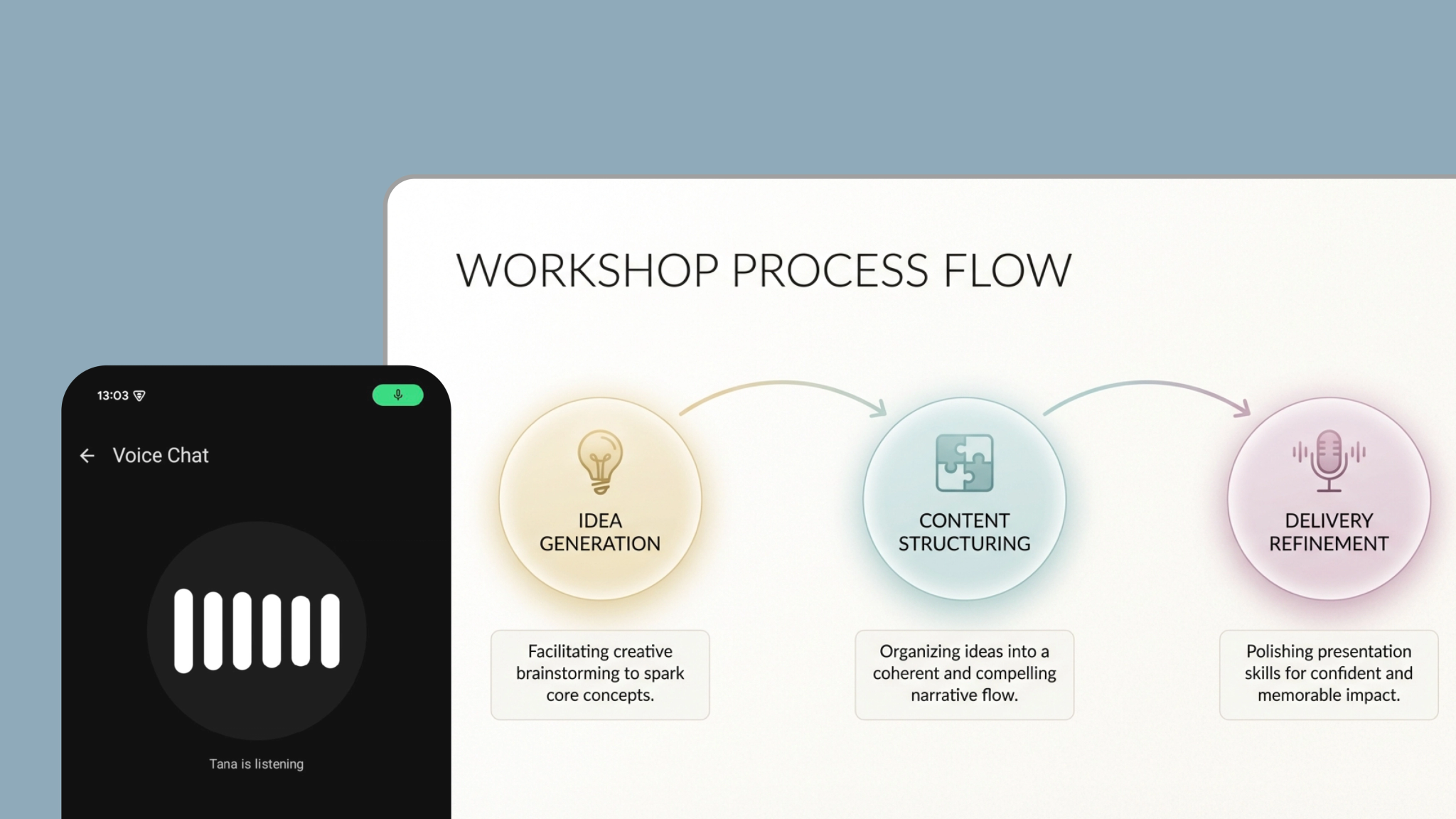
AI Voice chat on Android and iOS can now search Tana and the web

Supercharged voice conversations
The new AI voice chat on mobile builds on Tana’s voice capabilities, which already lets you turn spoken notes into structured content with supertag workflows. Now the AI listens and responds in real time, just like a colleague.
If you’re new to Tana, here’s an intro.
How to start a voice chat
- Capture tab: Tap "Voice Chat" for a general conversation
- Supertag: Start from a Supertag (via Supertag tab or home screen widgets) to have a conversation tailored to that tag. The AI knows about its fields and any custom instructions you've set, and will autofill fields when the chat ends.
- Any node: Long-press a pinned node in Browse, or long-press the + button on any node. The AI will have the context of that node immediately. Send to save the transcript under that node.
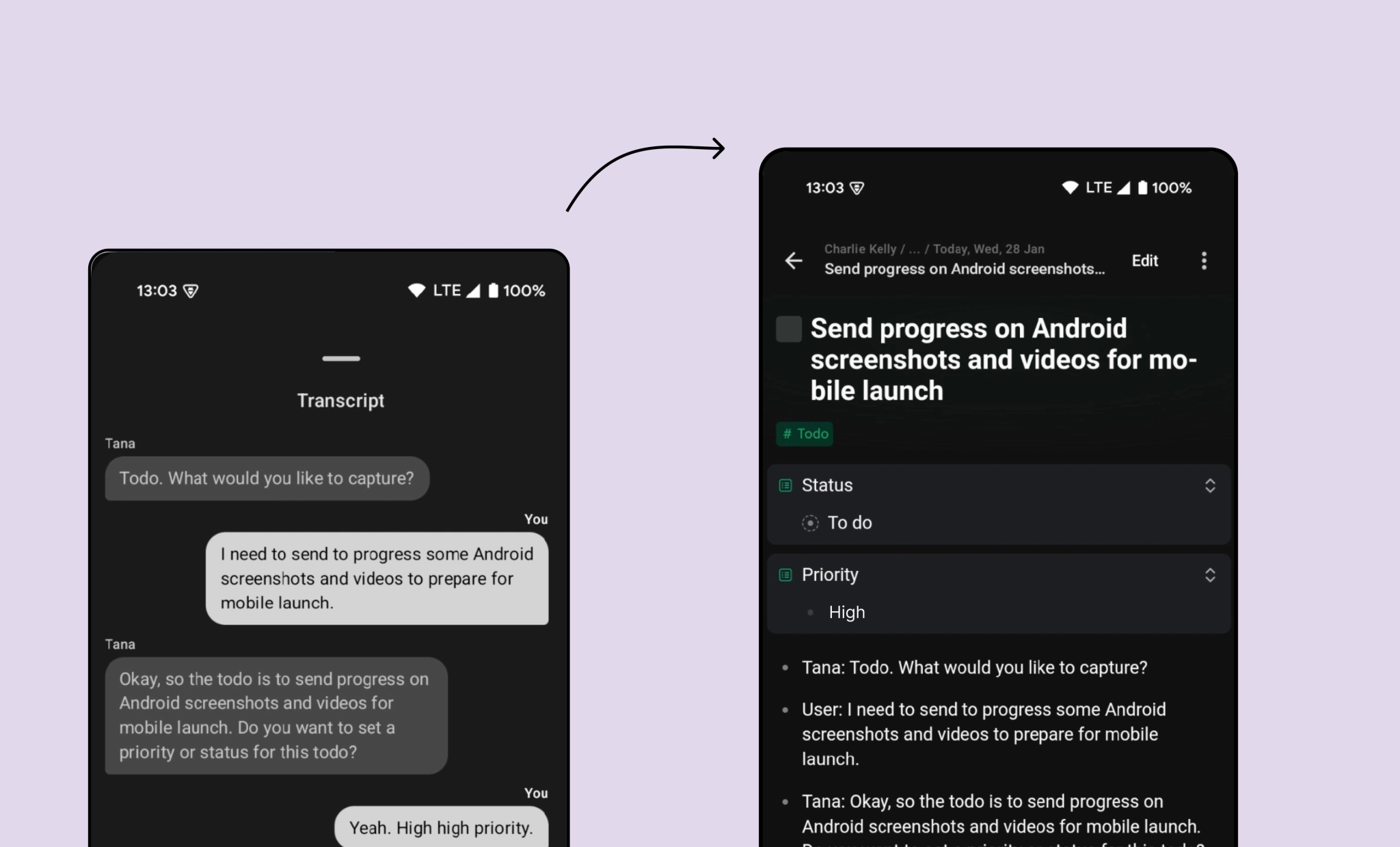
Supertags still do the heavy lifting, their fields and AI instructions inform the assistant, and when you finish chatting Tana auto‑fills fields with the transcript and any extracted tasks. On iOS you even get a review screen with an AI summary and charts before saving (coming soon to Android). Learn how to tailor the instructions of a supertag for voice chat.
During the conversation the agent can now pull more information on the fly. Ask it to search your workspace, zoom into pinned nodes, fetch details from referenced nodes or even look up external facts. It’s like having your entire knowledge graph and the web on speed dial, with voice‑only interactions.
Key features:
- Two‑way AI conversation that asks questions and helps you refine your ideas.
- Easy to start from multiple entry points: from the Capture tab for general chat, via a supertag, or from any node to discuss its context.
- Home screen widgets: Tana lets you add home screen widgets customized with a selected supertag, allowing you to start a voice chat in one click.
- Structured outcomes: transcripts become notes with fields filled in automatically; tasks and items are extracted and linked to projects.
- Context on demand: the agent can search your workspace, zoom into pinned nodes or find information from references and the web.
- Voice chat currently only supports English language (mobile voice memos support 60+ languages.)
Build presentations in Tana with voice chat and AI image generation
To showcase what voice chat can do, we’re launching two new templates that together turn voice chat into a presentation engine.
Plan presentations with voice chat
The presentation workshop template helps you shape a story from a messy brain dump. Start a voice chat using the #Presentation workshop supertag, talk through your thoughts and let the AI act as your coach. The template fills in fields like Brief and Big Idea, and creates narrative beats that you can expand as your ideas evolve.
When you return to the page you’ll see an organised outline instead of raw notes, ready to refine. This approach follows presentation principles: make the audience the hero, contrast “what is” with “what could be”, and craft strong openings and closings. You can revisit the supertag any time to continue the conversation and iterate your story.
Generate slides in one click
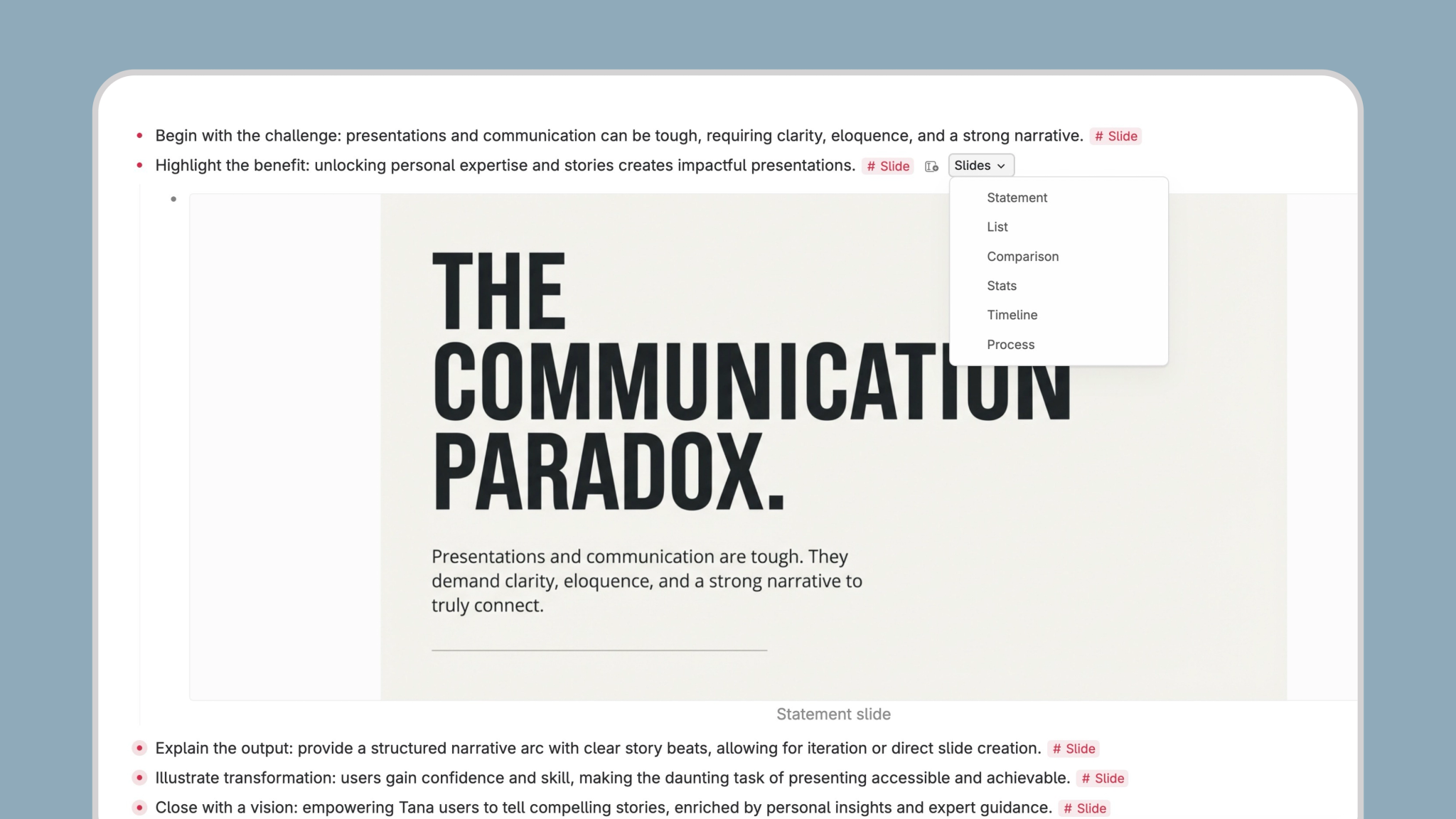
To turn your outline into visuals, we’ve added an image generation – slides extension template. On any node you can press Ctrl/Cmd + K and choose Generate slide in one of six styles.
You can then create presentation‑ready images for your narrative beats and export them for your deck. Use these slides separately or pair them with the workshop template for a complete storytelling workflow.
To show the slides directly from Tana,
For repeated use, extend a supertag (such as #Presentation workshop) with the slides extension; this adds a Slides dropdown on all nodes with that tag.
- Right-click on a supertag you use to plan presentations (e.g. #Presentation workshop from this template)
This will give you a slides button on nodes tagged with this tag, to easily select styles:
Use cases for busy managers
Try these things with voice chat:
- Plan a presentation from scratch: brainstorm your message with voice chat, let the presentation workshop template organise it into a narrative, then generate slides for each section.
- Debrief a meeting: talk through your notes with voice chat, have tasks and decisions extracted automatically, and save the transcript under the meeting node for follow‑up.
- Brainstorm product features: discuss ideas with AI, ask it to search your workspace for relevant references and create tasks or research notes as you go.
- Prepare a project update: voice chat with the AI to outline the update, auto‑fill fields like status and priority, then generate slides to present to stakeholders.
- Reflect on your day: use voice chat as a journaling partner, summarise wins and challenges, and capture insights that feed into tomorrow’s tasks.
Getting started
- Pick an entry point: open the Capture tab and tap Voice Chat for a generic conversation, choose a supertag in the Supertag tab or widget for a tailored chat, or long‑press a pinned node or the plus button on any node to start chatting in context.
- Set up your supertag: add fields and AI instructions so the assistant knows what to capture and how to format the output.
- Speak freely: let the AI guide you through the process, whether you’re planning a deck, extracting tasks or just thinking out loud.
- Review and save: on iOS, review the AI summary and graphs before saving; on Android, the transcript and filled fields are saved immediately.
- Try the templates: open the
#Presentation workshopsupertag to start shaping your story, and use the slides extension to create visuals.
Voice chat has matured from early access into a fully supported feature. With deeper context and new templates, it’s the most human way to capture ideas and act on them. Update your Tana app, start talking and watch your messy thoughts turn into polished presentations.